man pages:

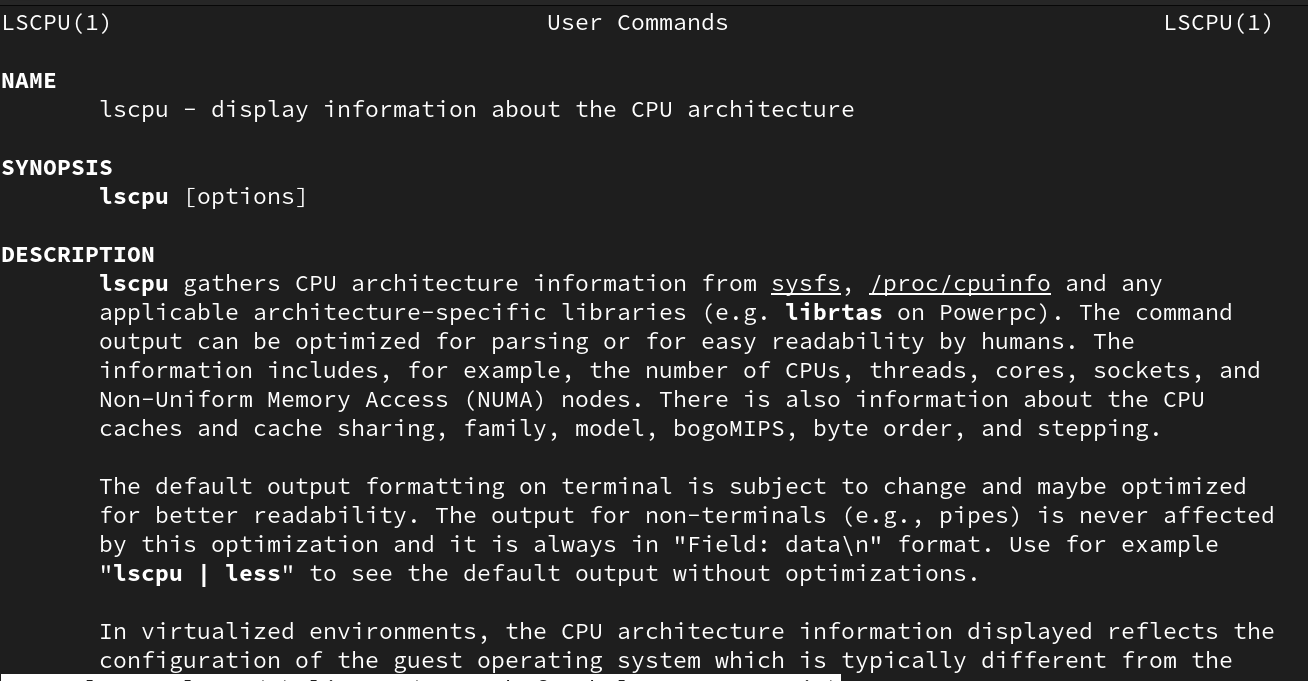
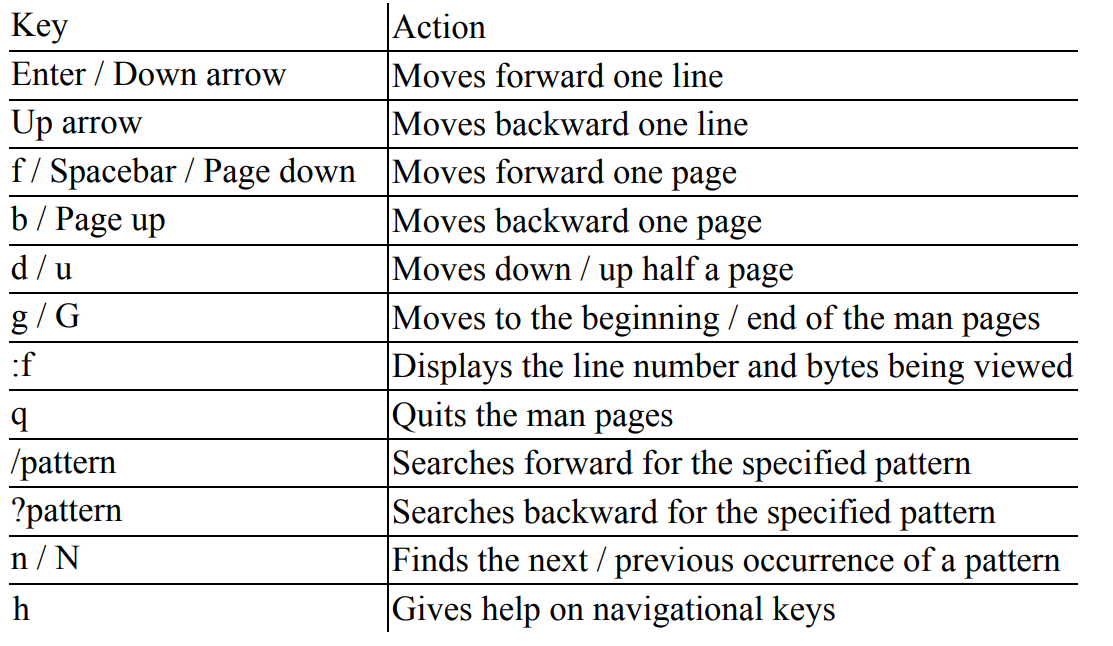
Press hto get help on navigation,press qto quit and return to the command prompt, use theUp and Down arrow keysto scroll up and down, and thePgUpandPgDnkeys to scroll one page at a time.- KEYS WHICH CAN HELP IN NAVIGATION:
apropos command:
- It is alias of the command
man -k {half_remembered_cmd_name}→ This command allows us to perform keyword search on manual pages incase we have forgot what the command name is.
Note
Before we run the keyword search we need to run the command mandb
- Once you have identified the command you were looking for, you can check that command’s manual pages for usage.
--help :
- Some commands also support the use of the –help and -? parameters. These parameters provide a brief list of options and a description without going through the manual pages. For example, to get quick help on the passwd command, run either passwd –help or passwd -?
Short description:
- The
whatiscommand searches for a short description of the specified command or file in the manual database. It quickly scans through the installed manual pages for the specified string and displays all matching entries.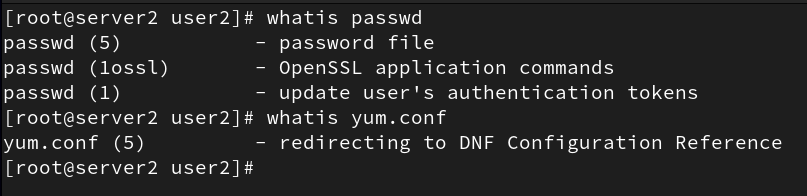
- You may alternatively run
man -f yum.confandman -f passwdfor the exact same results. Bothman -f and whatisproduce identical output.
Documentation in the /usr/share/doc directory:
- Checking the documentation of
gzip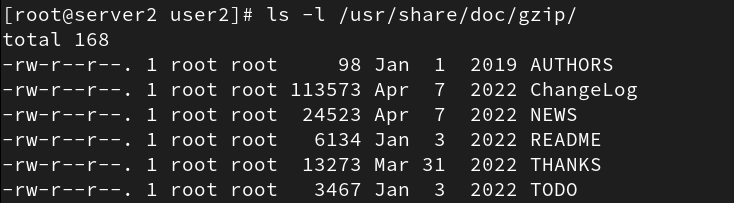
RHEL portal:
- The website at
docs.redhat.comhosts documentation for Red Hat’s various products including RHEL 9 inHTML, PDF, and EPUBformats.