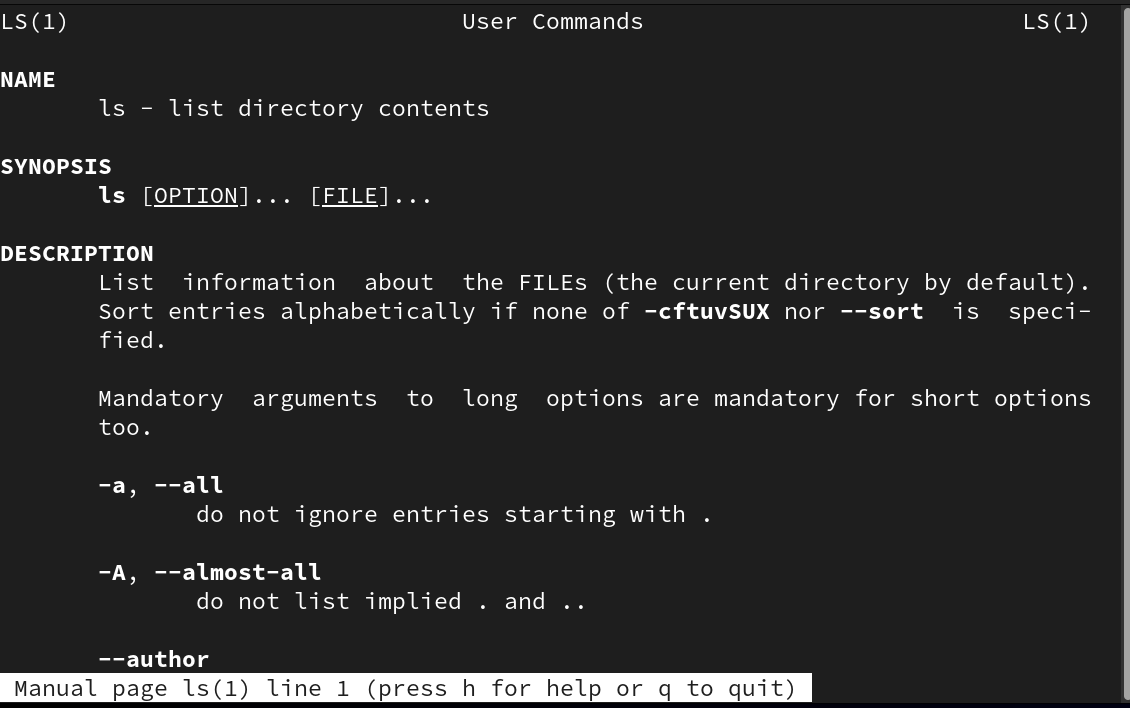
One of the most rudimentary command in linux is ls.
Some options of ls:
| Options | Description |
|---|---|
| -a | Shows hidden files and directories. A file or directory name that begins with the period character. |
| -l | Displays long listing with detailed file information like file type, permissions, link count, owner etc. |
| -ld | Displays long listing of the specified directory but hides its contents. |
| -lh | Displays long listing with file sizes shown in human-friendly format. |
| -lt | Lists all files sorted by date and time with the newest file first. |
| -ltr | Lists all files sorted by date and time with the oldest file first (reverse). |
| -R | Lists contents of the specified directory and all its subdirectories (recursive listing). |
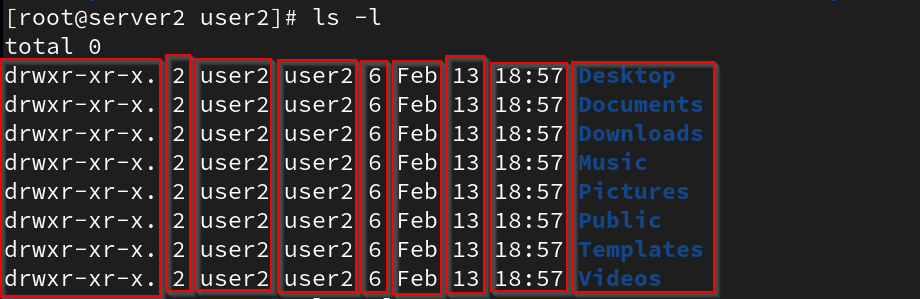
ls -l:
- Long listing of the files.
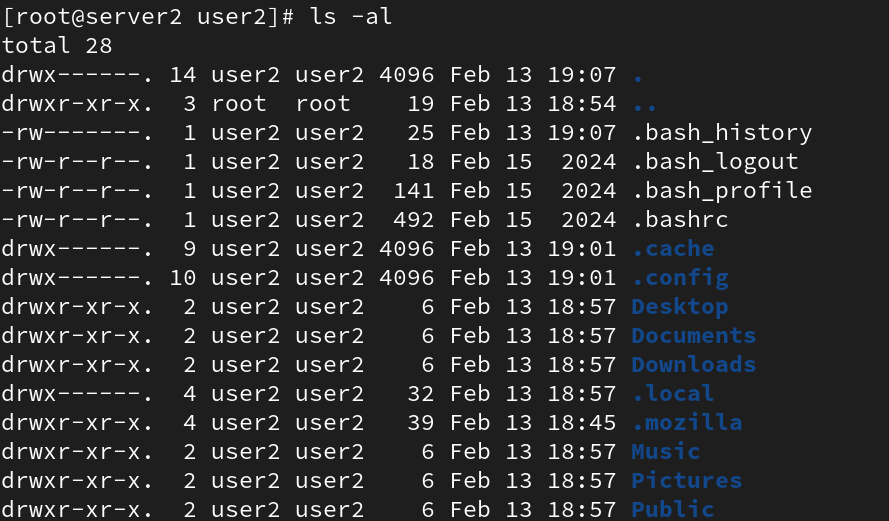
ls -al:
- List all the hidden files in the current working directory.
Debriefing the columns:
Columns 1:The first character (hyphen or d) divulges the file type, and the next nine characters (rw-rw-r–) indicate permissions.Column 2:Displays the number of link.Column 3:Shows the owner name.Column 4:Exhibits the owning group name.Column 5:Identifies the file size in bytes. For directories, this number reflects the number of blocks being used by the directory to hold information about its contents.Column 6,7,8:Displays the month, day, and time of creation or last modification.Column 9:Indicates the name of the file or directory.
ls -ll:
- Alternative of
ls -l, does the same thing.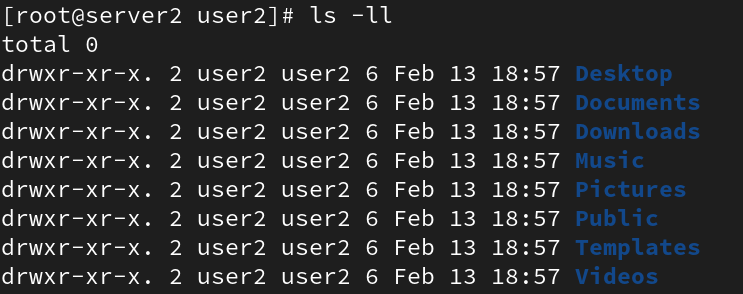
ls -ld {directory_name}:
- Shows long listing of the specified directory.
- For example:
ls -ld /usr
- For example:
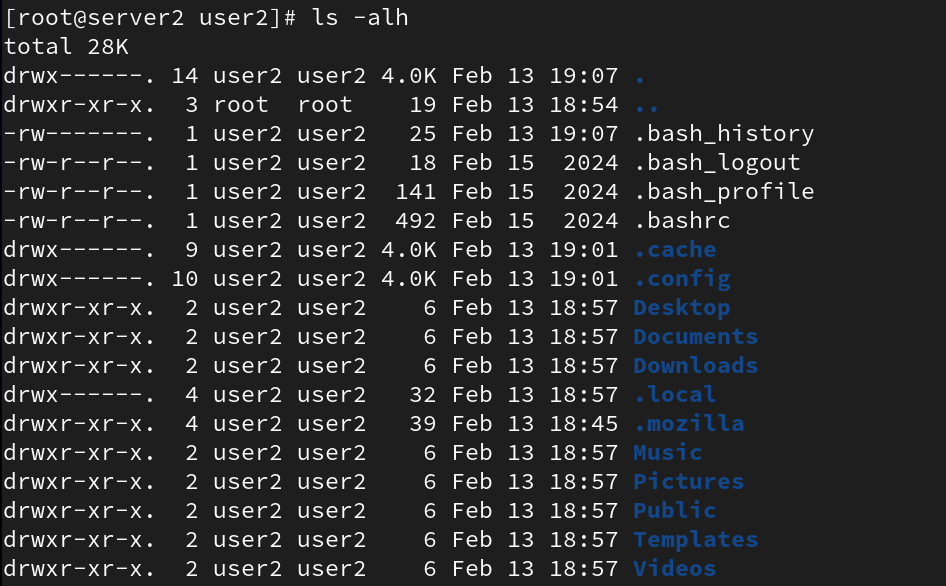
ls -alh:
- To show all the files in the current directory with their sizes in human readable format.
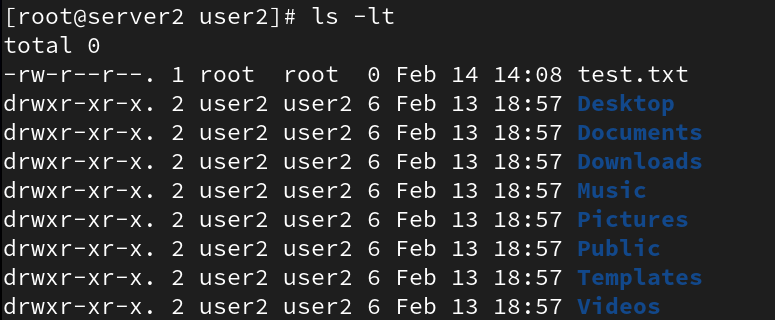
ls -lt:
- Shows the output in a sorted order by date and time with the newest file first.
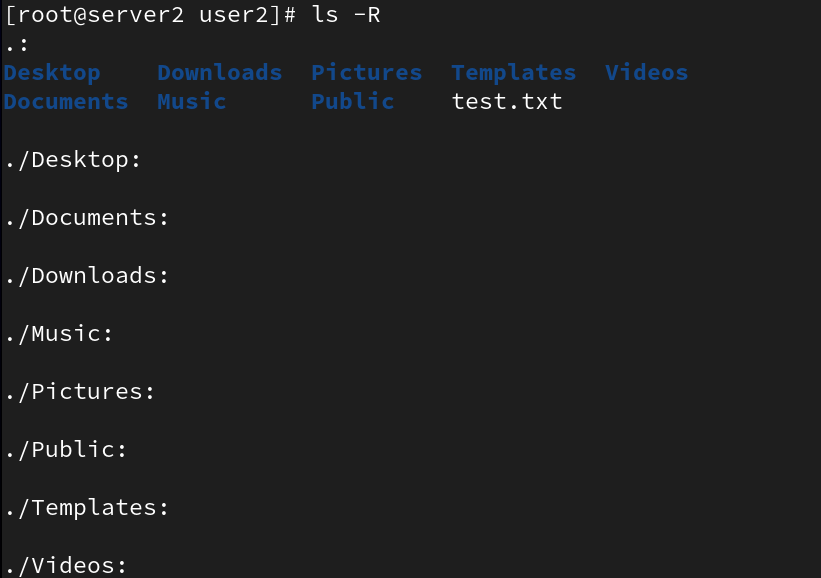
ls -R directory_name/by default the cwd is selected:
- Shows content of any specified directory recursively, if directory is not specified it will take the current working directory as a default argument.

man ls:
- Manual page for ls → Help page.