Threat actors and Advanced Persistent Threat (APT)groups are always thinking about clever techniques and strategies to compromise their next target. A technique that is commonly used by threat actors is implementing C2 operations to centrally manage compromised hosts over the internet. A threat actor will set up one or more C2 servers on the internet that serve the purpose of centrally managing infected and compromised systems, uploading data from the compromised hosts, and downloading additional malware onto newly infected devices.
These C2 servers also serve as update servers for malware such as ransomware. When ransomware infects a new device, most malware is designed to establish a connection to designated C2 servers on the internet to download updates, which ensures cybersecurity professionals are not able to eradicate/remove the malware infection from the host.
- Once the C2 servers are deployed on the internet, the threat actor will attempt to infect the targeted systems, with a bot using various techniques, ranging from social engineering campaigns to infecting trusted web servers to host driveby-downloads of malicious payloads on visitors’ computers. Once a bot is installed on a host device, it will attempt to establish a connection to its designated C2 server to download updates and listen for incoming instructions.
A bot, short for robot, is an application that’s created by a threat actor to perform automated tasks such as malicious activities like performing Distributed Denial-of-Service (DDoS) attacks, sending spam and phishing emails to targets, and even spreading malware. Bots are usually installed on compromised systems and retrieve instructions from a C2 server that is managed by a threat actor.
- As more devices are infected over time with the bot, it becomes a botnet, an army of zombie machines that can be controlled by the threat actor.
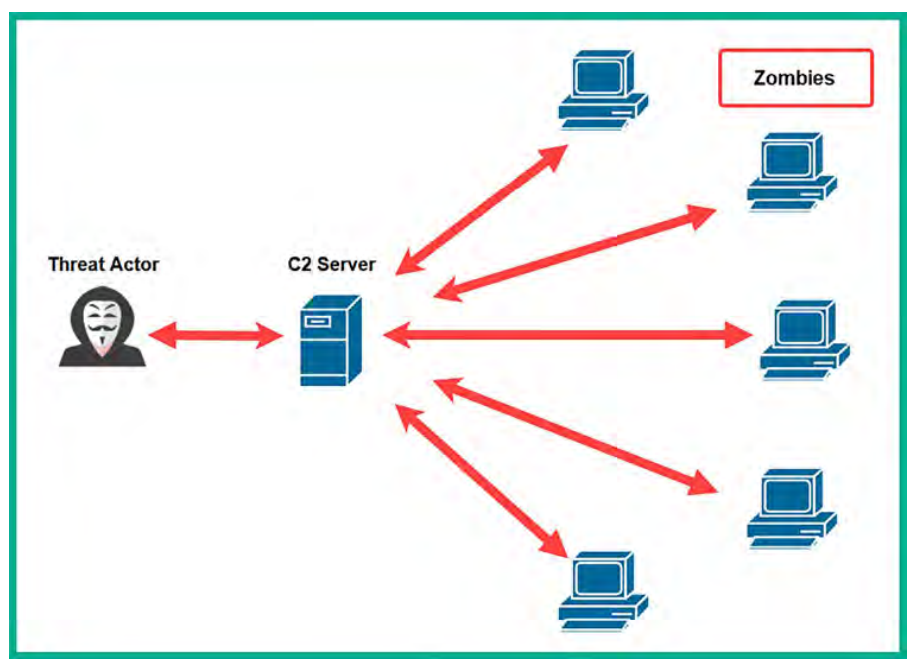
Setting up c2 operations:
One of the coolest features of Empire 5 is the ability to deploy it using a client-server model. This allows you to set up a centralized C2 server anywhere, such as on the cloud or even on-premises on an organization’s network. You can create multiple user accounts on the Empire server to allow access to additional penetration testers who are working on the same penetration test engagement as you. They can use the Empire client to individually log in to the same Empire server and work together.
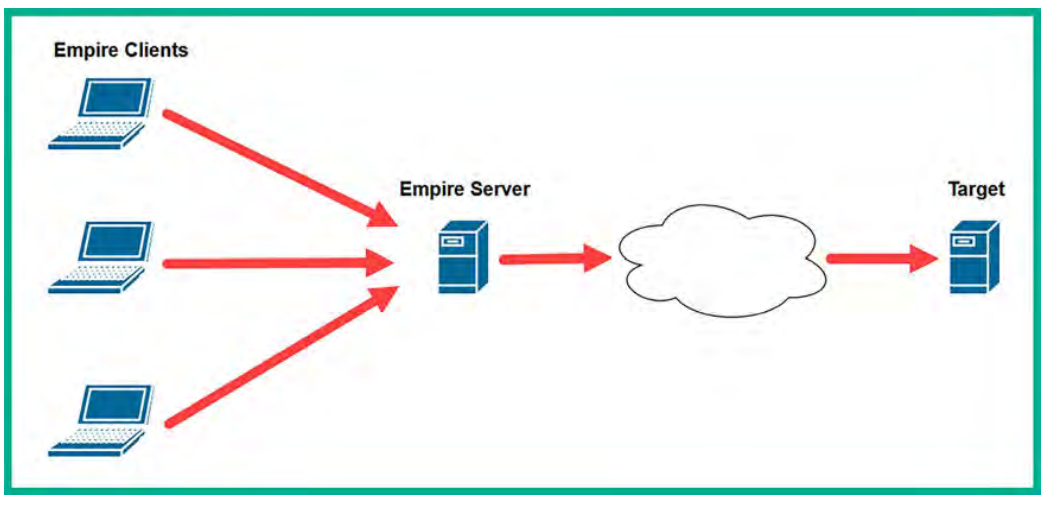
Empire client server model:
- Before getting started, keep in mind that you will need two Kali Linux virtual machines. One machine will be hosting the Empire server while another will be used as the Empire client. For this exercise, we will be using two separate Kali Linux machines to demonstrate how to deploy Empire using the client-server model.
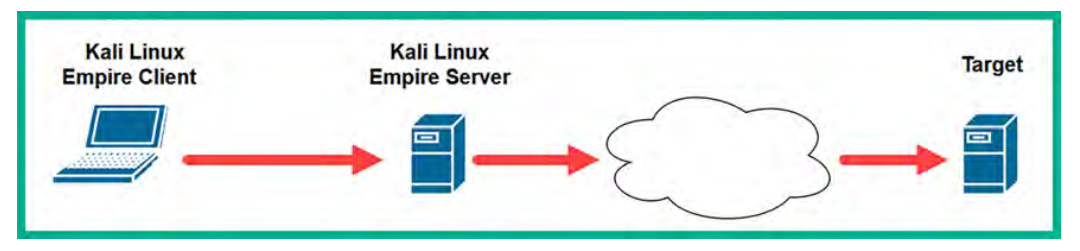
CLONING THE KALI machine:
- Open vmware -> power off the
kali vm, right click on it -> maange -> clone -> full clone -> select the disk where you want to store the machine.