Whatweb
WhatWeb is a tool that is used to help penetration testers easily identify the available technologies and fingerprint web servers and web applications on a target system.
Currently i am running OWASP Juice shop, DVWA(on kali) and metasploitable 2. You can run these commands on any of these 3 machines as metasploitable 2 linux also various vulnerable webserver like DVWA, Multidae, Twiki. You can use those but make sure you provide proper directory in the commands.
DVWA(Damn Vulnerable Web App) setup:
- Follow this github page’s
README.mdinstructions DVWA
OWASP juice shop setup:
- First install docker using the following instructions:
curl -fsSL https://download.docker.com/linux/debian/gpg
| gpg --dearmor | sudo tee /usr/share/keyrings/dockerarchive-keyring.gpg >/dev/null

echo 'deb [arch=amd64 signed-by=/usr/share/keyrings/
docker-archive-keyring.gpg] https://download.docker.com/
linux/debian buster stable' | sudo tee /etc/apt/sources.
list.d/docker.list

sudo apt-get update
sudo apt install -y docker-ce docker-ce-cli containerd.io
- OWASP Juice shop installation steps:
sudo systemctl restart docker
sudo docker pull bkimminich/juice-shop
sudo docker run --rm -p 3000:3000 bkimminich/juice-shop
I will be using DVWA and metasploitable 2 on a basic level for this practical
- Command:
whatweb http://localhost/DVWA
whatweb 172.30.1.134 # metasploitable2 machine ip
 To put it simply, WhatWeb provides the following details:
- The web application and its version
- The web technologies and their versions
- The host operating system and its version
NMAP for web app scanning:
- Using
nmap http scriptsfor the web app scan, first we need to see what kind of scripts are available using the following command:
ls /usr/share/nmap/scripts/http*
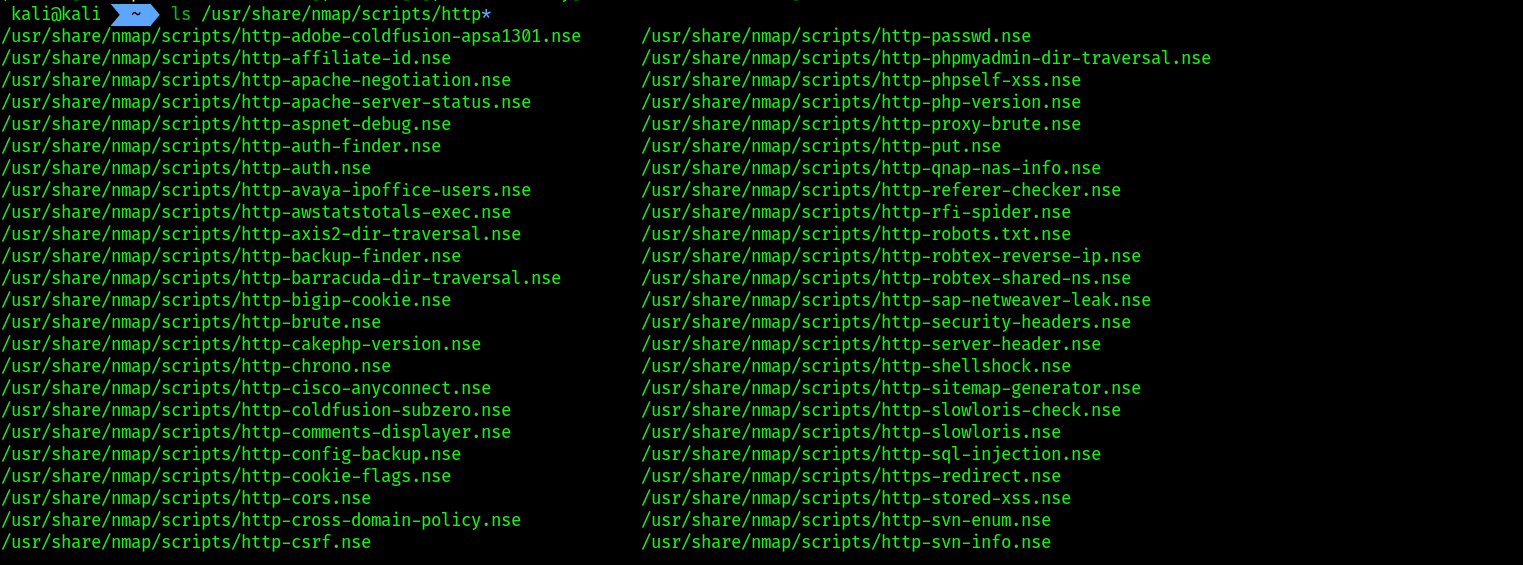 2. From the list, you can choose to use a particular script to check for
 HTTP vulnerabilities on a target system. Let’s imagine that you want to identify whether a target web application is vulnerable to Structured Query Language (SQL) Injection attacks. The http-sql-injection NSE script will be able to identify such security flaws.
nmap --script http-sql-injection -p 80 172.30.1.134
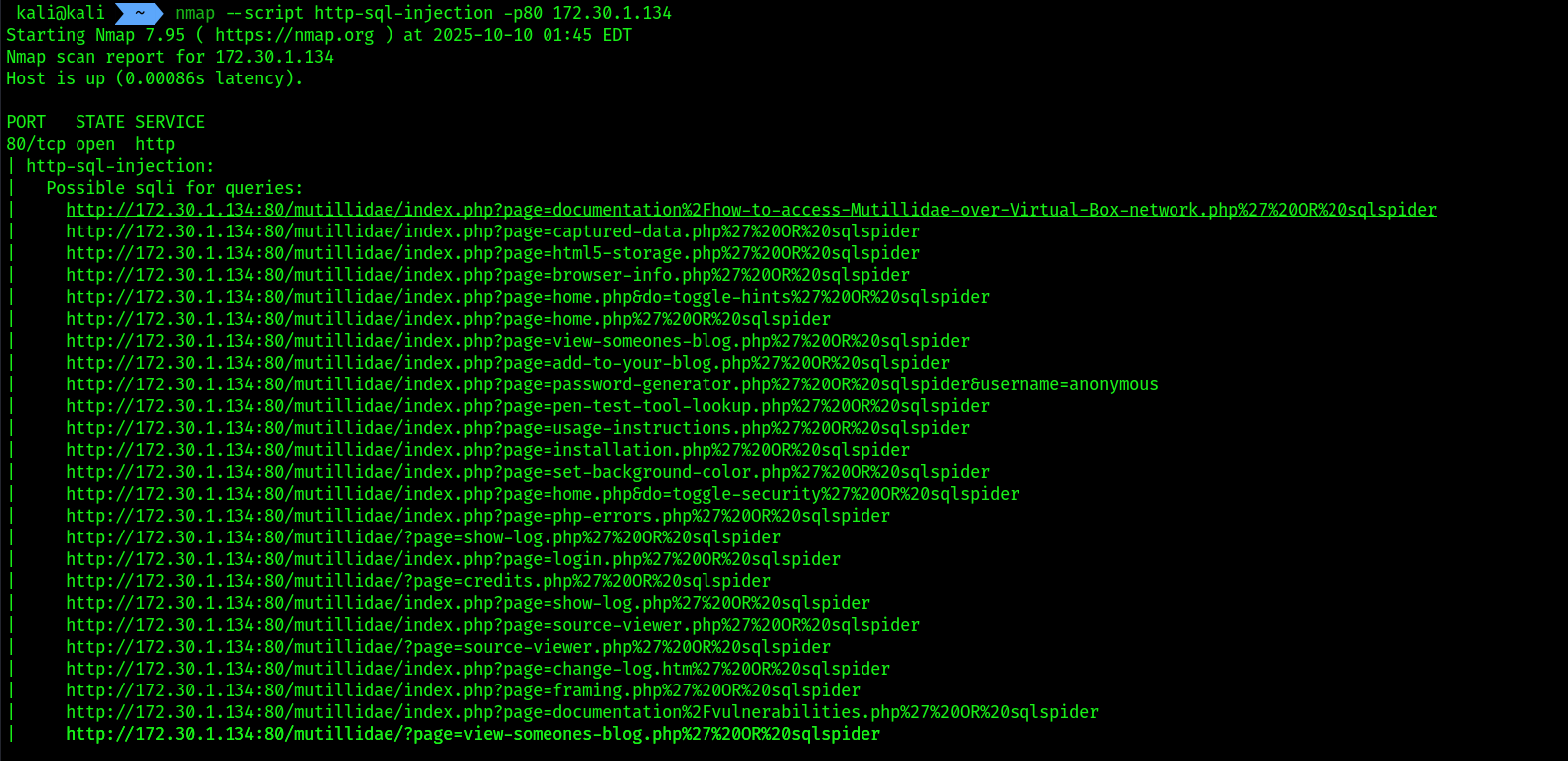
While many scripts within Nmap can be leveraged to identify vulnerabilities within web applications, it is important to always identify the service version of the web application by simply using the –A syntax when performing an initial scan to profile your target. Once you have identified the web application’s service version, use the internet to research known vulnerabilities. As a penetration tester, it’s always good to perform additional research on vulnerabilities as you may find more information on how to compromise the target.
Metasploit for web app scanning:
- This time we will start by initializing the
postgresql dbofmsfconsoleto store the data. - Follow the commands for initialization:
service postgresql start
sudo msfdb init
- Then start
msfconsole - To check the connectivity with the
database, use the commanddb_statusinsidemsfconsole
- Then, use the following command to load the
WMAPweb vulnerability scanner module within Metasploit: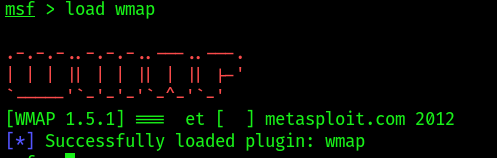
- Next, use the
wmap_sites –acommand to set the target as the OWASP BWA virtual machine IP address, to check if the site is added or not check usingwmap_sites -l, to set the targetwmap_target -t: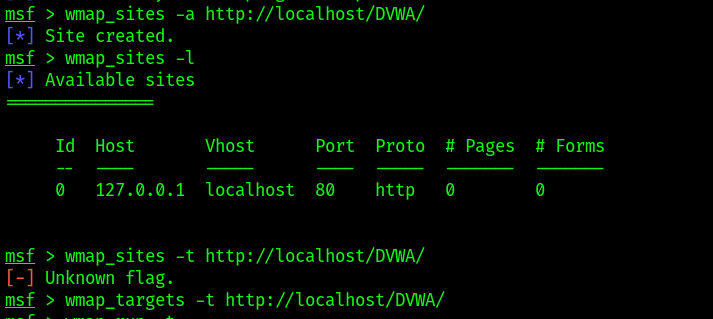
- To run wmap use the command
wmap_run -t, this will automatically load the web scanning modules from metasploit for security testing: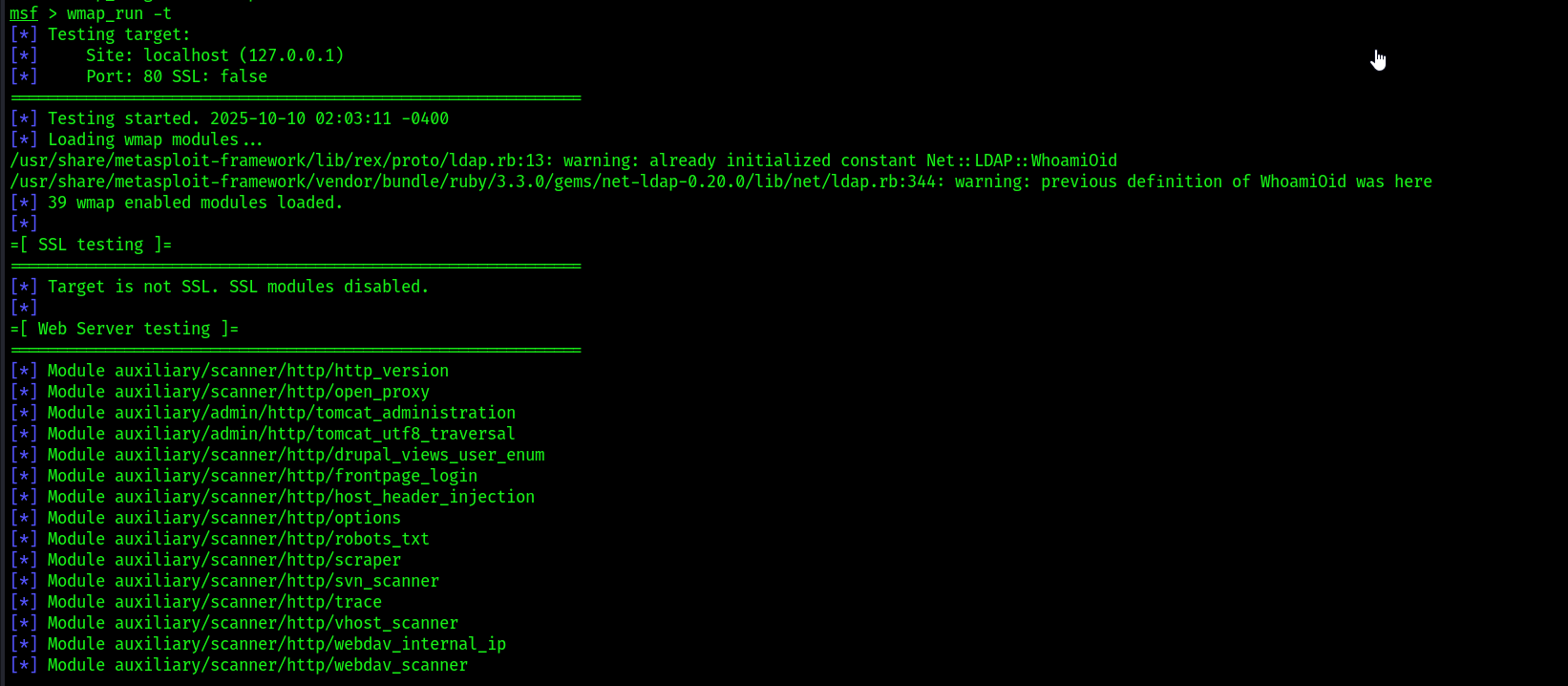
- Once the web scanning modules have been loaded, use the following commands to perform web security testing on the target web application:

- Lastly, use the
vulnscommand to see the overall results of the security assessment from WMAP
Nikto scanning:
- Nikto scan command:
nikto -h 172.30.1.134
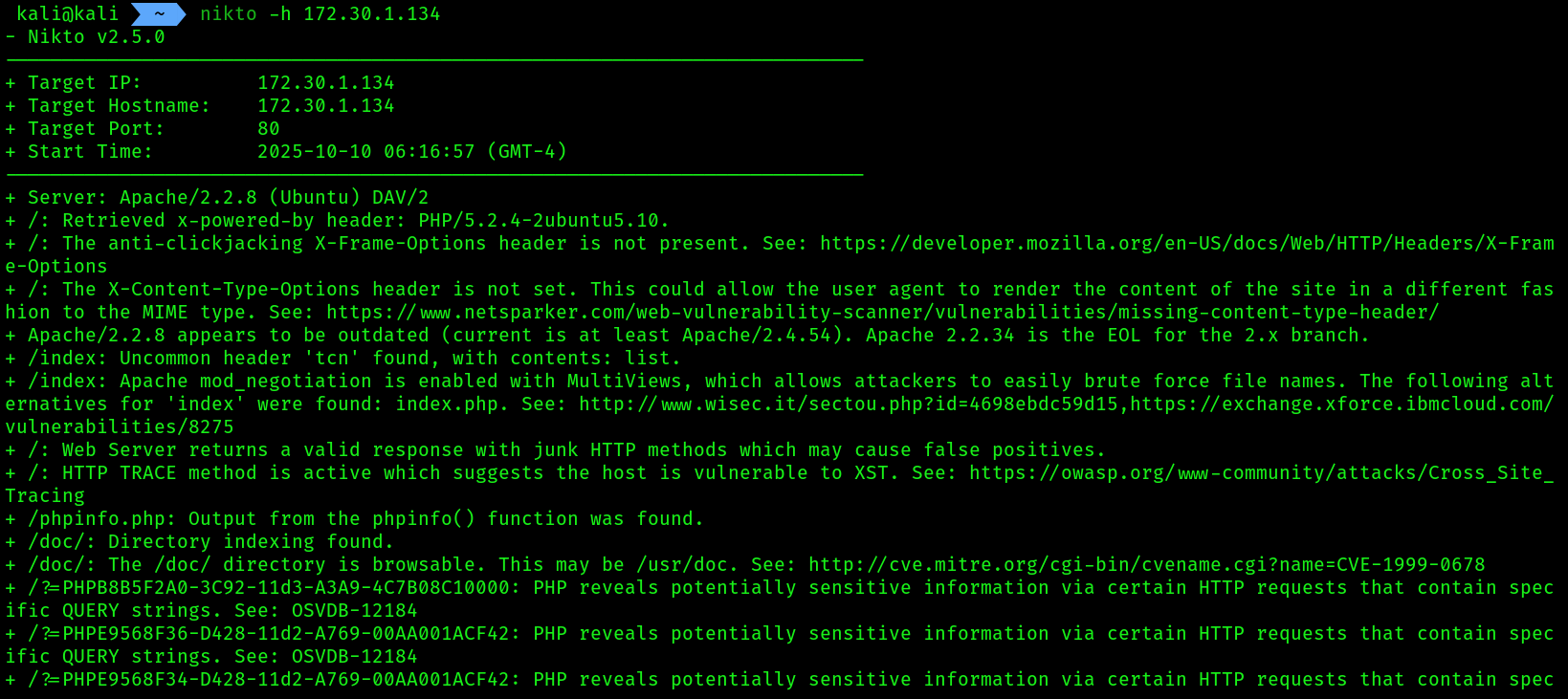
-h : This option allows use to specify target’s hostname and IP address.
- You can read through the entire scan for different vulnerabilities.
Scanning with wpscan:
While there are many web applications within the e-commerce industry, there are many organizations that deploy the WordPress web application as their preferred Content Management System (CMS).
Within Kali Linux, you will learn about the WPScan tool, which allows penetration testers to perform vulnerability scanning and enumeration on the WordPress web application on a target server.
- Let’s get started with WPSCAN:
wpscan --url http://172.30.1.134:8585/wordpress --no-update
The following is a brief description of the syntax:
--url: Specifies the target URL--no-update: Performs a scan without checking for updates WPSCAN IS APPLICABLE IN SUCH APPLICATIONS WHICH ARE BUILT WITH WORDPRESS ONLY.
- Next, to enumerate the login username of the target WordPress web application, use the
–e usyntax
wpscan --url http://172.30.1.134:8585/wordpress --no-update -e u
To learn more about WPScan and its capabilities, please see https://tools.kali.org/web-applications/wpscan.
Further reading:
- Web application vulnerability scanners: https://hub.packtpub.com/implementing-web-application-vulnerability-scanners-withkali-linux-tutorial/
- Secure web-based applications: https://hub.packtpub.com/why-secureweb-based-applications-with-kali-linux/