I forgot the username and password for my nessus setup, so here are the steps to troubleshoot the issues:
# This command will show the existing usernames on your machine
sudo /opt/nessus/sbin/nessuscli lsuser
# changing the passweord for a particular username
sudo /opt/nessus/sbin/nessuscli chpasswd 0xdf_fak3r
Give a new password and you are good to go, navigate to the portal of nessus -> nessus
Scanning with nessus:
- Start the
nessusservice using the commandsudo /bin/systemctl start nessusd.service, then navigate tohttps://kali:8834 - After login, click on the
new scanbutton: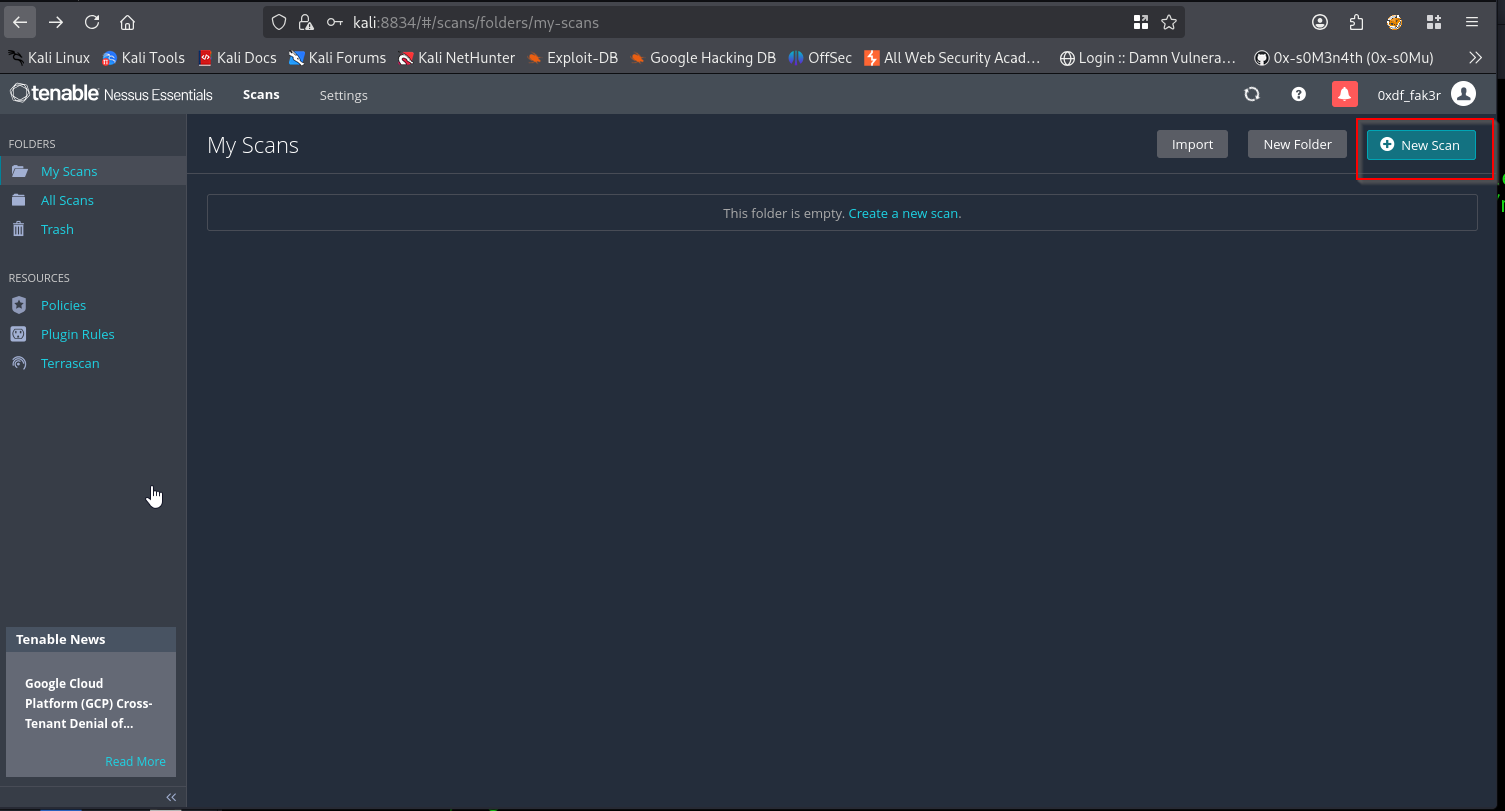
- Select
advance scanfrom the options: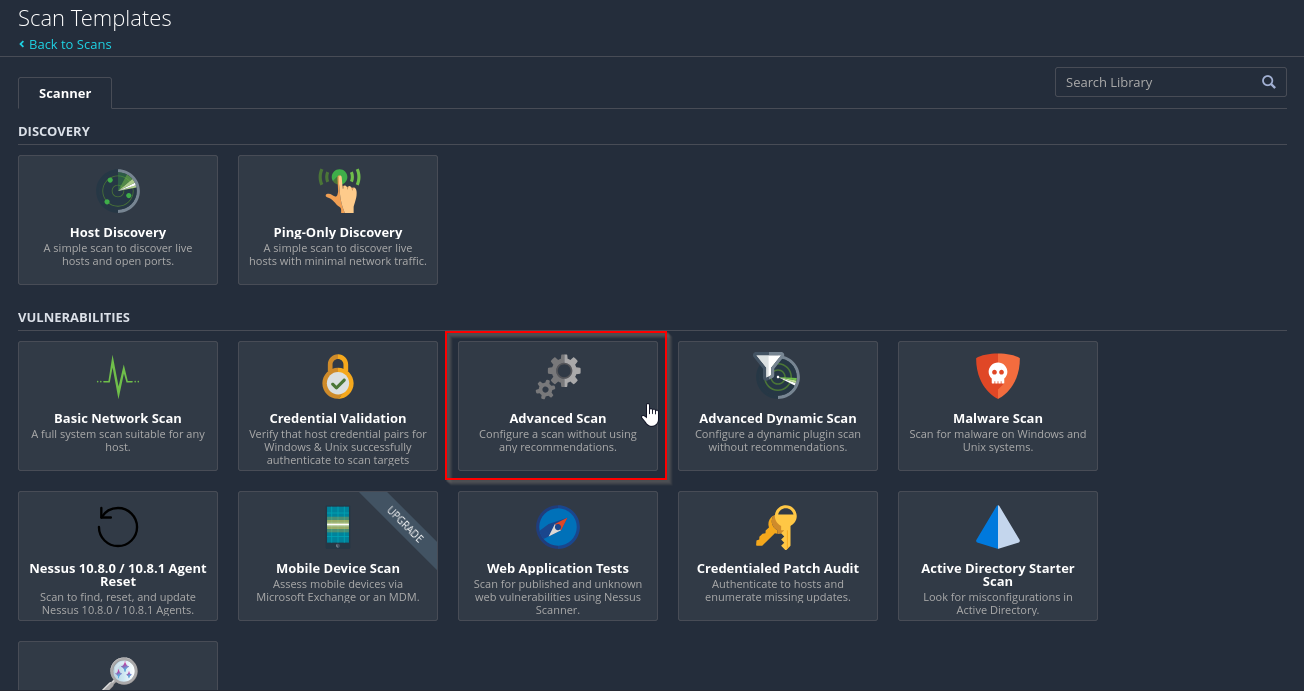
- Fill out this basic details first , and setup the target Ip
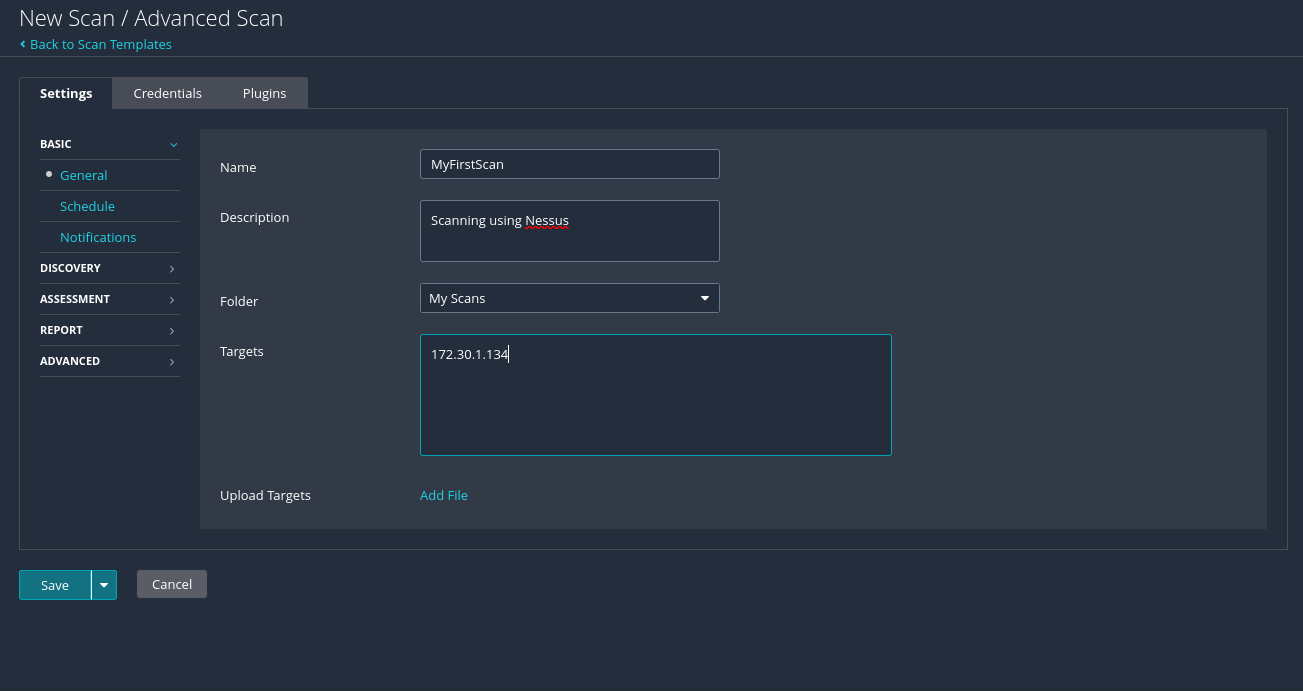
- You can customize other settings also, then hit save and Launch.
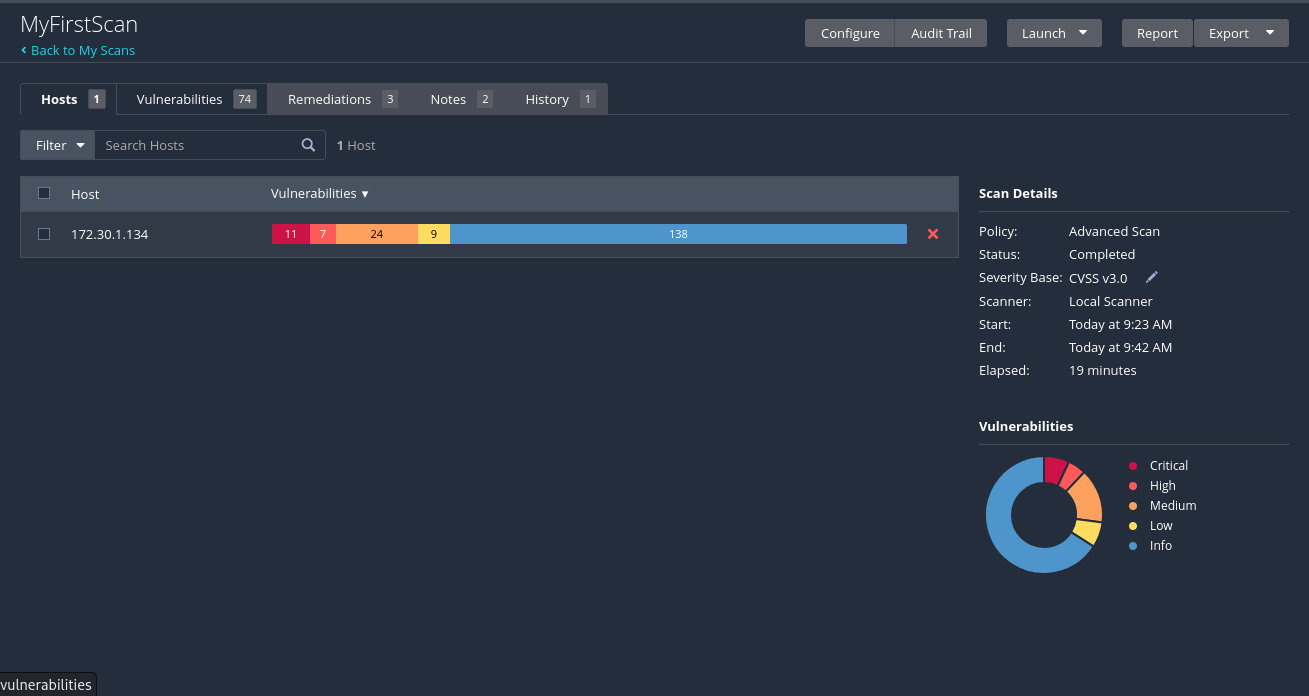
Scan analysis:
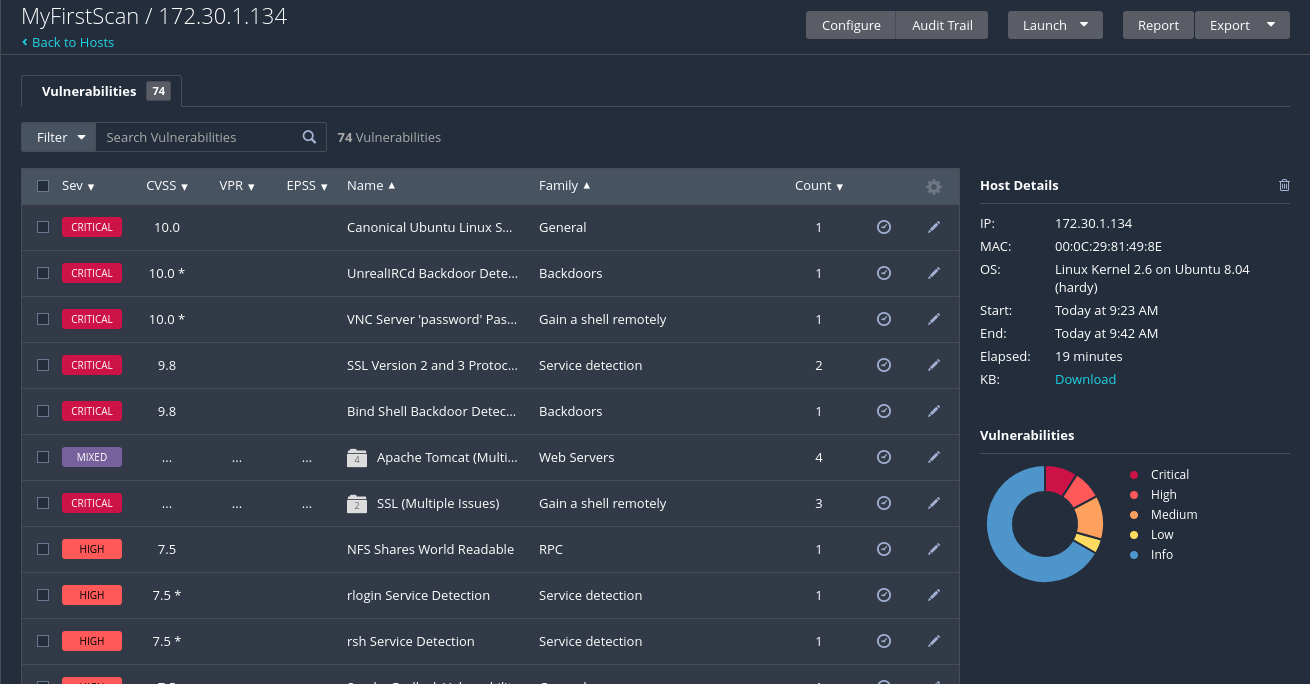 List of security vulnerabilities.
- Click on any of the vulns:
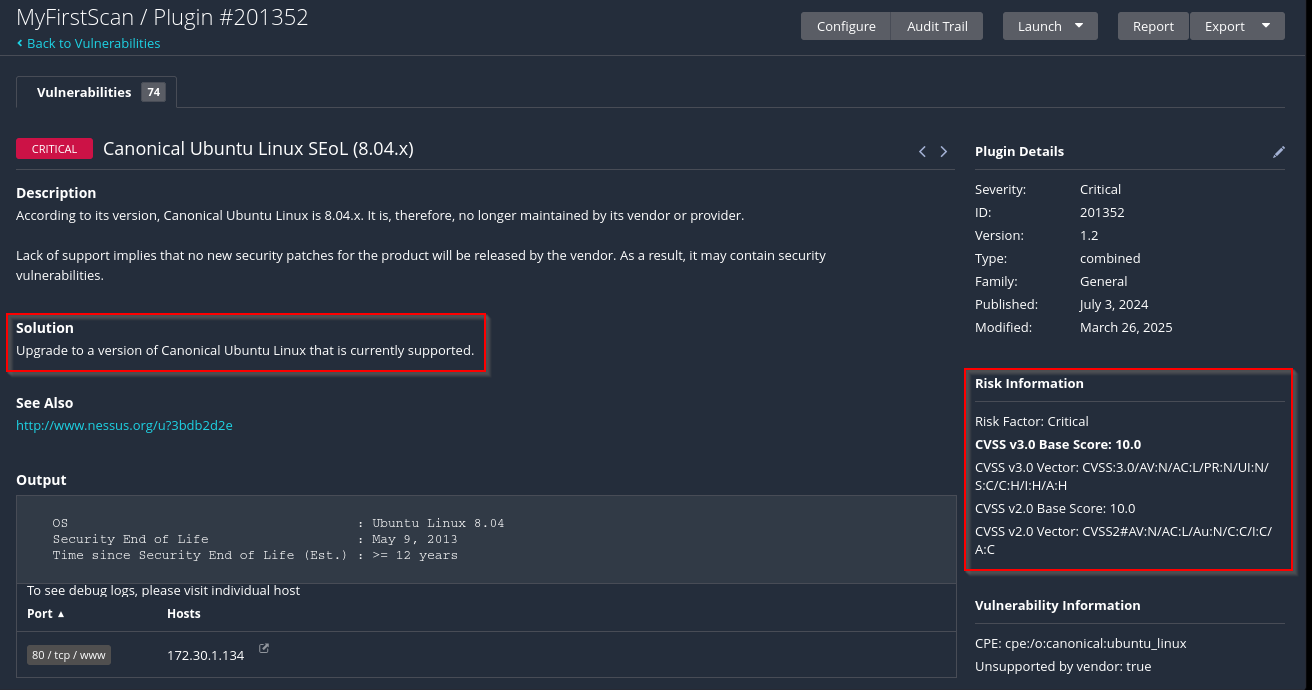
- As shown in the preceding screenshot, Nessus also provides the
Common Vulnerability Scoring System (CVSS)base score, which is based on a rating from0-10, where 10 is the most critical and requires immediate attention.
Important
Cybersecurity professionals within the industry use the CVSS calculator at https://www.first.org/cvss/ to determine the score of vulnerabilities within their systems, networks, and organizations. This calculation helps experts determine the risk factors when determining a severity rating.
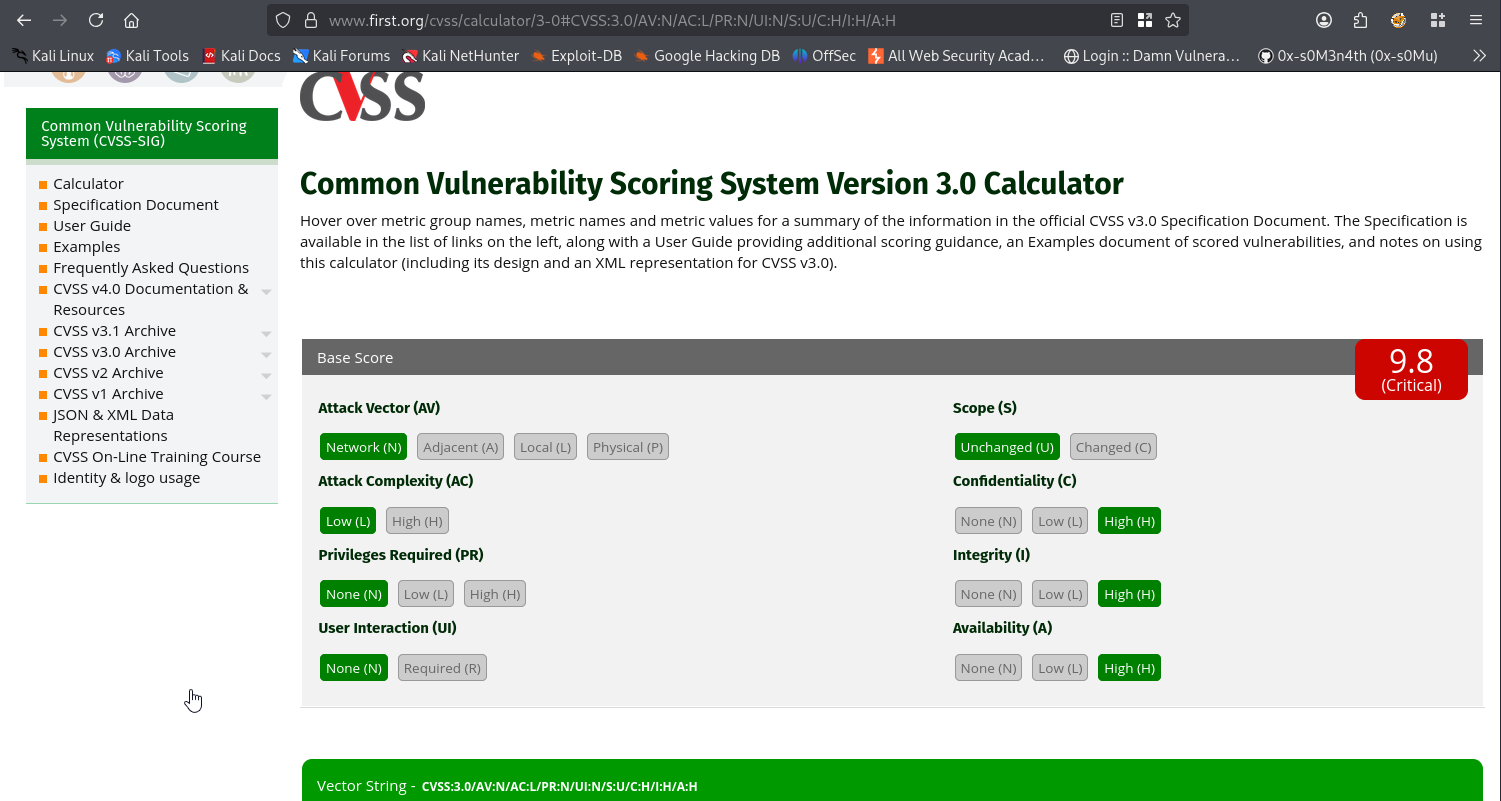 3. We can further export the results of the scan into different formats.