After discovering the hosts on a network, the next phase is to identify any open service ports on the target system and determine which services are mapped to those open ports. There are various techniques that a penetration tester can use to identify the open ports on a target system. Some techniques are manual, while others can simply be automated using the Nmap tool
- Basic
nmapscan, this will perform a scan of the1000commonly used ports: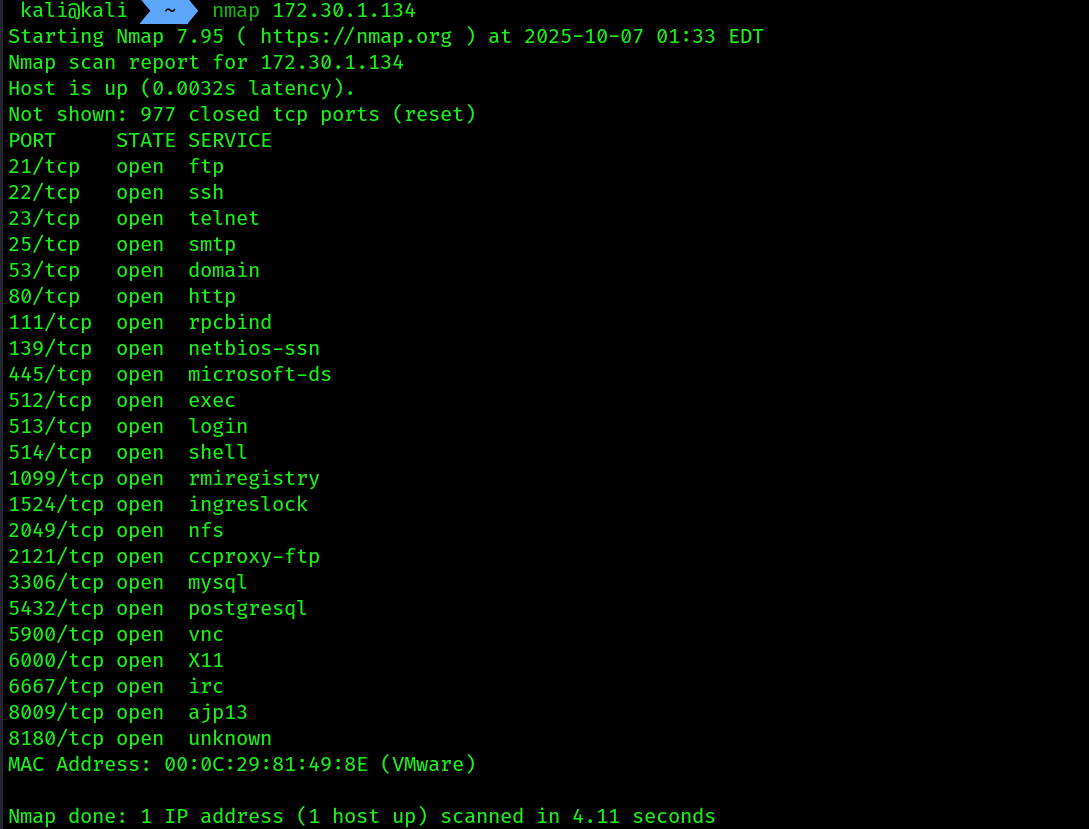
nmap 172.30.1.134
As an aspiring ethical hacker and penetration tester, if you’re not familiar with some of the services discovered from a scan, you must perform research to gain a better understanding of a service role and its functionality on a system and network.
- Let’s perform an advance scan to determine the target’s OS, service version, script scanning:
nmap -A -T4 -p- 172.30.1.134
SYNTAX BREAKDOWN:
–A: This enables Nmap to profile the target to identify its operating system, service versions, and script scanning, as well as perform a traceroute.-T: This syntax specifies the timing options for the scan, which ranges from 0 – 5, where 0 is very slow and 5 is the fastest. This command is good for preventing too many probes from being sent to the target too quickly.-p: Using the –p syntax allows you to specify which port(s) to identify as opened or closed on a target. You can specify –p80 to scan for port 80 only on the target and –p- to scan for all 65,535 open ports on a target.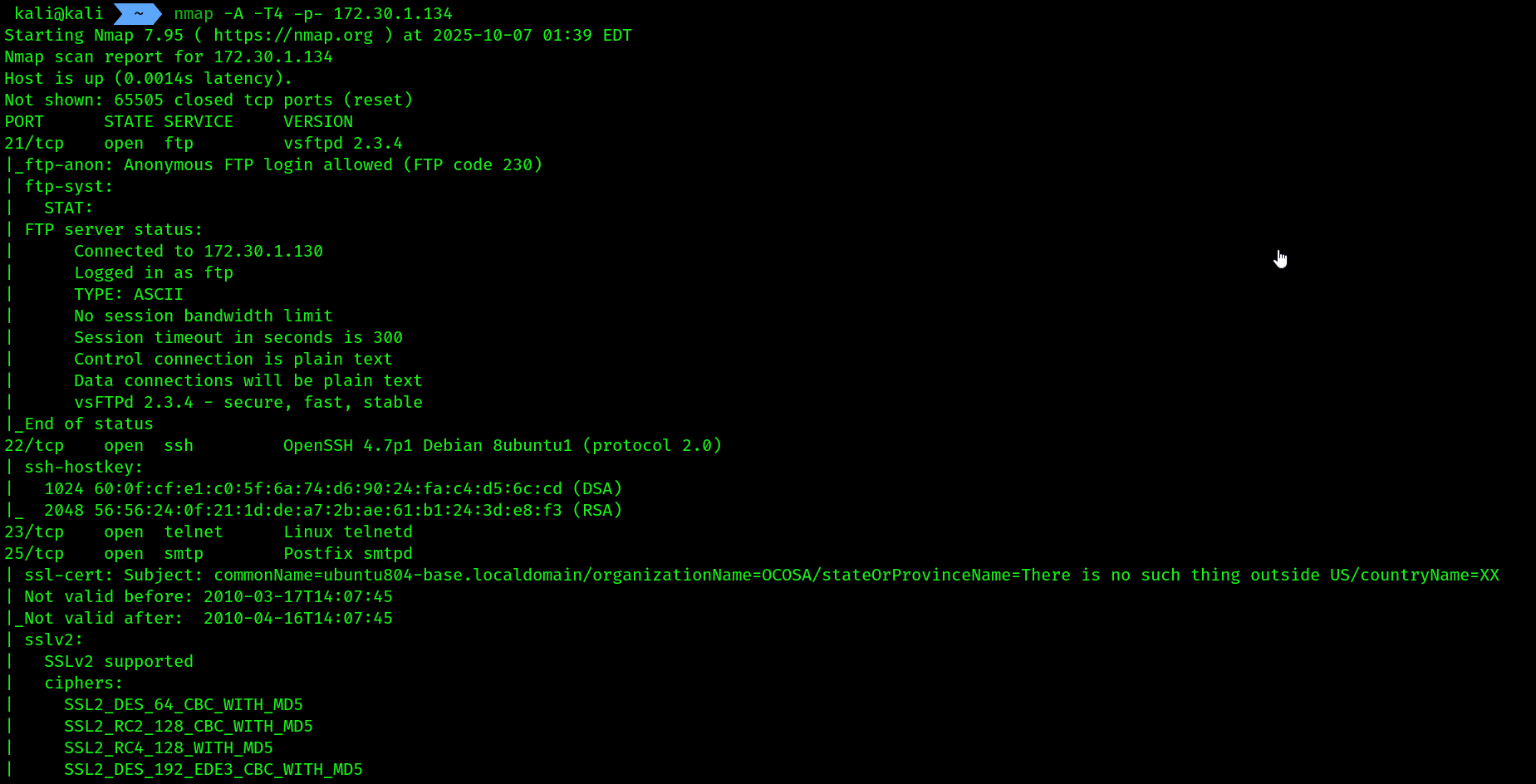
By default, Nmap performs scans on Transmission Control Protocol (TCP) ports only. Therefore, if a target is running a service on a User Datagram Protocol (UDP) server port, there’s a possibility you will miss it. To perform a scan on a port or range of UDP ports, such as to scan for UDP port 53, use the –p U:53 command.
- It was also able to perform banner grabbing and determine whether there’s an authentication system/login mechanism for each service.
- Now after seeing the information, we can look for version specific exploits/ any credentials that can come in handy.
SMB is a TCP/IP network protocol that is used to allow file and printer sharing services between host devices on a network. Discovering SMB on a host system is an indication there many a file share located on the target system, and it’s something worth checking out.
The following is some additional syntax that can be used with Nmap to gather specific information:
-Pn: This command performs a scan on the target without sending an ICMP Echo Request (ping) message. This command is useful for scanning systems that have ICMP responses disabled.-sU: This command allows Nmap to perform a UDP port scan on the target. This command is useful for identifying any services that use UDP compared to TCP.-p: This command allows a penetration tester to scan a single port or range such as –p80, -p 80,443,8080, or –p 100-200.-sV: This command allows Nmap to send special probes to identify the service versions of any open ports on the target system.-O: This command allows Nmap to identify and profile the operating system on the target system.-6: This command enables Nmap to perform scanning on a system or network that has an IPv6 address. By identifying the operating systems of targets, penetration testers can create an exploit and payload that are designed to work efficiently on those specific operating systems. Simply put, an exploit or payload for a Windows operating system will most likely not work on a Linux-based system and vice versa.
Enumerating SMTP service:
- Using netact:
nc -nv 172.30.1.134 25
- Inside
netcatuse this commandVRFY rootto verify user: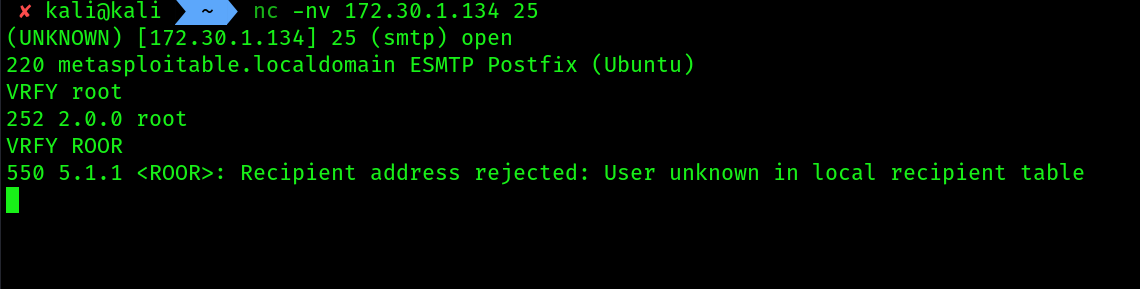 As shown in the preceding screenshot, netcat is able to successfully establish a connection to the targeted system on port 25, which further identifies that the SMTP is running. When the VRFY root command is executed, the email service responses indicate that the user exists.
When performing SMTP enumeration, there are various commands that enable us to verify whether a valid user exists or not. For instance, the VRFY command is used to determine whether a valid user exists on the email server. The EXPN command is used to identify the delivery address for an email alias. The RCPT TO command is used to point to a recipient’s email address.
- It’s very hectic to manually look for users, rather than that use a bash script that will enumerate the users in SMTP:
- Install the script from
The ultimate kali book's github account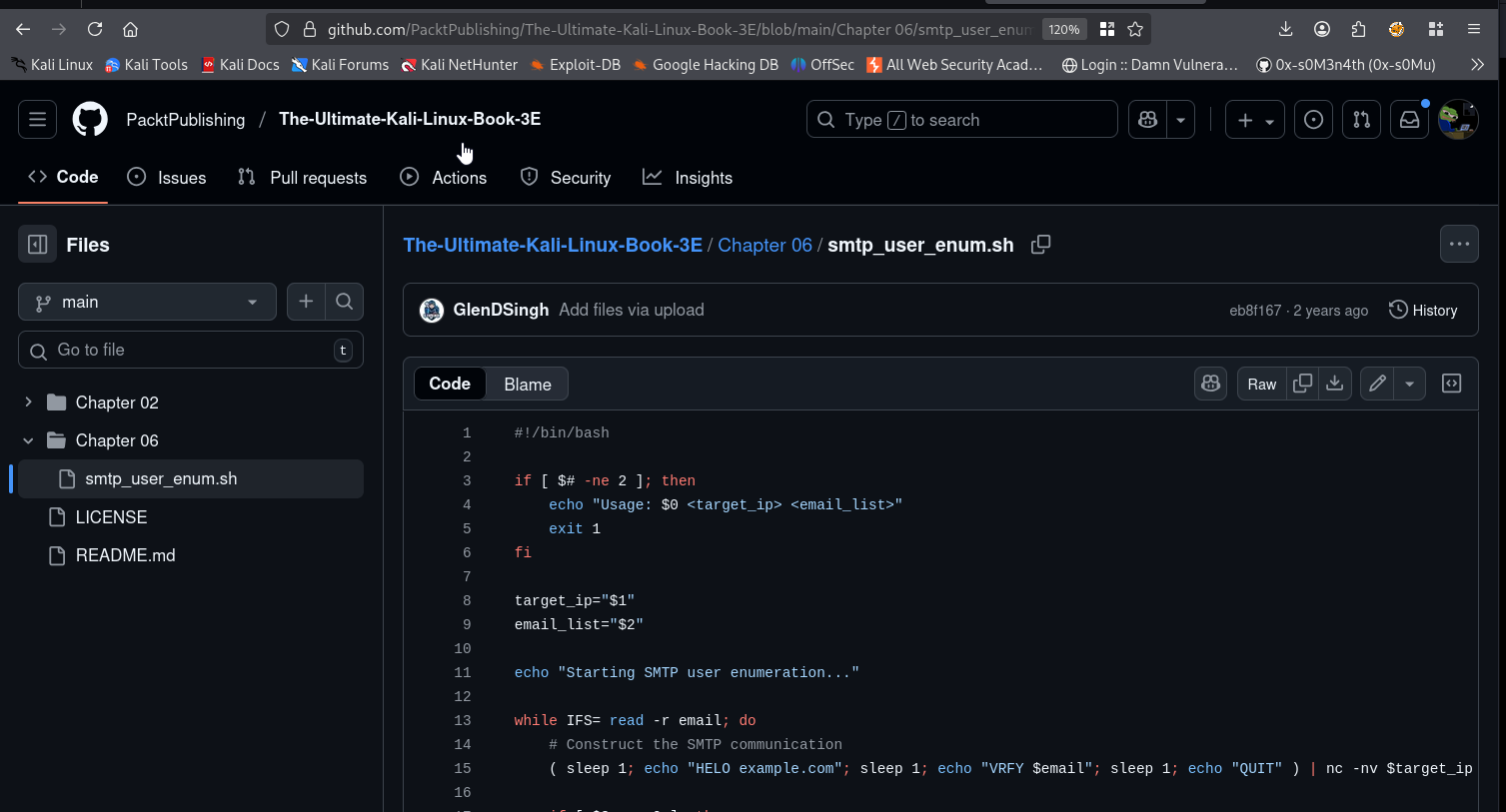
- Give executable permission to the script
chmod +x smtp_user_enum.sh - Convert the Script to linux style as it’s having windows style Line endings using this command
dos2linux smtp_user_enum.sh - Now execute the code as shown in the following screenshot:
 command:
 ./smtp_user_enum.sh target_ip wordlist_directory - In my case it didn’t return anything
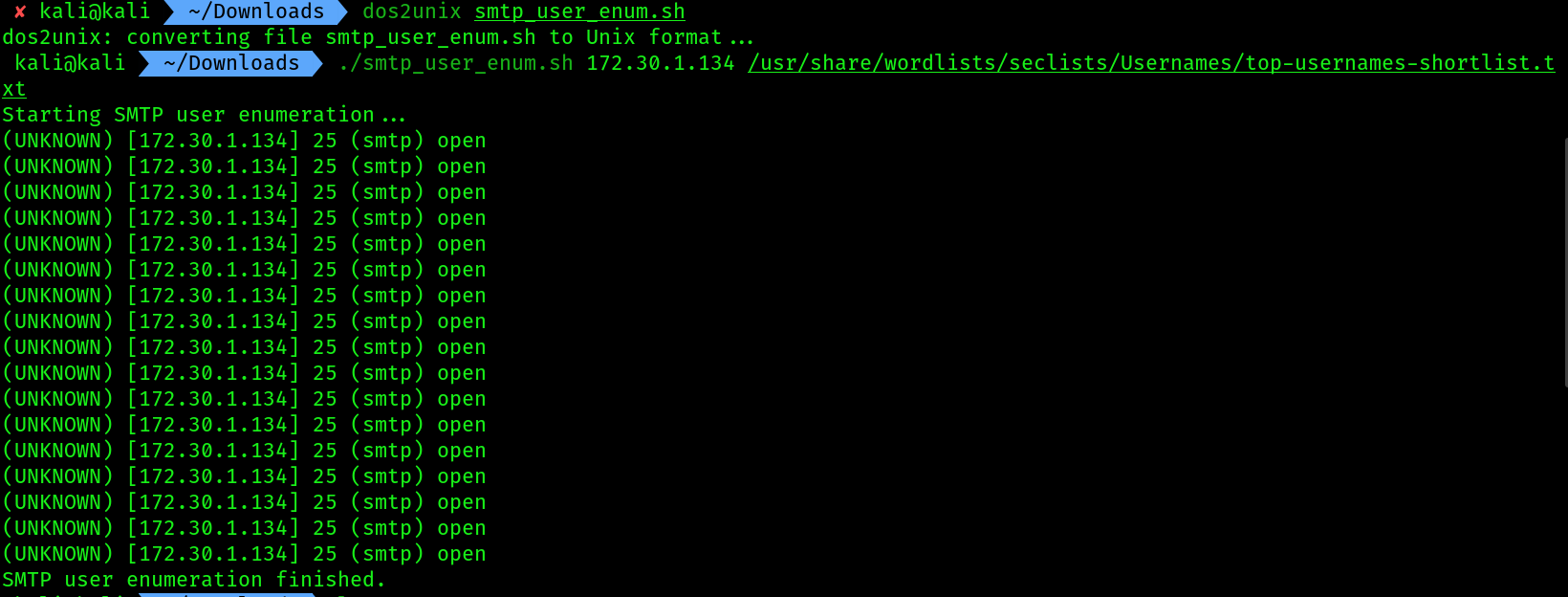
- Install the script from
Enumerating SNMP service:
SNMP is a common network protocol that enables network professionals to monitor, manage, and troubleshoot common networking devices. In addition, IT professionals use SNMP to retrieve sensitive information from their devices, such as the following: • System uptime • Device hostname • CPU and memory utilization • Interface status and statistics • Operating system • Open ports and running services
- Checking if
SNMPis running or not:
nmap -sU -p 161 172.30.1.134
COMMAND BRIEF:
-sU: checks for UDP connection-p: We need to provide here the port number forSNMPdefault port.
- Next, perform SNMP enumeration using the
SNMP-Checktool:
snmp-check -p 161 -c public -v 1 172.30.1.134
COMMAND BREAKDOWN: • -p: This allows you to specify the targeted port; by default, it’s set to port 161. • -c: This allows you to specify the community string to log in to the targeted system; the default community string is public. • -v: This allows you to specify the SNMP version to use; by default, it’s set to version 1.
The SNMP-Check tool was able to enumerate the following information from the target: • System information • User accounts • Network information • Routing information • Network services • Running processes • Software components