Gathering data using whois:
whois command helps us to find publicly available data about domains.
The following is a brief list of some information types that are usually stored for public
records:
- Registrant contact information
- Administrative contact information
- Technical contact information
- Name servers
- Important dates, such as registration, update, and expiration dates
- Registry domain ID
- Registrar information
- Kali is having a built-in
whoistool: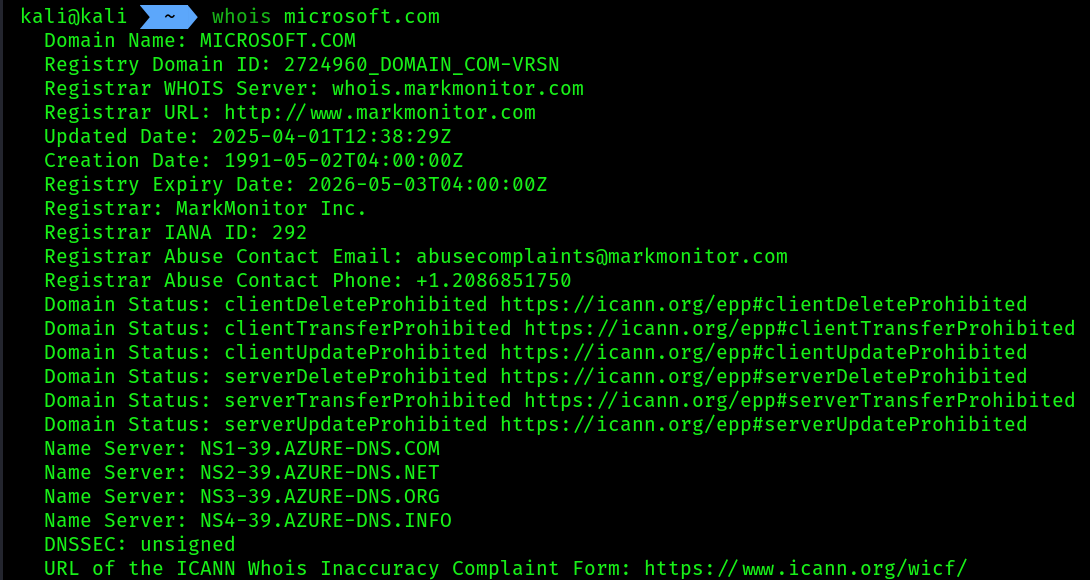
Keep in mind that, as the need for online privacy increases around the world, domain registrars and organizations are paying a premium fee to ensure their contact data is not revealed by WHOIS databases to the general public. This means that you will not commonly find private contact data about domains that are no longer being revealed on WHOIS databases if the domain owner pays the premium for additional privacy features.
Take advantage of publicly available informations like job portals(from where we can get info about the company’s technical gadgets, employee requirements, their contact info, what kind of tech they are using currently etc). Make sock puppets inside linkedin and connect with high privilege individuals, try to phish them etc. Take as much advantage as possible from the public info. Make a threat model using those stuff .
Quite often, you will notice that employees who are in a leadership role will commonly share their contact details on professional social networking sites, such as the following:
- Full name
- Job title
- Company’s email address
- Telephone number
- Roles and responsibilities
- Projects containing technical details
- Pictures of their employee badge As a penetration tester, it’s quite simple to create an account that will function as a sock puppet on a site such as LinkedIn, populate some false information on the account, such as information stating you’re an employee who is working at another branch office, and then add some low-level employees to the organization. There is a possibility the employees will automatically accept the connection/friend request because they will see that you’re a fellow employee at their company. This will provide some leverage for you to connect with the high-profile employees of the target organization and attempt various types of social engineering tactics.
Hunter.io
- We can find a particular company’s employee’s info.
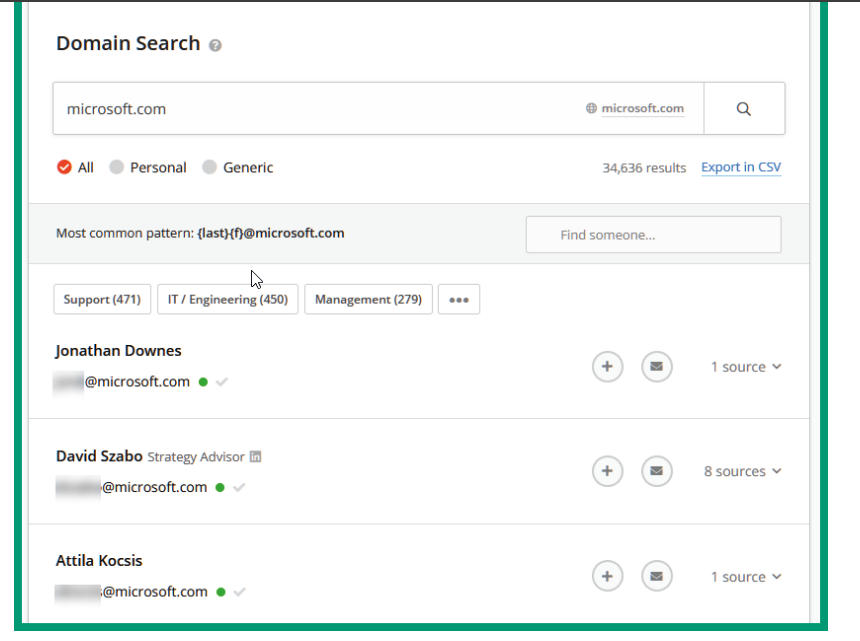
- As shown in the preceding screenshot, Hunter can provide a list of employees’ information, such as their names, email addresses, telephone numbers, and other sources of information. Furthermore, Hunter.io provides the format of employees’ email addresses. Such information is also useful when attempting
password sprayingandcredential stuffingtechniques.
Recon-ng
- Recon-ng is an OSINT reconnaissance framework written in Python. To use
recon-ng:
recon-ng
[recon-ng][default] > marketplace install all # this will install all the modules of recon-ng
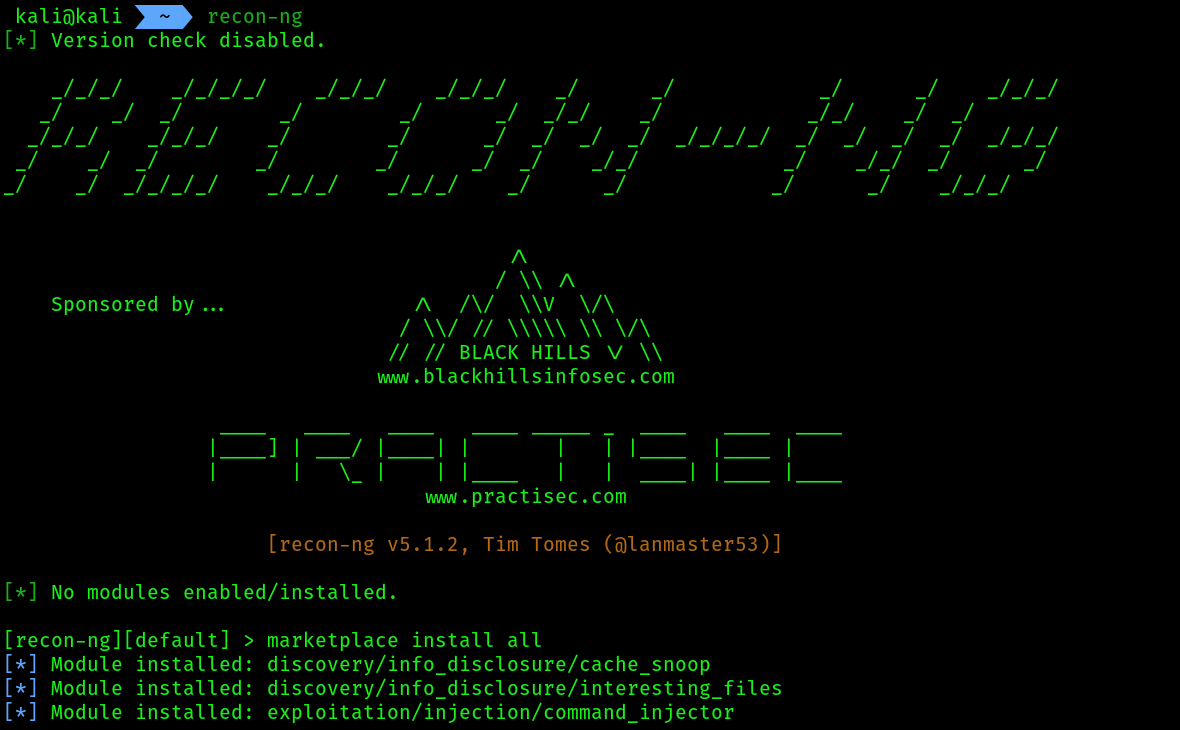 2. To see the installed modules inside
 recon-ng use the command modules search :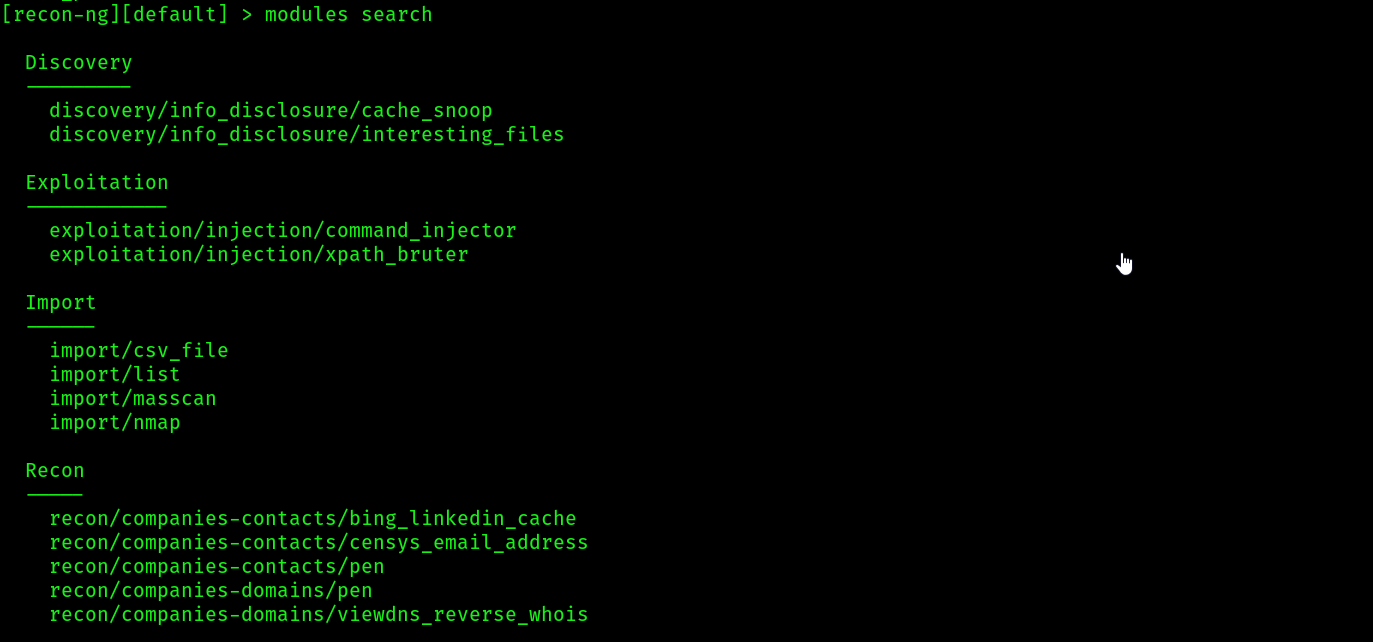 3. we can create separate workspaces inside this tool just like metasploit:
 4. To see the list of workspaces use the command
 workspaces list
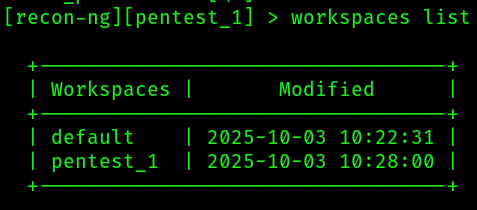
The workspaces load <workspace-name> command allows you to select and work in the specific workspace, while the workspaces remove <workspace-name> command removes a workspace from Recon-ng.
- We can search for any modules using the command
modules search <module_name>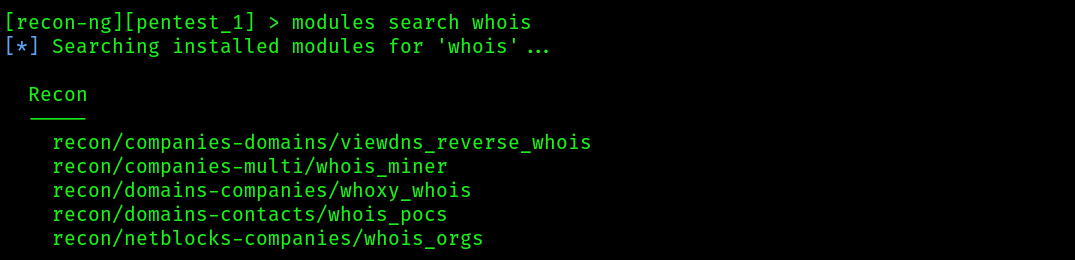
- To use a specific module within Recon-ng, use the modules load command. Let’s gather a list of point-of-contacts (POCs) for a target domain. Use the following commands to use the POCS module:
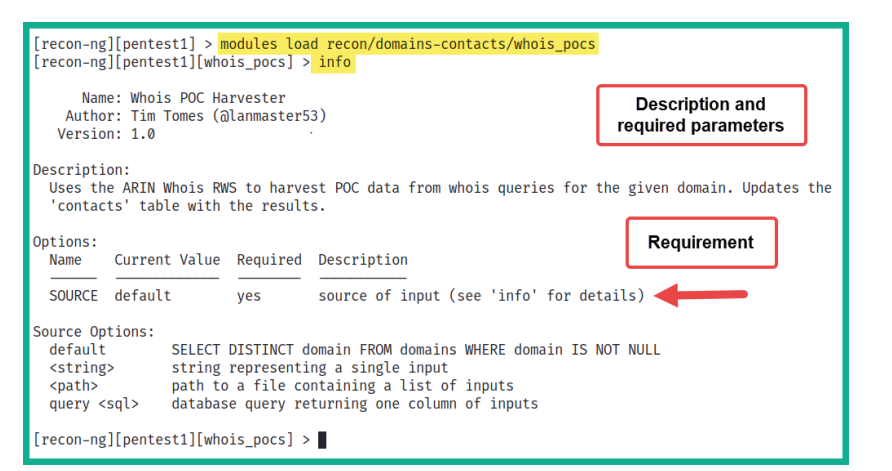
- To set the requirements for the POCS module, use the following command to set microsoft.com as SOURCE for our target:
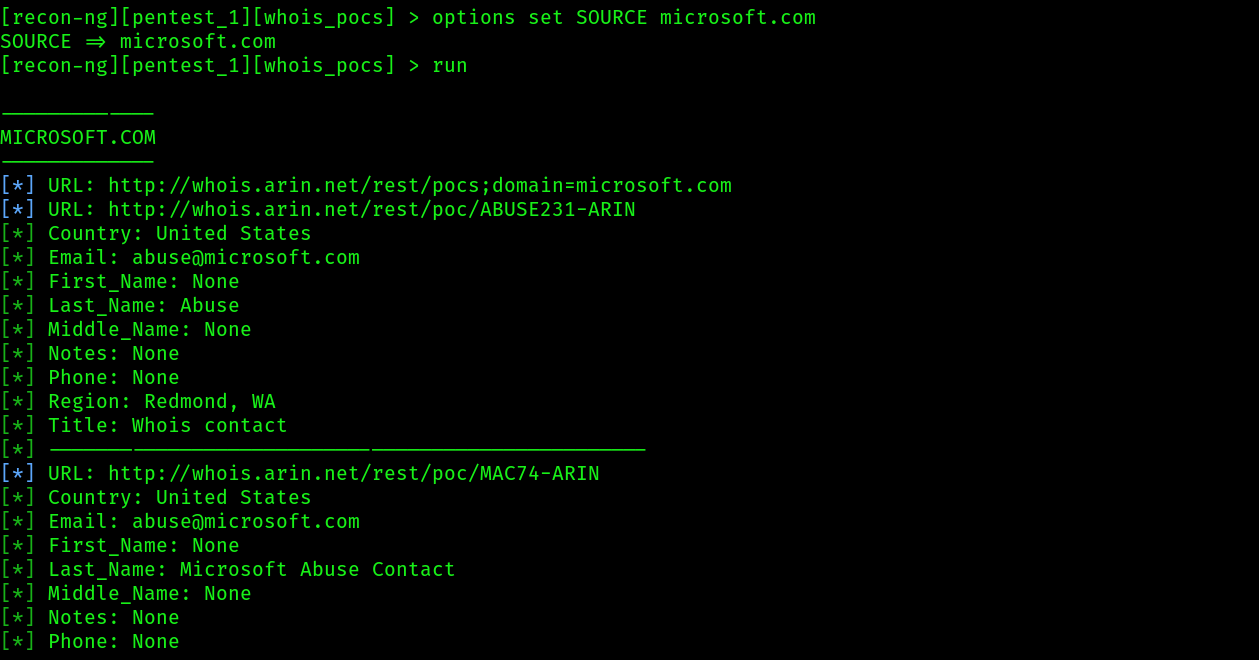
To unset a value within a module, use the option unset <parameter> command. Ensure that you use the info command to verify whether the parameter value is set or unset within a module.
- To exit the
recon-ngmodule use the commandback - To see the stored credentials for example the contacts we found -> use
show contacts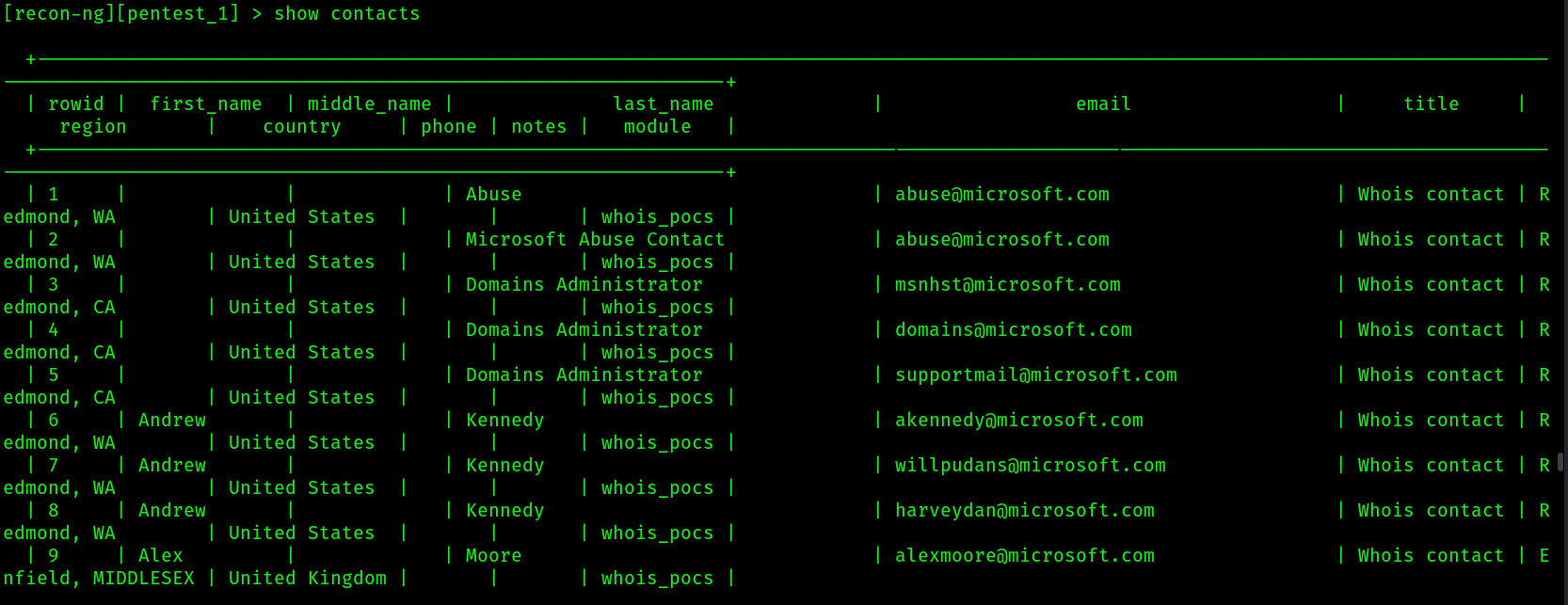
- How we can add different service’s API keys inside
recon-ng:
To view a list of all supported API modules and their keys on Recon-ng, use the keys list command. To add an API key to Recon-ng, use the keys add <API module name> <API key value> command.
- Show command:
The show command can be used with show [companies] [credentials] [hosts] [locations] [ports] [pushpins] [vulnerabilities] [contacts] [domains] [leaks] [netblocks] [profiles] [repositories] to view specific information that was obtained by Recon-ng.
- To view a summary of your activities, use the
dashboardcommand: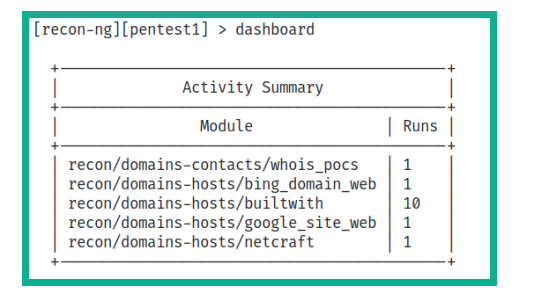
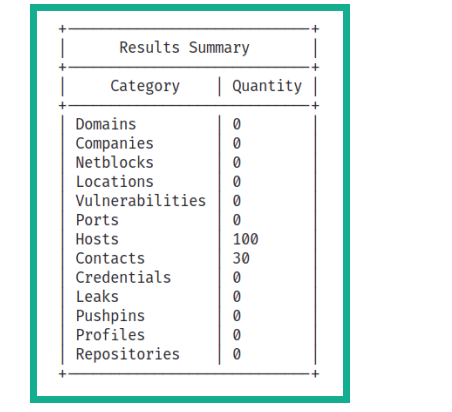
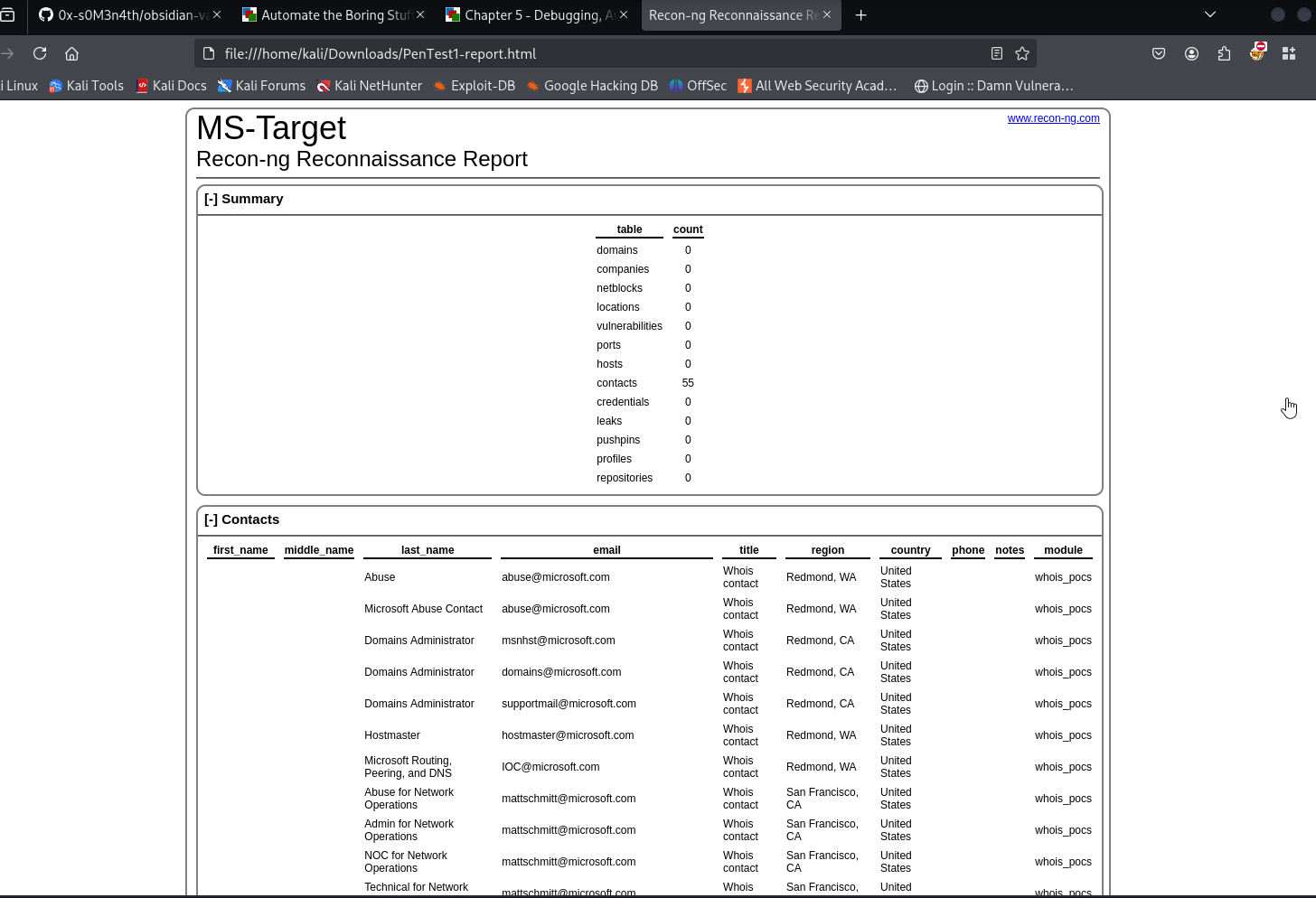
- Generating a report inside recon-ng:
- Use this module command
modules search report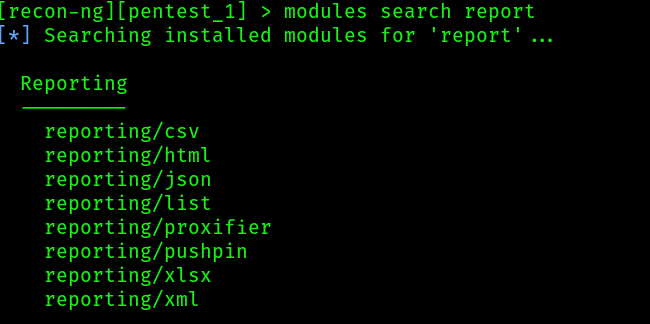
- Now we need to load the module we want to export as, i want it as
htmlso i will use this command to load itmodules load reporting/html, then we can use the commandinfoto see the details we need to set before running the module: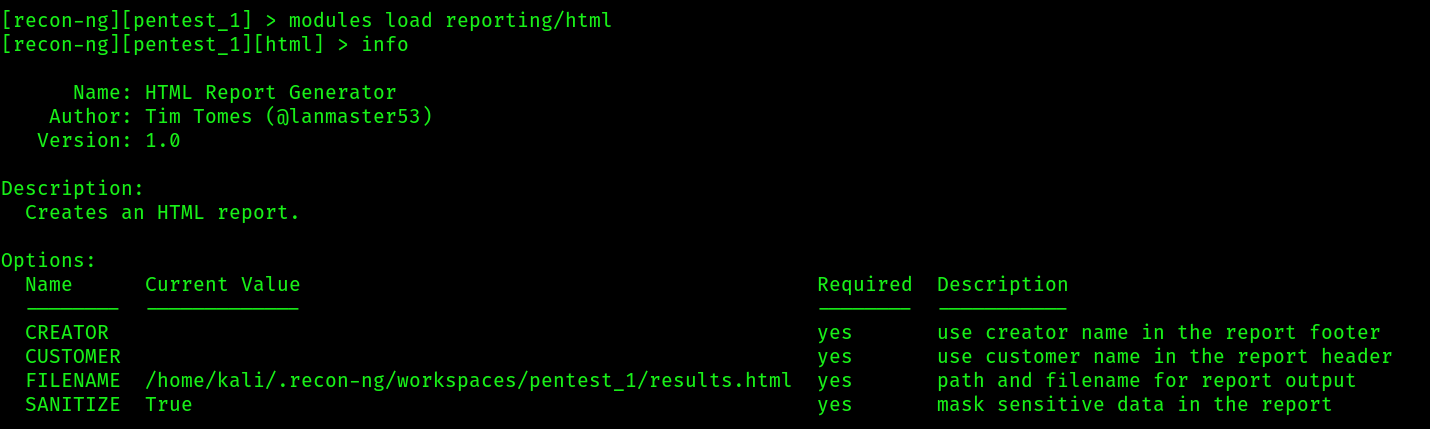
- We will set the details using these commands :
options set CREATOR 0xdf,options set CUSTOMER MS-Target,options set FILENAME saving_location: then hitrun
- The report
- Use this module command
recon-web
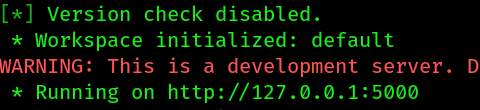
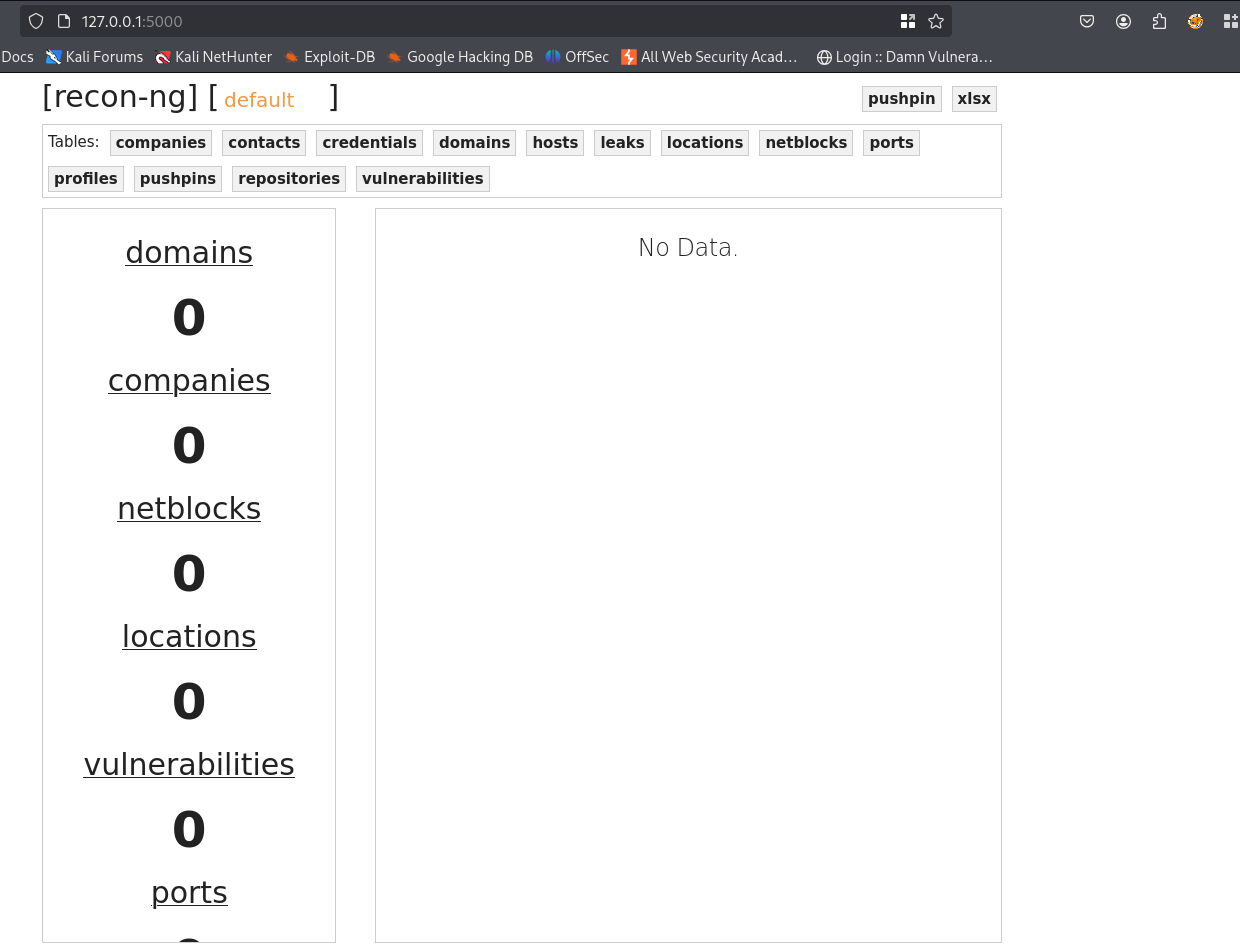
recon-ngis having it’s own web interface calledrecon-web, we can access it by typing this following command inside the terminalrecon-web
- This will start a web server
- Open it on your browser,
- DONE