Volatile data collection:
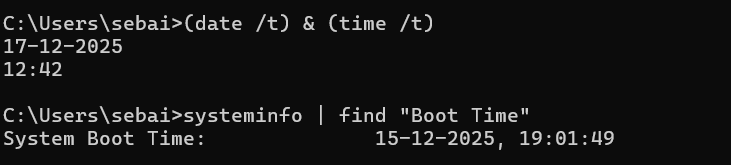
system uptime and current time:
In command prompt:
(date /t) & (time /t)
systeminfo | find "Boot Time"
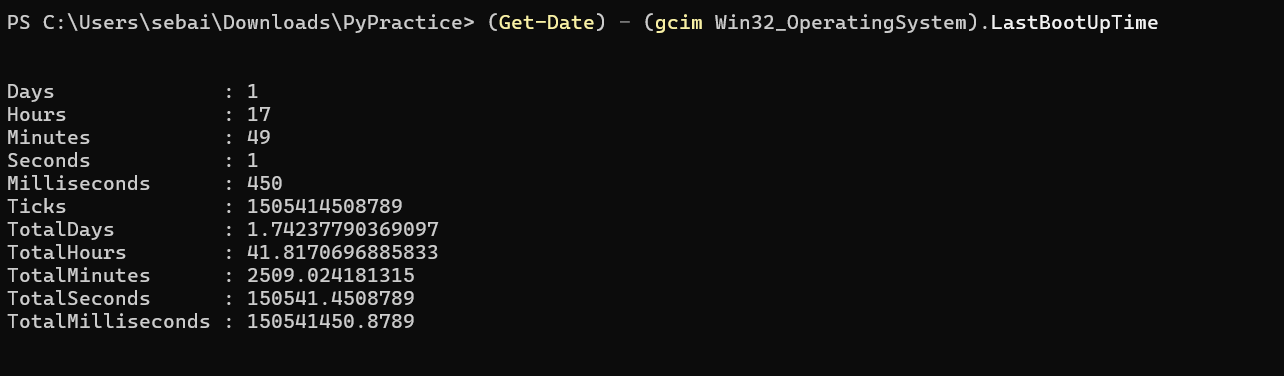
In powershell:
(Get-Date) - (gcim Win32_OperatingSystem).LastBootUpTime
Network parameters(NetBIOS name cache, active connections, routing table etc):
nbtstat -c
netstat -ano
netstat -rn
ipconfig /all
Promiscous mode detection on NICs through powershell:
Get-NetAdapter | Format-List -Property ifAlias, PromiscuousMode
Sysinternal tools:
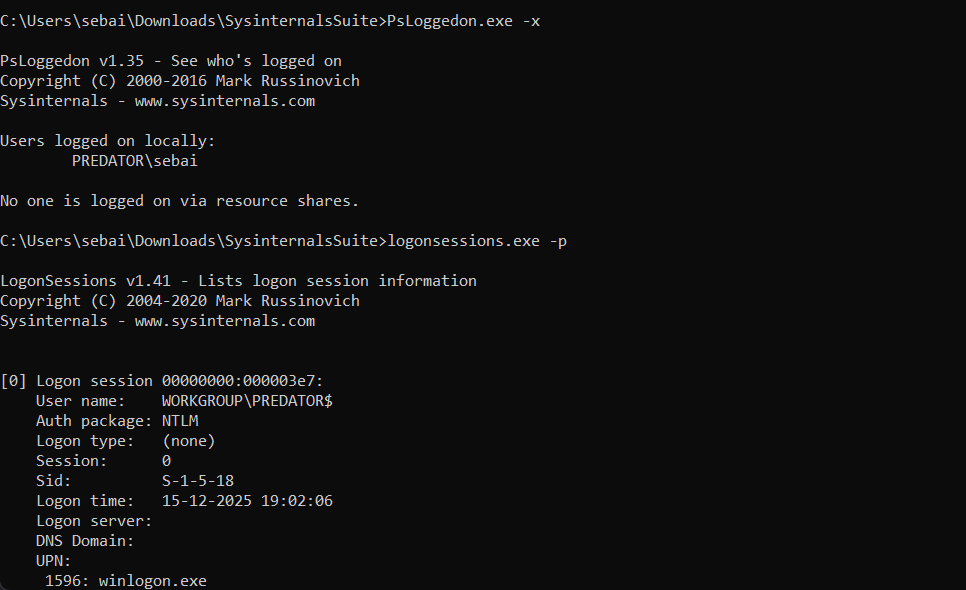
logged on users info:
PsLoggedon.exe -x
logonsessions.exe -p
net sessions
net user user_name
Hash analysis:
Using powershell:
Get-FileHash .\FTK_sample_00.E01 -Algorithm MD5
Get-FileHash .\FTK_sample_00.E01 -Algorithm SHA128
Open file information:
net file
list of running processes, services:
tasklist /svc
scheduled tasks info:
schtasks /query
history checking:
doskey /history
In powershell:
Get-History
Examining print spool files:
cd C:\Windows\System32\spool\PRINTERS # look for .SPL and .SHD files
WMIC:
wmic service list brief
File shares:
net share
Non-volatile data collection:
File system examination:
dir /o:d
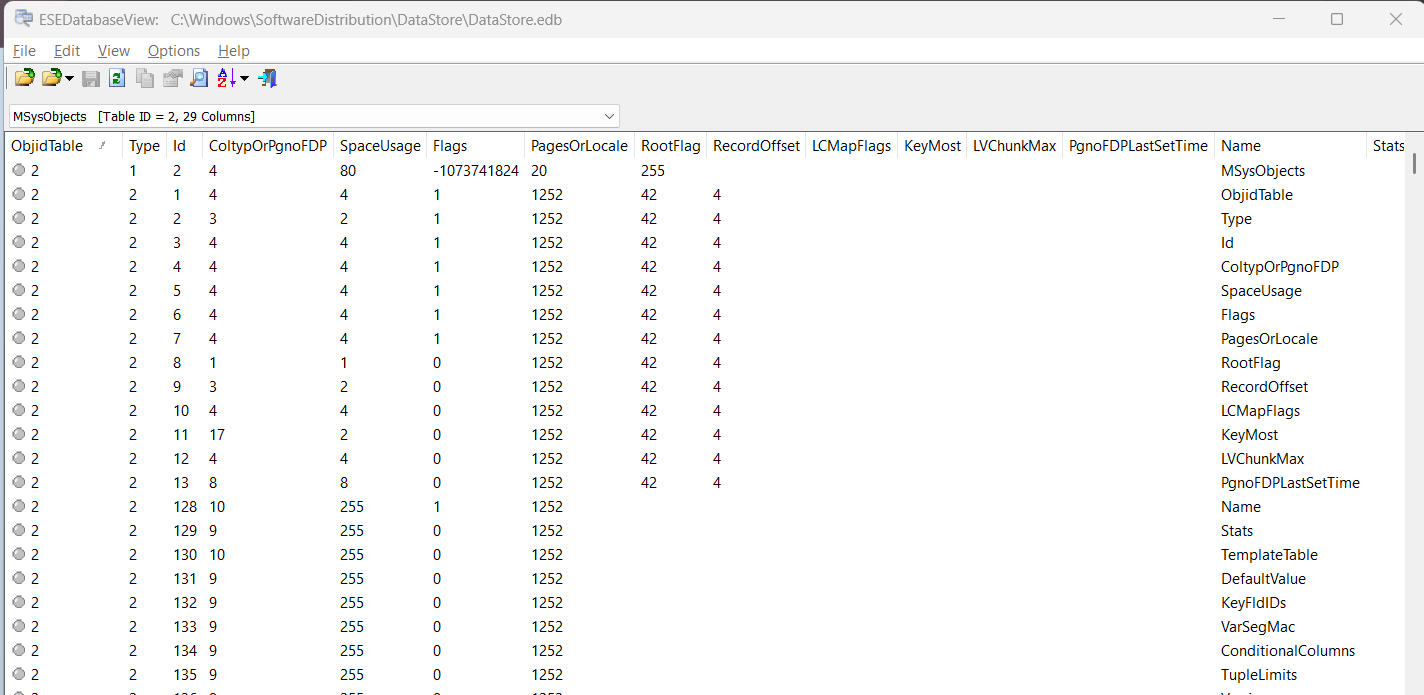
ESE database view:
Install esedatabase view tool from internet -> then open the following dir inside the tool : C:\Windows\SoftwareDistribution\DataStore\DataStore.edb
Registry analysis:
Collecting system information:
- open registry editor
- Then go to this path:
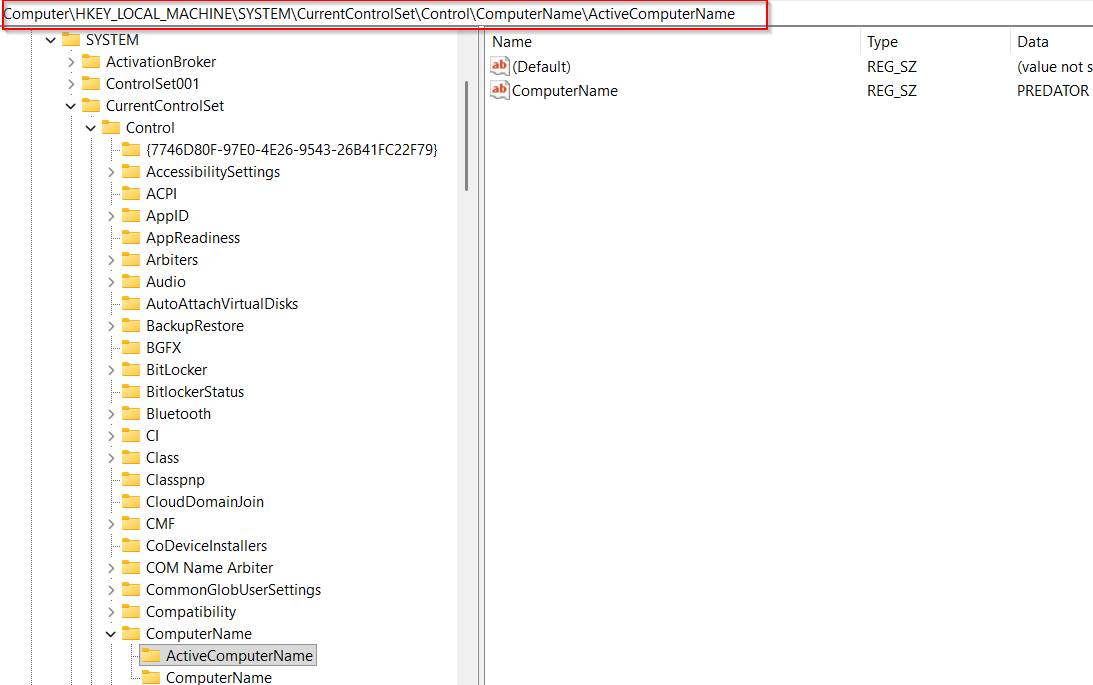
- Double click on the right side’s
ComputerNameoption to see the name. - To see current version of windows ->
HKEY_LOCAL_MACHINE\SOFTWARE\Microsoft\Windows NT\CurrentVersion - Last shutdown time information:
HKEY_LOCAL_MACHINE\SYSTEM\ControlSet001\Control\Windows - time zone settings ->
HKEY_LOCAL_MACHINE\SYSTEM\CurrentControlSet\Control\TimeZoneInformation - Share information ->
HKEY_LOCAL_MACHINE\SYSTEM\CurrentControlSet\Services\LanmanServer\Shares
Evaluating account management events:
- win + r ->
secpol.msc-> enter -> double click local policies -> click audit policy
browser cache analysis:
- History and cookies location for google chrome:
C:\Users\{user_name}\AppData\Local\Google\Chrome\UserData\Default - cache location:
C:\Users\{user_name}\AppData\Local\Google\Chrome\UserData\Default\Cache
Note
Location is identical for every browser, just choose the proper name of the browser.