Tcpdump is a network sniffing tool. Same as Wireshark but tcpdump is CLI based.
Practical usecase:
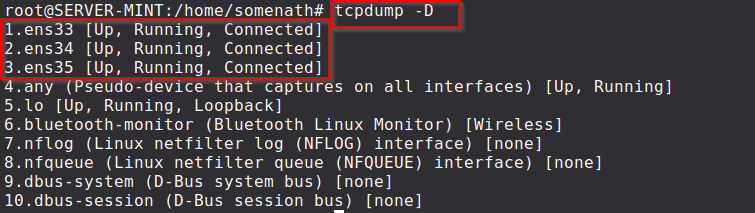
- Listing all the network interfaces in our machine:
tcpdump -D
 2. Sniffing traffic from our interface:
sudo tcpdump -i ens33{mention_your_own_interface_name}
ICMP traffic(ping):
To get the desired output as shown use your kali machine to ping the machine which is running tcpdump
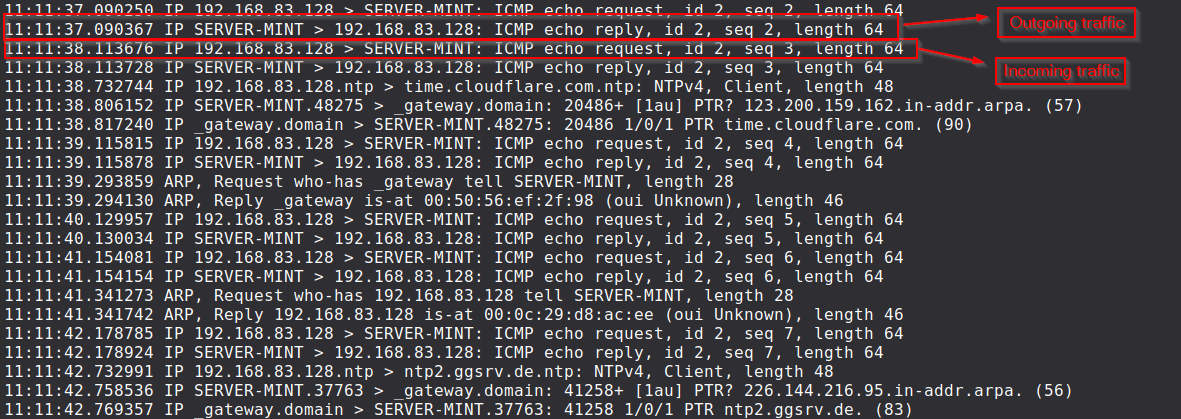 format of the traffic: {timeframe
{hh:mm:ss}:microsecond} {source_ip} > {Destination_ip} {request/reply}, {id}, {sequence number} {data length}
nmap SYN scan traffic:
To get the desired output as shown use your kali machine to run nmap to the machine which is running tcpdump. Used nmap command for this practical - {nmap -sS target_ip_running_tcpdump}
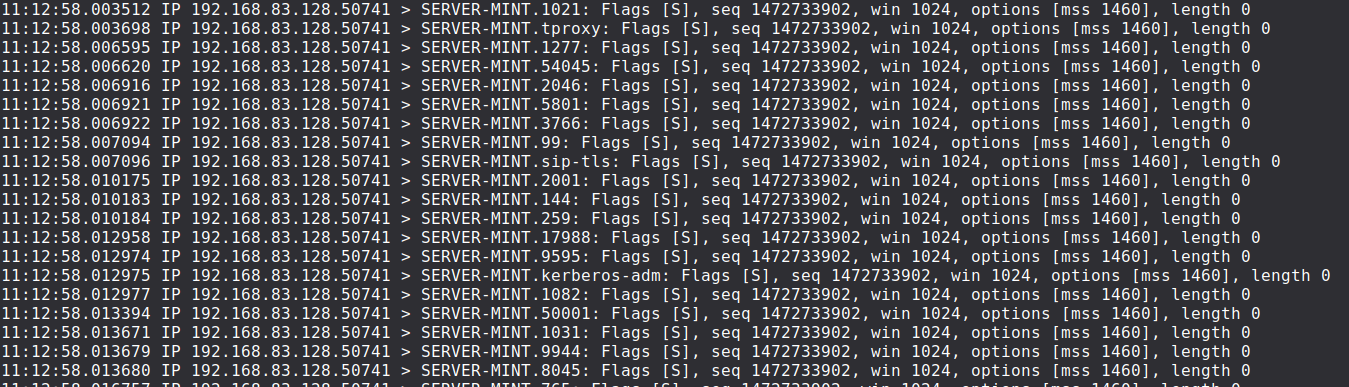 Traffic format: {timeframe
{hh:mm:ss}:microsecond} {source_ip:source port} > {Destination_ip:destination_port} {Flags {SYN/S}} {packet sequence number} {window size} {maximum segment size/mss} {data length}
- Other useful commands of tcpdump:
tcpdump -c N # capturing N number of packets where N > 0
tcpdump -w captured_packet.pcap # capture the packets and write into a file
tcpdump -r captured_packet.pcap # reading from a pre-saved pcap file
tcpdump -ttt # capture packets with proper readable timestamp
tcpdump -i eth0 port 22 # capturing incoming traffic specific to ssh/port 22
tcpdump -i eth0 src 192.168.83.128 # capturing traffic those are having source ip as 192.168.83.128
tcpdump -i eth0 dst 192.168.83.145 # capturing traffic that are having destination ip as 192.168.83.145