Volatile:
Collecting hostname, date and time:
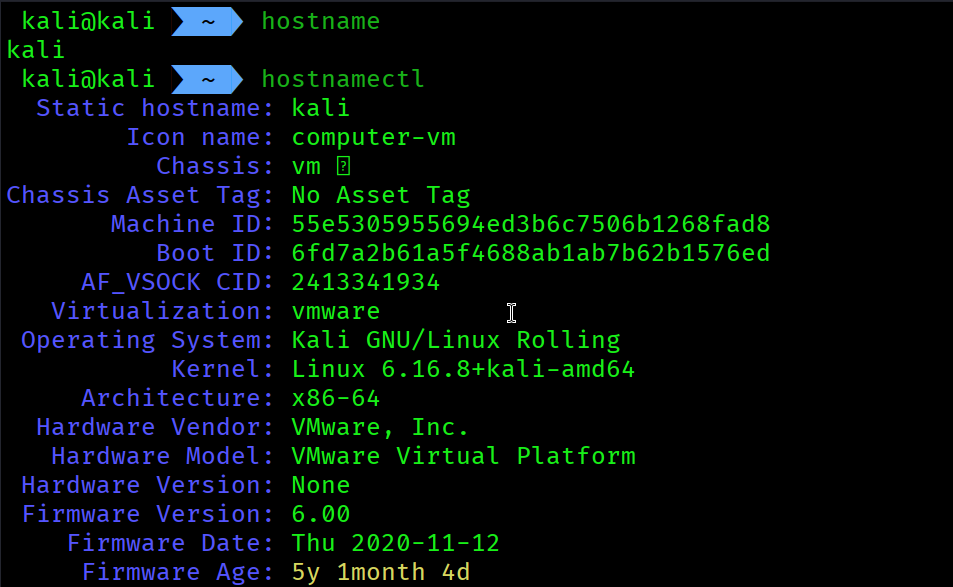
hostname
hostnamectl
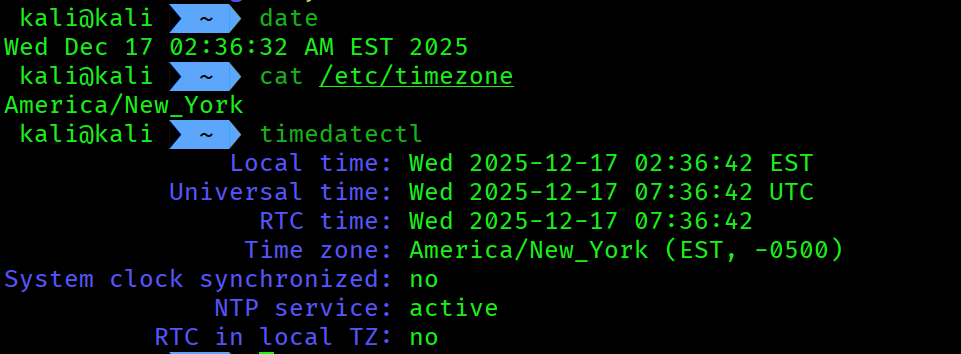
date
cat /etc/timezone
timedatectl
epoch time:
date +%s
system uptime:
uptime
Network information:
ip a # short form of ip addr show
ifconfig

# promisc mode detection:
ifconfig eth0
ip link show eth0

# other network info commands:
netstat -i
netstat -rn # routing tables
ip r # routing tables
open port info:
nmap -sT localhost
nmap -sU localhost # UDP port

sudo lsof -i tcp # checking tcp listening connections of localhost
sudo lsof -n -P | grep LISTEN

netstat -tulpn
listing current user’s open processes:
sudo lsof -u user_name
mounted file system info:
mount # info about file systems
df -h # file systems info but in human readable format
kernel module info, sound driver info:
modinfo ufs # kernel module
modinfo snd # sound module info
user event collection:
id
Reading ELF file:
readelf -h file_name # file header reading
running processes:
ps aux -ww
swap area and disk partition info:
cat /proc/partitions # disk partition
cat /proc/swaps # swap info
kernel message - kernel ring buffer info:
dmesg
Non-volatile:
Collecting system info:
cat /proc/cpuinfo
cat /proc/self/mounts
kernel info:
uname -r
cat /proc/version
hostnamectl | grep Kernel
local user account information:
cat /etc/passwd
cat /etc/passwd | cut -d: -f1 # seperating users from the output
logged on user information:
w
last # login history information
collecting system logs:
cat /var/log/syslog
cat /var/log/kern.log # linux kernel logs
cat /var/log/fail.log
cat /var/log/mail.*
cat /var/log/mysql.*
cat /var/log/daemon.log
cat /var/log/debug

journalctl
history and hidden file information:
history
ls -al # hidden files
suspicious info:
sudo rkhunter --check --rwo
sudo chkrootkit # rootkit checker
file signature analysis:
xxd file_name | head -n 10
basic file information:
file file_name
strings -t -d file_name

# finding writable files inside /var/log directory :
find / -writeable -type f 2> /dev/null | grep "/var/log"
Directory permission checking:
ls -ld Desktop
File system analysis using The Sleuth Kit:
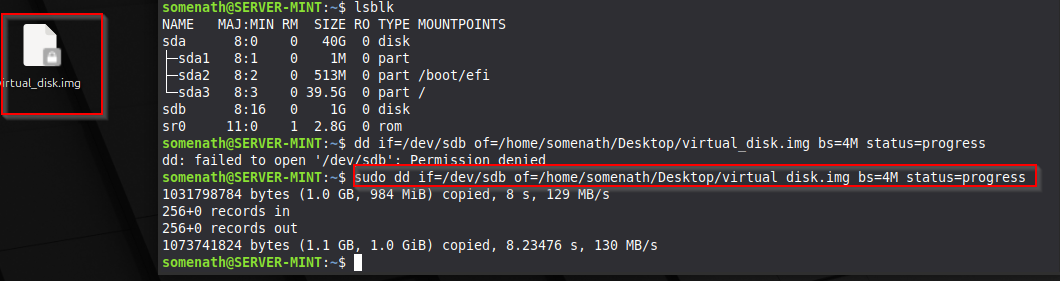
Creating an file system image using dd:
Important
Before that add a virtual hard disk of 1gb for testing purpose on your vm through vmware -> vm settings -> add -> hard disk -> SCSI -> Create new virtual disk -> 1 gb -> Done.
Then use the following guide.
sudo dd if=/dev/sdb of=/home/user_name/Desktop/virtual_disk.img bs=4M status=progress

# do every process as a root user
mkfs.ext4 Desktop/virtual_disk.img
# mounting the file system
mkdir /mnt/my_image
mount -o loop Desktop/virtual_disk.img /mnt/my_image

# creating evidences
echo "This is a secret message" > /mnt/my_image/secret.txt
touch /mnt/my_image/evidence.dat

# unmount then
umount /mnt/my_image

analysis:
# install sleuth kit
sudo apt install sleuthkit
sudo fsstat -i raw Desktop/virtual_disk.img
sudo fls Desktop/virtual_disk.img
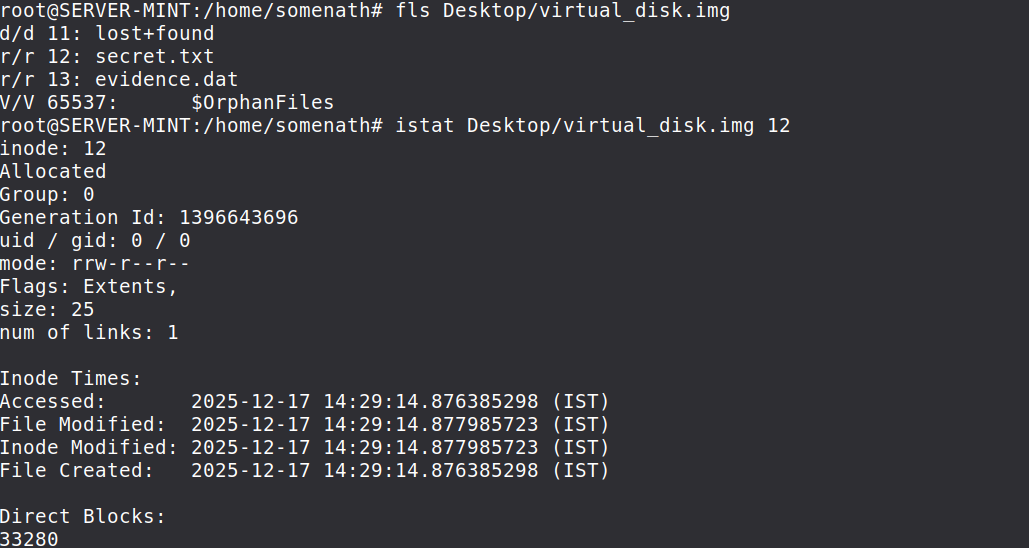
istat Desktop/virtual_disk.img 12